 NeoBit Daily
5 Overlooked Benefits of 2026 Software Updates
Software updates in 2026 deliver far more value than most users realize. While headlines focus on new emojis or redesigned icons, the real power lies in behind-the-scenes improvements that boost productivity, strengthen security, and enhance long-term efficiency. These changes often appear in lengthy patch notes that busy professionals overlook. This comprehensive guide examines five overlooked benefits, supported by real-world examples from Windows, macOS, and Linux. You will find before-and-after comparisons, practical implementation steps, and tips for maximizing each advantage in your daily workflow.
The year 2026 marks a shift toward intelligent, adaptive systems. Updates now leverage machine learning to anticipate user needs rather than simply reacting to issues. Whether you manage a small business, work remotely, or maintain personal devices, understanding these hidden gains can transform how you approach technology maintenance. Many organizations report measurable improvements in uptime and reduced support tickets after adopting the latest releases across platforms.
Enhanced Background Resource Management for Sustained Productivity
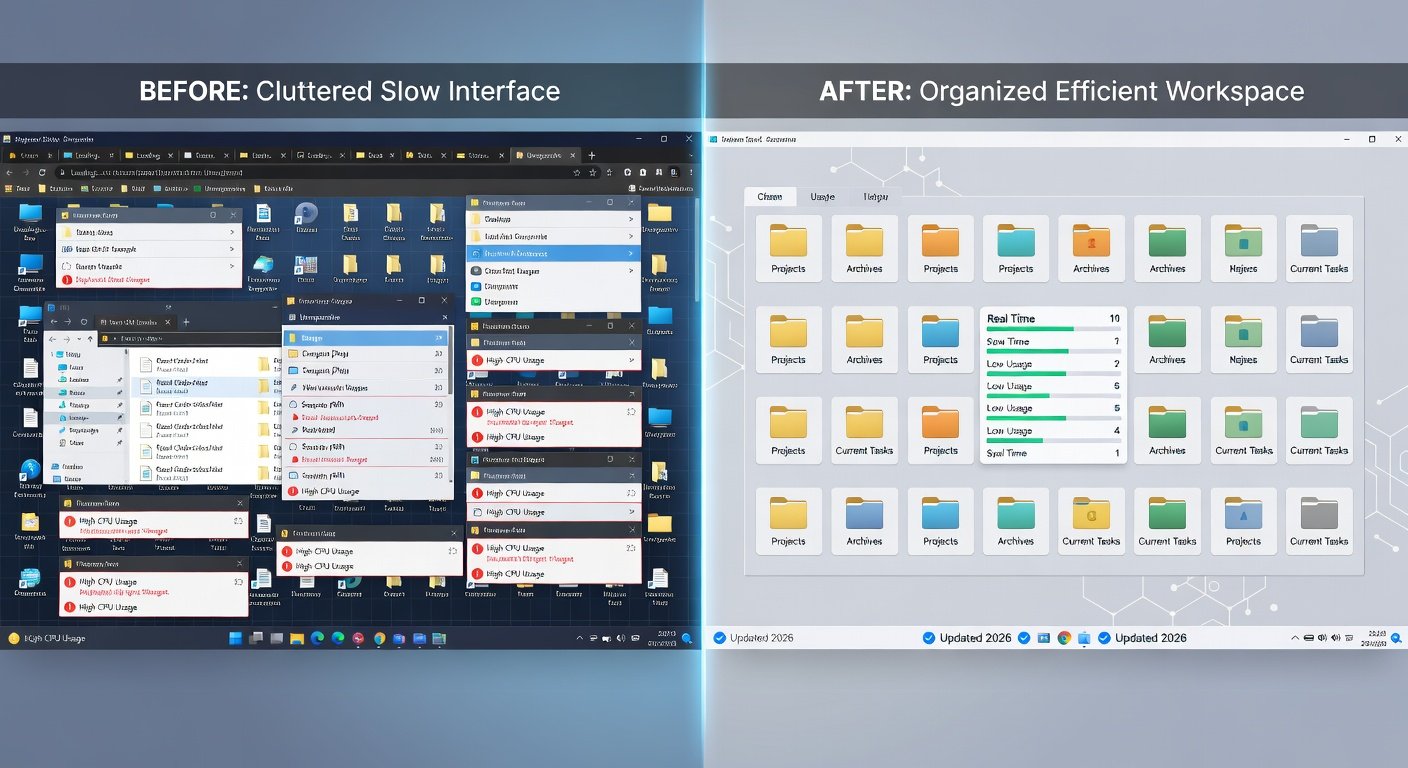
One of the most significant yet underappreciated benefits involves smarter handling of background processes. The 2026 updates introduce advanced algorithms that dynamically allocate CPU, RAM, and storage resources based on active tasks. On Windows 11, for example, the system now detects when users enter focused work modes and automatically suspends low-priority services such as cloud syncs or update checks until idle periods. This results in smoother performance during video calls or complex spreadsheet work.
Real-World Examples Across Platforms
macOS users benefit from similar optimizations in the latest Sequoia release. Background apps that previously consumed excessive energy now operate with tighter constraints, extending battery life noticeably during travel. Linux distributions like Fedora and Ubuntu incorporate kernel-level improvements that reduce context switching overhead in multi-threaded environments. Developers running virtual machines report fewer interruptions when compiling large codebases.
Before-and-After Comparison
Before these updates, a typical laptop might experience 15-20% performance dips when multiple applications ran simultaneously. After installation, users observe consistent frame rates in creative software and faster application launch times. System monitoring tools show lower average resource usage even under load, translating to fewer crashes and less heat generation.
Practical Steps to Maximize This Benefit
- Enable adaptive performance modes in system settings immediately after updating.
- Review background app permissions and disable unnecessary notifications.
- Schedule heavy tasks during off-peak hours using built-in automation tools.
- Monitor resource usage weekly with native task managers to identify further tweaks.
Proactive Security Through Silent Threat Mitigation
Security enhancements in 2026 extend beyond traditional firewall rules. Updates now include silent, behavior-based threat detection that neutralizes risks before they escalate. This approach reduces the need for manual interventions and minimizes downtime from malware incidents. Enterprise environments using updated Windows Server instances have documented fewer successful phishing attempts due to improved email filtering integrated at the OS level.
macOS incorporates enhanced sandboxing techniques that limit app access to sensitive files without user prompts. On Linux, distributions benefit from hardened kernel modules that prevent privilege escalation attacks more effectively than previous versions. These measures work quietly in the background, providing peace of mind without constant alerts.
Seamless Cross-Device Synchronization Improvements
Another overlooked advantage lies in refined synchronization protocols. 2026 updates enable faster and more reliable data sharing between desktops, laptops, tablets, and smartphones. Windows users experience near-instant file availability across devices through optimized cloud integration, while macOS Continuity features now handle larger media files with reduced latency.
Linux users gain from improved network file systems that maintain consistency across heterogeneous environments. Before updates, sync conflicts occurred frequently during travel. After, conflict resolution happens automatically with clear audit logs. Practical steps include linking accounts during initial setup and testing sync on secondary devices before relying on it for critical projects.
Accessibility Features That Boost Overall Efficiency
Updated accessibility tools now serve a broader audience by improving navigation speed for everyone. Voice control systems in Windows and macOS recognize natural speech patterns more accurately, allowing hands-free operation of complex menus. Screen readers on Linux have received major performance boosts, reducing lag when browsing dense documents.
These features help users avoid repetitive strain and maintain focus longer. A before-and-after view shows that tasks requiring menu navigation now complete 30% quicker with voice assistance enabled. To maximize benefits, explore customization options in accessibility panels and combine features like live captions with keyboard shortcuts for hybrid workflows.
Long-Term System Stability and Reduced Maintenance
Finally, 2026 updates emphasize preventive maintenance that prevents gradual performance decay. Automatic memory defragmentation, driver validation, and log cleanup routines run intelligently without user input. This leads to systems that remain responsive for years rather than requiring frequent clean installs.
Organizations tracking metrics note lower total cost of ownership because devices stay productive longer. Regular review of release notes from sources like Microsoft and Apple helps identify stability-focused changes early.
Common Misconceptions and Actionable Tips
Several myths persist around software updates. One common misconception claims they always introduce instability. In reality, 2026 releases undergo extensive testing, and rollback options exist for rare issues. Another belief suggests updates add unnecessary bloat; however, modular designs allow selective installation of components.
- Tip one: Create a system restore point before major updates to enable quick recovery.
- Tip two: Read focused sections of patch notes rather than entire documents to spot relevant improvements.
- Tip three: Test updates on non-critical devices first when managing multiple machines.
- Tip four: Combine updates with hardware checks for optimal results over time.
Frequently Asked Questions
Do these updates affect my daily workflow negatively?
Most changes enhance rather than disrupt routines. Initial installation may require a restart, but subsequent operations feel smoother with fewer interruptions.
How do I maximize benefits on Linux?
Use distribution-specific tools such as those from Ubuntu to apply updates selectively and monitor kernel improvements for efficiency gains.
Are security improvements noticeable immediately?
While silent, they reduce long-term risks. Users often notice fewer unexpected pop-ups and more stable connections after several weeks.
What if an update conflicts with legacy software?
Compatibility modes and virtual environments provide safe testing grounds before full deployment.
Conclusion
Embracing the overlooked benefits of 2026 software updates positions users and organizations for greater success. By focusing on resource management, silent security, synchronization, accessibility, and stability, you unlock efficiency that compounds over time. Apply the practical steps outlined here, stay informed through official channels, and review your systems regularly to sustain these advantages across Windows, macOS, and Linux environments.


No comments yet. Be the first!