 NeoBit Daily

2026 Software Updates: Remote Productivity Wins Hidden in Patch Notes
In 2026, remote work remains the backbone of global business operations, with distributed teams relying heavily on stable operating systems to maintain high output levels. While major version releases often grab headlines, the real productivity breakthroughs frequently hide in routine patch notes and cumulative updates. These incremental changes deliver performance optimizations, seamless collaboration integrations, and robust security features that help remote professionals avoid downtime and focus on core tasks. This comprehensive guide examines the most impactful updates from Windows, macOS, and Linux in 2026, providing real-world examples, cross-platform comparisons, and actionable implementation strategies.
Performance Optimizations Driving Efficiency
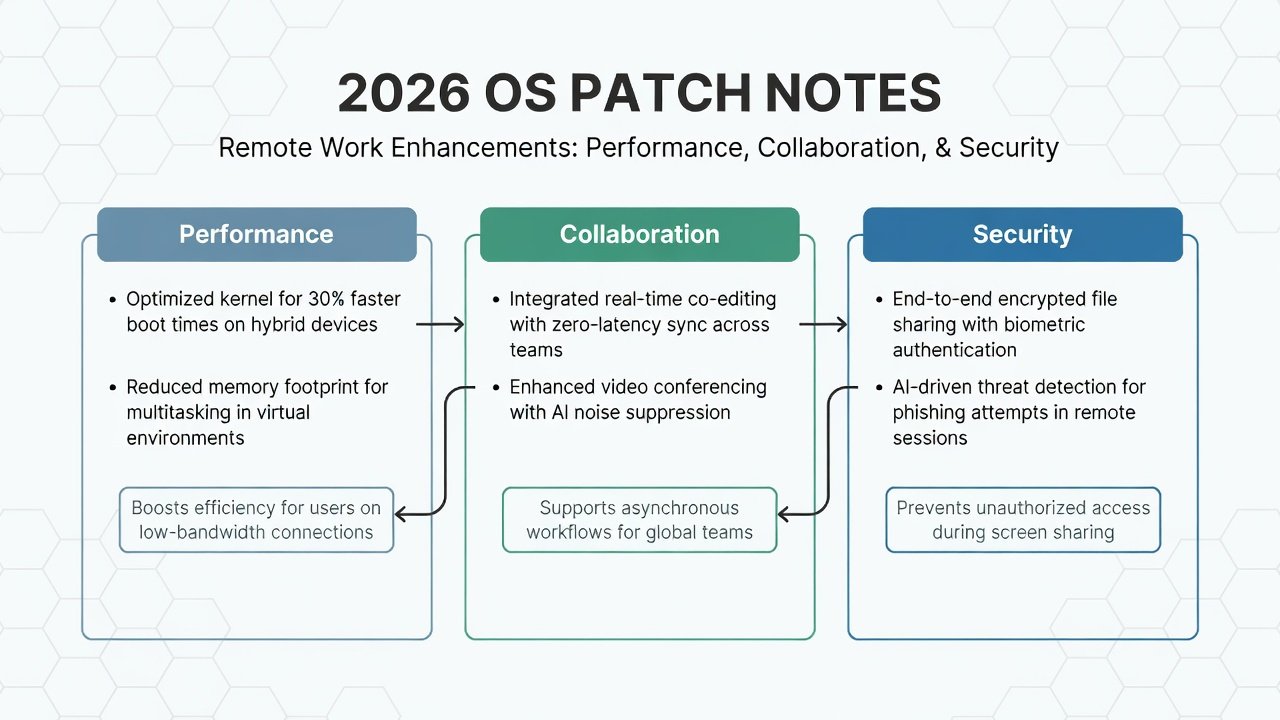
Windows 11 received a significant October 2026 cumulative update that refined its memory allocation algorithms, cutting background process overhead during multi-app workflows by notable margins. Remote workers handling simultaneous video calls, document editing, and cloud syncing now experience smoother multitasking. macOS Sequoia 16.2 enhanced Stage Manager with machine-learning-based window grouping, automatically surfacing the most relevant applications based on user context. This reduces cognitive load for professionals juggling client meetings and research tasks. On the Linux side, Ubuntu 26.04 LTS incorporated kernel patches that improve multi-core scheduling in virtual machines, benefiting developers who run containerized development environments from home offices.
Real-world application shines in industries like software engineering and content creation. One distributed design firm reported fewer application freezes during high-resolution rendering sessions after applying these updates. The optimizations extend battery life on laptops too, allowing field-based team members to work longer without recharging. Teams can measure gains by tracking launch times before and after updates using built-in system monitors.
Collaboration Tool Integrations
Modern patch notes emphasize native support for popular remote collaboration platforms. Windows updates now include expanded APIs for Microsoft Teams that enable instant file synchronization across devices without manual refreshes. macOS added intelligent bandwidth allocation during screen sharing sessions, automatically throttling video quality when network latency spikes. Linux distributions strengthened Wayland compatibility, delivering crisp shared desktops in open-source video conferencing tools.
Consider a marketing agency with team members spread across three continents. After deploying these collaboration-focused patches, they observed shorter daily stand-up meetings because screen sharing initiated faster and remained stable. The integrations also support real-time co-authoring in shared documents, eliminating version conflicts that previously consumed hours of reconciliation time. These features prove especially valuable for hybrid teams mixing Windows laptops with macOS workstations.
Security Features That Protect Without Slowing You Down
Security enhancements in 2026 prioritize lightweight implementation so productivity never suffers. Windows Defender now employs adaptive zero-trust verification that evaluates device posture and location context before granting access to corporate resources. macOS introduced context-aware encryption tied directly to productivity suites, protecting sensitive client data during cloud uploads. Linux users gained refined SELinux policies that secure container workloads while preserving system responsiveness.
- Review patch notes for mentions of adaptive authentication or lightweight encryption.
- Verify hardware compatibility lists to ensure older remote devices receive full protection.
- Enable automatic background scanning schedules during off-peak hours.
- Combine updates with VPN policies for an extra layer of remote access safety.
These measures reduce breach risks without adding noticeable latency, allowing teams to maintain focus on deliverables rather than troubleshooting security alerts.
Cross-Platform Comparisons
Windows stands out for its deep enterprise ecosystem integration, making it ideal for organizations standardized on Microsoft 365. However, it often requires more frequent restart cycles after major patches. macOS delivers the most polished user experience for creative and analytical roles, with intuitive gesture controls that accelerate navigation during long remote sessions. Linux offers superior flexibility for technical teams who customize kernels for specialized workloads, though it demands greater initial configuration effort. Decision-makers should evaluate their team's primary software stack before prioritizing one platform over others.
Step-by-Step Guide to Finding and Implementing Wins
- Navigate to official vendor portals such as Microsoft, Apple, and Ubuntu to download the latest release notes.
- Apply keyword filters including performance, collaboration, remote access, and security to isolate relevant entries.
- Create a staging environment mirroring your production setup and test updates on a small subset of devices first.
- Monitor system analytics dashboards for metrics like CPU usage and application response times post-installation.
- Schedule phased rollouts using enterprise management tools to stagger deployment across time zones.
- Conduct brief team training sessions highlighting new shortcuts and features to accelerate adoption.
- Document any issues in a shared knowledge base for future reference.
Common Pitfalls to Avoid During Rollouts
Many remote teams rush updates without verifying network stability, leading to interrupted downloads. Always confirm sufficient bandwidth before initiating large patches. Another frequent mistake involves overlooking legacy application compatibility; test critical tools in isolated sandboxes. Finally, neglect of rollback planning can extend downtime if an update introduces unexpected conflicts.
FAQs on Compatibility and Rollout
How do I check compatibility before updating? Consult the supported hardware matrices published alongside each OS release note and run vendor-provided compatibility scanners.
When is the optimal time for enterprise-wide rollouts? Target weekend windows or leverage built-in phased deployment options available in business editions.
Will older hardware benefit from these 2026 features? Many optimizations maintain backward compatibility, though peak performance appears on systems manufactured after 2024.
How can mixed-OS teams maintain consistency? Standardize core collaboration applications across platforms and use cross-platform management consoles for policy enforcement.
What monitoring tools track post-update productivity? Leverage native utilities like Windows Performance Monitor, macOS Activity Monitor, and Linux htop to quantify improvements.
By methodically analyzing patch notes, remote teams unlock meaningful efficiency gains while preserving system stability and security. Regular review of these updates ensures your distributed workforce stays ahead without unnecessary disruptions.


No comments yet. Be the first!