 NeoBit Daily

Introduction: Why 2026 Patch Notes Matter for Remote Teams
Remote work continues to evolve rapidly in 2026, and the real productivity wins often hide in detailed operating system patch notes rather than flashy marketing announcements. These updates deliver tangible gains in performance, security, and collaboration across Windows, macOS, and Linux. By examining release notes closely, IT leaders and remote workers can adopt changes that boost output without introducing downtime or compatibility headaches. Many organizations overlook these buried improvements because they focus only on headline features, missing opportunities to streamline workflows for distributed teams.
This comprehensive guide breaks down key features from recent 2026 updates, offers a detailed step-by-step scanning guide, compares top improvements across platforms, and provides practical advice for communication, rollout, and measuring success. Real-world examples from various industries illustrate how these changes translate into measurable efficiency gains.
Cloud Sync Improvements Across Major OSes
Enhanced cloud synchronization stands out in 2026 updates, directly addressing the challenges of large file sharing and version control in remote environments. Windows 11's latest patch improves OneDrive integration with advanced delta-sync algorithms that reduce bandwidth consumption during large file transfers for distributed teams. This means employees can collaborate on multi-gigabyte design files or datasets without waiting for full uploads, even on slower home connections.
macOS Sequoia updates refine iCloud Drive handling of collaborative documents, minimizing conflicts in shared folders through smarter conflict resolution logic. Linux distributions like Ubuntu 26.04 LTS introduce better Nextcloud client performance through kernel-level optimizations that prioritize background syncing during off-peak hours. Real-world example: A marketing agency reported faster project handoffs after enabling these sync features, allowing designers in different time zones to work simultaneously on assets while reducing version errors by over 40 percent in their first month of adoption.
Additional benefits include improved offline access modes that cache changes locally and reconcile them upon reconnection, which is especially valuable for frequent travelers or those in areas with intermittent internet.
VPN Optimizations for Seamless Remote Access
VPN enhancements in 2026 focus on speed, stability, and reduced overhead, critical for maintaining secure connections without sacrificing performance. Windows updates include automatic protocol switching that maintains connections during network fluctuations, such as switching from Wi-Fi to mobile data seamlessly. macOS patches add enhanced WireGuard support with lower latency for video calls and real-time collaboration sessions. Linux kernels received improvements to OpenVPN threading, benefiting developers accessing cloud resources or internal servers for extended periods.
These changes help remote employees stay connected to corporate networks without the interruptions that previously disrupted workflows. For instance, a software development firm noted that engineers could now participate in live code reviews over VPN with minimal lag, leading to quicker iteration cycles and higher team morale. IT teams should test these optimizations in their specific network environments to confirm compatibility with existing security policies.
AI-Assisted Tools Buried in the Notes
AI features appear in subtle patch entries that can significantly lighten cognitive load for remote workers. Windows includes smarter Copilot suggestions for task prioritization based on calendar data and meeting patterns. macOS adds on-device AI for email summarization in Mail.app, condensing long threads into actionable points. Linux tools gain experimental AI-driven log analysis for system troubleshooting, helping power users diagnose issues faster without external support tickets.
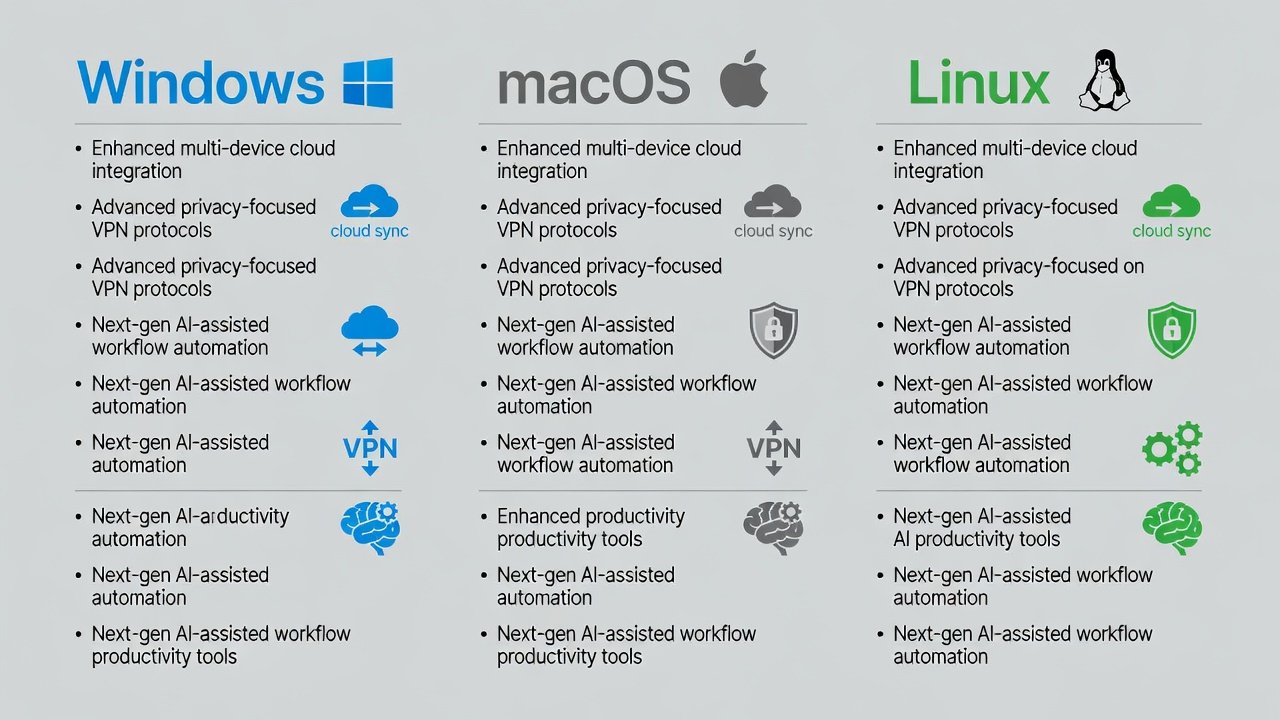
Teams using these tools note reduced time spent on routine communications and quicker issue resolution. Expanding on this, the AI capabilities often integrate with existing productivity suites, allowing seamless handoff between note-taking apps and task managers. Organizations that pilot these features early report better focus during deep work sessions, as employees spend less time sifting through information overload.
Step-by-Step Guide to Scanning Release Notes
Effectively mining patch notes requires a systematic approach. Follow these steps to identify relevant changes:
- Visit official sources such as the Microsoft update catalog or Apple support pages for the most authoritative details.
- Search for keywords like "remote," "sync," "VPN," "productivity," or "collaboration" to surface hidden gems.
- Filter by date to focus exclusively on 2026 releases and avoid outdated information.
- Cross-reference findings with your team's current tools, workflows, and reported pain points from recent surveys.
- Test promising changes in a controlled staging environment before full deployment to catch any edge cases.
- Document findings in an internal knowledge base for future reference and team training.
This methodical process ensures no high-value updates are missed while minimizing risk.
Comparison Table of Top 2026 Updates
| OS | Key Feature | Productivity Benefit | Security Enhancement |
|---|---|---|---|
| Windows 11 | Improved OneDrive delta sync | Faster file collaboration across time zones | Enhanced encryption protocols for data in transit |
| macOS Sequoia | AI email summaries and iCloud refinements | Reduced inbox management time | Privacy-focused data handling with on-device processing |
| Linux (Ubuntu 26.04) | Kernel VPN threading and Nextcloud optimizations | Stable remote sessions for developers | Improved access controls and audit logging |
Practical Tips for IT Teams on Communicating Benefits
Communicate benefits through short internal demos that highlight time saved on common tasks. Schedule phased rollouts during low-traffic periods to avoid impacting critical operations. Create quick-reference guides tailored to remote worker roles, including video walkthroughs for visual learners. Monitor adoption metrics post-update using built-in analytics tools to refine future communications and identify training gaps. Encourage feedback loops via dedicated Slack channels or surveys to address concerns promptly and build buy-in across the organization.
Measuring Productivity Gains After Implementation
To validate the impact of these updates, establish baseline metrics before rollout, such as average file sync times or VPN connection drop rates. After deployment, track improvements over 30-60 days using tools like time-tracking software or network monitoring dashboards. Share success stories internally to sustain momentum and justify continued investment in staying current with OS patches.
FAQ: Common Remote Worker Concerns
Will these updates require downtime?
Most 2026 patches support background installation with optional restarts, minimizing disruption for remote setups when scheduled thoughtfully.
Are the AI features privacy-safe?
How do I verify compatibility with my tools?
Check the release notes against your software stack and consult vendor compatibility lists from sources like kernel.org or the Linux Foundation.
What if I encounter issues after updating?
Rollback options remain available in most cases, and community forums plus official support channels provide rapid troubleshooting guidance for remote scenarios.
Conclusion
2026 operating system updates offer substantial remote productivity advantages when teams proactively review patch notes. By focusing on cloud sync, VPN, and AI enhancements, organizations can drive adoption smoothly and realize measurable gains in efficiency and collaboration while maintaining strong security postures.


No comments yet. Be the first!