 NeoBit Daily

Introduction: Turning ERP Patch Notes into Measurable Business Value
In 2026, enterprise resource planning systems continue to evolve rapidly, and IT leaders face mounting pressure to extract tangible returns from every software update. Patch notes from major vendors like SAP, Oracle, and Microsoft Dynamics contain hidden opportunities for efficiency gains, yet many organizations overlook them due to dense technical language or unclear business implications. This guide provides a practical framework for decoding these updates to drive cost savings and performance improvements, particularly in regulated industries such as finance, healthcare, and manufacturing. Effective patch analysis starts with aligning release notes to specific KPIs like reduced processing times or lower compliance overhead. By focusing on ROI optimization, teams can prioritize updates that deliver the highest impact rather than applying every patch indiscriminately. Organizations that systematically review patch documentation often see faster system responsiveness and streamlined workflows, turning routine maintenance into strategic advantages. Understanding the nuances of each vendor's release cadence helps IT departments avoid unnecessary downtime while capitalizing on new capabilities that directly support business objectives.
Step-by-Step Analysis of SAP, Oracle, and Dynamics Patch Notes
Begin by downloading the latest patch documentation directly from vendor portals. For SAP, review the SAP support portal for notes on S/4HANA enhancements. Oracle users should examine the Oracle Cloud ERP release notes for automation features, while Dynamics administrators check Microsoft Learn resources for Finance and Supply Chain updates. Break down each note into categories: performance optimizations, new compliance tools, and integration improvements. Map these to your current system metrics using a simple spreadsheet template that tracks estimated time savings per feature. Next, involve cross-departmental stakeholders early to validate which changes align with operational pain points. For instance, finance teams can flag updates affecting reporting accuracy, while IT security reviews encryption enhancements. Document version-specific dependencies to prevent conflicts during rollout. This methodical approach reduces interpretation errors and ensures every applied patch contributes to measurable outcomes.
Feature Comparisons Across Major ERP Platforms
SAP S/4HANA 2026 releases emphasize real-time analytics and AI-driven forecasting, offering up to 30% faster month-end closes compared to prior versions. Oracle Fusion Cloud highlights advanced risk management modules that streamline audit trails, while Dynamics 365 focuses on seamless Power Platform integrations for custom workflow automation. When comparing, evaluate migration complexity: SAP often requires more extensive data cleansing, Oracle provides strong hybrid cloud flexibility, and Dynamics excels in rapid deployment for mid-market firms. SAP's strength lies in deep customization for large-scale manufacturing, Oracle shines in multi-entity financial consolidation, and Dynamics offers superior mobile accessibility for field operations. Teams should create side-by-side matrices listing each platform's new security protocols, API enhancements, and user interface improvements to identify the best fit for their environment.
Migration Timelines and Planning Best Practices
Typical timelines range from 4-6 months for Dynamics updates to 9-12 months for full SAP S/4HANA migrations. Factor in testing phases for regulated environments to ensure data integrity and SOX or HIPAA compliance. Create a phased rollout: pilot in one department, measure baseline metrics, then scale. Include buffer time for unexpected integration issues with legacy systems. Establish clear governance with weekly steering committee meetings to track progress against milestones. Risk mitigation strategies include maintaining parallel environments during transition periods and conducting thorough regression testing on critical business processes. Documentation of every configuration change helps maintain audit trails required in highly regulated sectors.
Real-World Examples from Mid-Size Enterprises
A mid-size pharmaceutical company applied Oracle patch optimizations to automate validation workflows, achieving measurable reductions in manual review hours within three months. Similarly, a regional bank using Dynamics noted improved reporting accuracy after implementing 2026 security patches, leading to faster regulatory submissions. Another example comes from a manufacturing firm that leveraged SAP's new predictive maintenance features, resulting in fewer unplanned equipment downtimes and better inventory alignment. These cases highlight the importance of cross-functional teams involving finance, IT, and compliance officers during patch evaluation. In each scenario, success stemmed from pre-update benchmarking and post-update monitoring that quantified productivity lifts in concrete terms such as reduced cycle times and fewer manual interventions.
Checklists for Tracking ROI Post-Update
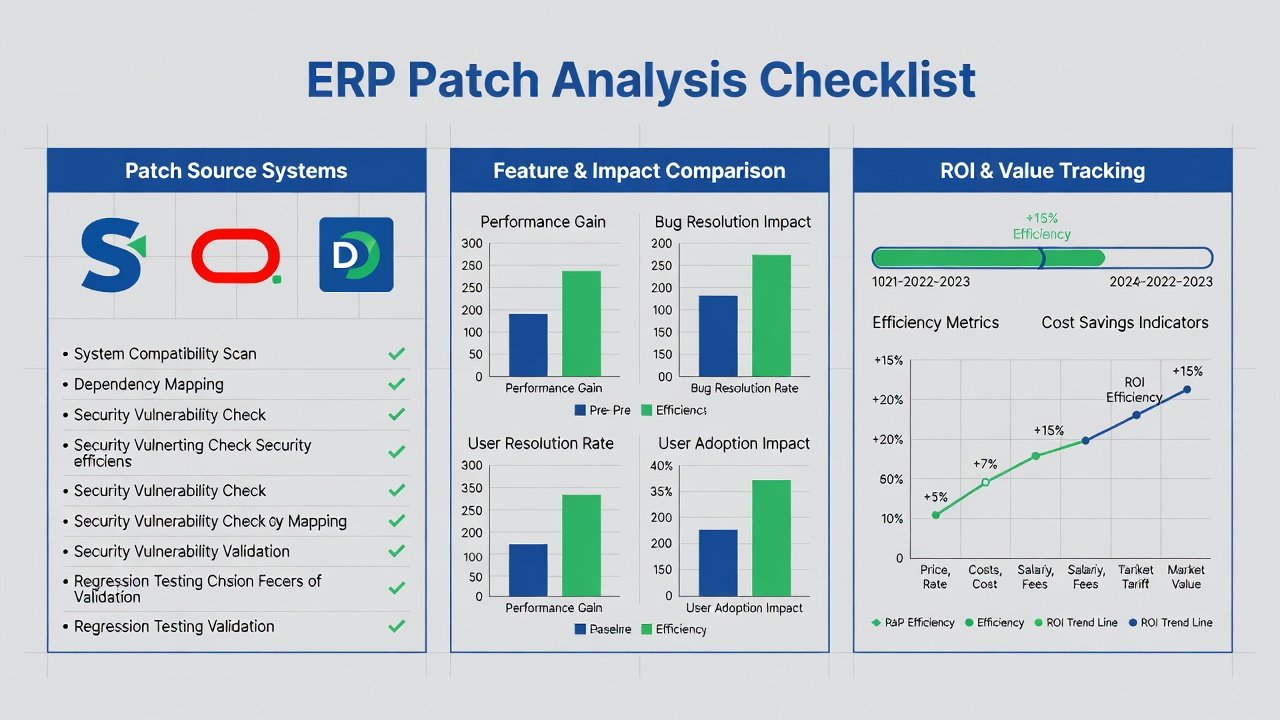
Establish baseline metrics for key processes before applying patches. Monitor system performance weekly for the first 90 days using built-in analytics dashboards. Calculate productivity lifts by comparing pre- and post-update cycle times. Document any compliance time savings and convert them to cost equivalents. Review user adoption rates through training completion and support ticket volume. Extend the checklist by scheduling quarterly reviews to assess long-term sustainability of gains and identify any emerging issues. Include stakeholder feedback sessions to capture qualitative improvements alongside quantitative data. This comprehensive tracking ensures ROI remains visible to executive leadership and supports future budget justifications for ERP investments.
Common Pitfalls in Patch Interpretation
Many teams misread vendor jargon, assuming all listed features apply universally without testing for compatibility. Another frequent error is neglecting cumulative patch dependencies, which can lead to incomplete implementations. Always cross-reference notes with your specific version and consult vendor release calendars to avoid deprecated functionality surprises. Additional pitfalls include overlooking localization requirements for global operations and underestimating training needs for new user interfaces. In regulated industries, failing to map patches to compliance controls can result in audit findings. Proactive review sessions with legal and compliance experts help surface these risks before they materialize into costly remediation efforts.
Tools and Techniques for Deeper Patch Analysis
Leverage automated comparison tools that highlight differences between consecutive releases. Combine these with internal system logs to simulate impact on custom reports and integrations. For regulated industries, incorporate audit simulation software that tests patch effects against standards such as GDPR or FDA 21 CFR Part 11. Regular knowledge-sharing workshops within IT departments build institutional expertise in interpreting complex release notes efficiently.
Best Practices for Regulated Industries
Prioritize patches that enhance data encryption, access controls, and automated logging. Maintain detailed change logs that satisfy external auditors. Collaborate with vendors to request clarification on ambiguous notes that could affect compliance posture. Schedule updates during low-activity windows and prepare rollback procedures to minimize operational disruption.
FAQs on Measuring Productivity Lifts from Release Notes
How do I quantify productivity gains from a specific patch?
Compare time-on-task metrics before and after deployment using ERP logging tools, then multiply hourly savings by average employee cost rates.
What tools help track ROI in regulated sectors?
Built-in vendor analytics combined with third-party monitoring solutions provide auditable reports suitable for compliance reviews.
Are all patches worth implementing immediately?
No—prioritize based on security criticality and direct alignment with business KPIs; some enhancements may require custom configuration first.
How often should ROI reviews occur after an update?
Conduct intensive monitoring for 90 days, followed by monthly assessments for the remainder of the year to capture seasonal variations.
Conclusion
By treating 2026 ERP patch notes as strategic assets rather than routine maintenance items, IT leaders can unlock substantial efficiency and compliance benefits. Consistent application of the frameworks outlined above positions organizations to achieve sustained ROI while maintaining operational resilience in complex regulatory landscapes.


No comments yet. Be the first!