 NeoBit Daily

Introduction: Sustainability Meets Remote Productivity in 2026
Remote IT teams face mounting pressure to deliver high performance while minimizing environmental impact. The 2026 wave of operating system updates from major vendors introduces powerful tools that cut energy consumption without sacrificing output. These enhancements extend proven remote work benefits into measurable eco-gains, helping organizations lower operational costs and meet sustainability targets. Distributed teams using laptops and cloud resources can now leverage intelligent power management, background process optimization, and hardware-aware scheduling that responds to real-time usage patterns across time zones and varying network conditions.
By focusing on these updates, companies can achieve dual wins: sustained productivity for engineers handling complex tasks and reduced electricity draw from always-on devices. This article explores practical ways to harness these features for real savings, including detailed frameworks, platform-specific examples, and actionable checklists that teams can implement immediately.
Power Optimization Features in 2026 OS Updates
Modern updates focus on dynamic voltage scaling, AI-driven workload balancing, and reduced idle power draw. Teams running hybrid setups benefit from features that adjust CPU and GPU states based on actual usage patterns rather than fixed schedules. New algorithms detect periods of low activity during remote collaboration sessions and shift resources accordingly, preventing unnecessary drain on batteries and power supplies.
Key Improvements Across Platforms
- Adaptive sleep modes that detect network activity from remote sessions and extend battery life during idle VPN connections
- Enhanced battery health algorithms extending device lifespan by optimizing charge cycles and thermal management
- Background app throttling tailored for collaboration tools like video conferencing and shared document editing
- Improved firmware integration that reduces peak power spikes during large file transfers common in IT workflows
These changes help remote workers maintain productivity during long sessions while using less electricity overall. Organizations that pilot these features often notice quieter operation and less heat generation from workstations, contributing to better home office environments.
Evaluation Frameworks for Measuring Energy Savings
Before deploying updates, IT leaders need reliable methods to quantify impact. A solid framework combines hardware telemetry, software logging, and carbon accounting tools. Begin by establishing baselines with tools like Intel Power Gadget or Linux powertop over a full two-week period of typical remote work. Track metrics such as average wattage per device, total session duration, and correlation with productivity software usage.
After applying the 2026 updates, repeat measurements for another 30 days to isolate genuine gains from seasonal or workload variations. Integrate data from cloud provider dashboards to capture full-stack emissions reductions, including data center contributions. This approach allows teams to calculate return on investment not only in dollars but also in avoided carbon emissions, making reports more compelling for leadership and stakeholders.
Real-World Examples from Windows and Linux Environments
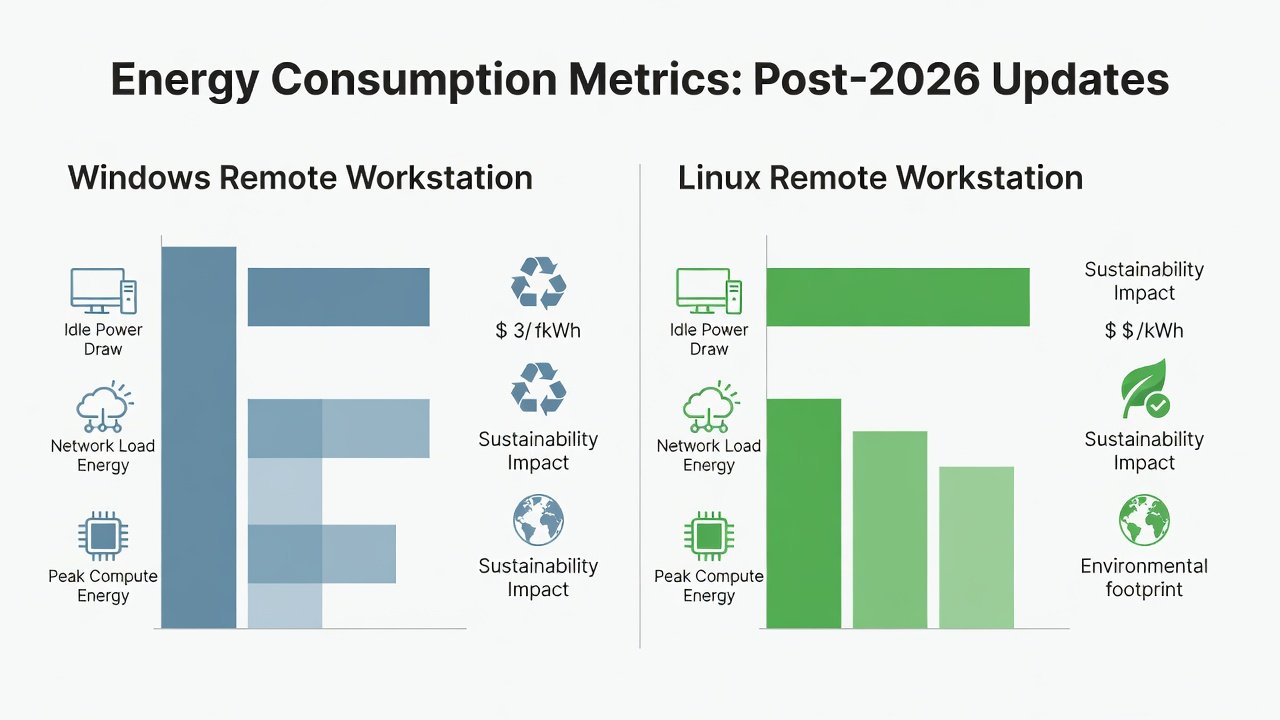
Windows 11 2026 Update introduced the Efficiency Core Scheduler that prioritizes low-power cores during video calls and file syncs common in remote IT work. Early adopters report smoother performance on thin clients with lower fan noise and heat output, particularly when managing multiple virtual machines. In one deployment across 50 remote engineers, the update reduced average daily power draw by focusing processing on efficient cores during routine monitoring tasks.
On the Linux side, kernel 6.12 and distributions like Ubuntu 26.04 incorporate better support for modern ARM-based remote devices. PowerTOP integration now offers one-click profiles optimized for VPN-heavy workflows, automatically adjusting network interface power states. Teams using Fedora with the new kernel observed extended runtime on portable hardware during extended debugging sessions without compromising compile speeds.
Microsoft and The Linux Kernel Archives both document these advancements in detail for enterprise deployments, providing administrators with granular control options.
Comparing Update-Driven Hardware Longevity
Longer hardware refresh cycles directly reduce e-waste and embodied carbon. 2026 updates extend support for older processors through improved power gating and firmware-level optimizations that prevent thermal throttling on legacy silicon. Windows devices certified for 2026 receive extended driver updates that maintain compatibility with energy-saving modes, while Linux users benefit from community-maintained kernels that revive aging laptops for remote use by enabling newer power management interfaces.
Organizations comparing refresh strategies find that staying on supported 2026 platforms can delay new purchases by 18-24 months in many cases, preserving capital and lowering emissions. This longevity focus also simplifies inventory management for distributed teams where device standardization is challenging.
Step-by-Step Guidance on Assessing Patch Notes for Green Features
- Review the official changelog for sections labeled “Power Management” or “Sustainability” and note any new default behaviors that affect idle states.
- Search for mentions of new APIs like Windows Energy Saver or Linux RAPL improvements that allow fine-tuned control over processor power limits.
- Test updates in a pilot group of remote devices representing different hardware generations before broad rollout across the organization.
- Document any changes to default power plans and adjust group policies or configuration files accordingly to align with team workflows.
- Re-measure consumption after two weeks of normal remote operations and compare against the established baseline to confirm improvements.
- Share findings in internal documentation so other teams can replicate successful configurations.
Cloud Integration Tips for Distributed Teams
Pairing local OS optimizations with cloud services amplifies results. Configure Azure or AWS instances to scale down during off-peak remote hours using automation scripts that monitor local device activity. Use container orchestration that respects host power states, ensuring virtual workloads do not override local efficiency gains from the 2026 updates. Teams should enable carbon-aware scheduling features now available in major platforms to shift non-urgent tasks like backups or batch processing to periods of cleaner energy grids. This hybrid approach creates compounding savings as both endpoint and server-side consumption decrease simultaneously.
Metrics for Tracking Reduced Emissions
Useful KPIs include kilowatt-hours per user per month, Scope 3 emissions tied to device usage, and percentage reduction in peak power draw during collaborative hours. Tools from EPA and third-party carbon calculators convert these figures into CO2 equivalents for reporting purposes. Regular dashboards help identify outliers, such as devices that fail to enter efficient sleep modes, allowing quick remediation. Over time, these metrics support compliance with corporate sustainability goals and external reporting requirements.
Practical Checklists and Case Studies
Pre-Update Checklist
- Inventory all remote endpoints and their current power profiles using standardized logging tools
- Confirm compatibility with 2026 update branches across Windows and Linux fleets
- Train team leads on new power settings and provide quick-reference guides
- Set up automated reporting dashboards that track both performance and energy metrics
- Establish a rollback plan in case any efficiency features interfere with specialized IT tools
Case Study: Mid-Size Tech Firm
A 120-person remote IT consultancy applied the 2026 updates across Windows and Linux fleets. Within eight weeks they recorded a 22% drop in average daily energy use per workstation while maintaining sprint velocity and code quality metrics. The company attributed part of the savings to smarter sleep behavior during collaborative editing sessions and reduced background indexing. Follow-up surveys showed team members appreciated the quieter devices and longer battery life during travel.
Common Mistakes to Avoid
Many teams rush deployments without pilot testing, leading to unexpected performance regressions that undermine adoption. Another frequent error is ignoring user training, which results in manual overrides of efficient defaults. Finally, failing to integrate cloud metrics with endpoint data creates an incomplete picture of total savings, making it harder to justify continued investment in green updates.
Frequently Asked Questions
How do 2026 updates balance performance with energy savings? They use intelligent detection to apply aggressive power limits only during low-intensity tasks while preserving full resources for demanding workloads. Can older hardware benefit? Yes, many optimizations work on legacy devices through updated drivers and kernels. What about hybrid setups with mixed OS environments? Cross-platform tools and consistent policy frameworks allow unified management and measurement.
Conclusion
2026 software updates deliver tangible sustainability wins for remote IT teams. By combining careful evaluation, targeted deployment, and ongoing measurement, organizations achieve lower energy costs alongside continued productivity gains. The path forward blends technical updates with thoughtful operational practices that respect both performance and planetary boundaries.
No comments yet. Be the first!