 NeoBit Daily
Introduction to 2026 Software Updates for AI Workloads
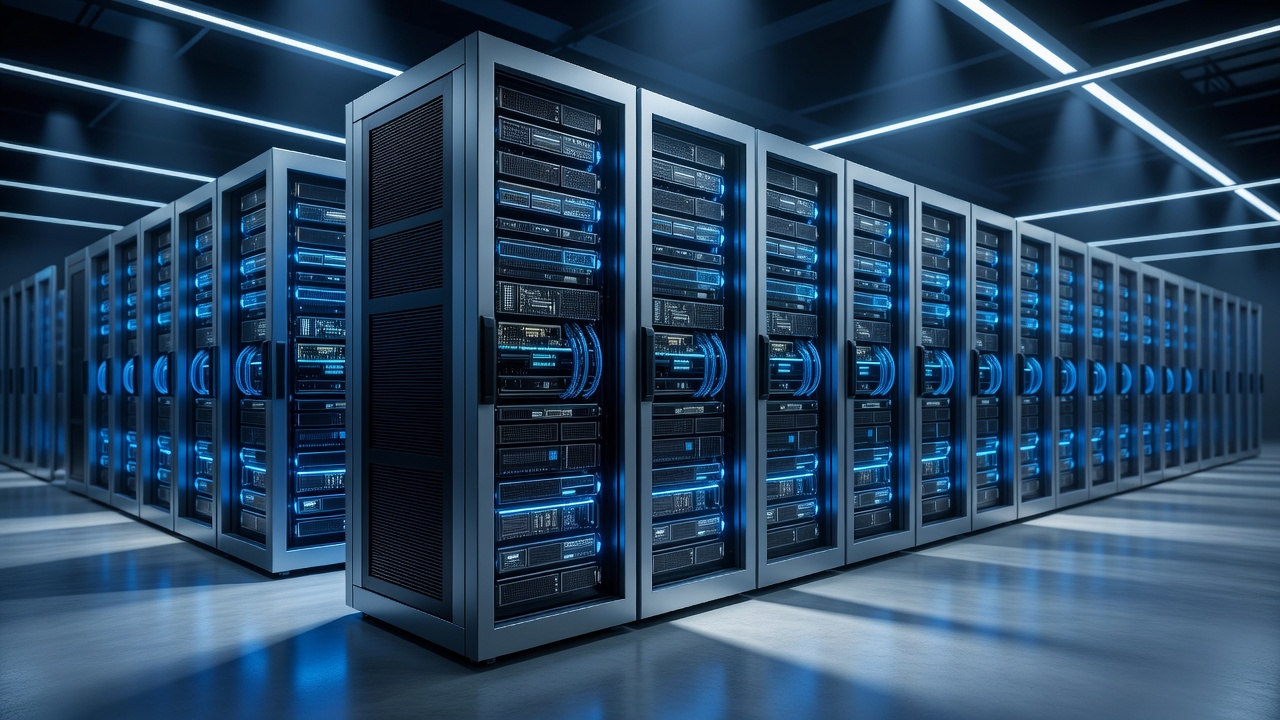
As organizations scale their artificial intelligence operations in 2026, aligning operating system updates with demanding AI workloads has become essential for IT architects and DevOps engineers. Modern inference clusters and training environments rely heavily on specialized hardware such as GPUs and TPUs, making post-update stability and efficiency non-negotiable. This comprehensive guide examines proven techniques to parse patch notes effectively, implement container orchestration configurations, compare kernel modifications across distributions, and apply rigorous pre-update validation processes. Enterprise teams that follow structured approaches consistently report higher throughput and fewer service disruptions after major releases.
Unoptimized updates frequently lead to degraded model serving performance, with some deployments experiencing latency spikes of 20 to 30 percent. By focusing on AI-specific enhancements such as improved memory allocators and scheduler optimizations, teams can maintain or even exceed previous performance baselines while adopting new security and feature improvements.
Parsing Patch Notes for AI-Specific Fixes
Effective update planning begins with thorough analysis of release documentation from Linux distributions and hardware vendors. Engineers should prioritize entries related to CUDA driver compatibility, kernel-level GPU scheduling, TPU virtualization support, and eBPF-based observability hooks. For instance, many 2026 kernels include refinements to huge-page handling that directly benefit large language model inference by reducing TLB misses.
Develop custom scripts that scan changelogs for targeted keywords including "GPU acceleration," "inference latency," and "NUMA balancing." One global e-commerce company automated this process and reduced manual review time by 60 percent during their spring 2026 rollout. Cross-reference findings with vendor advisories from NVIDIA and Google Cloud TPU teams to identify any required firmware pairings. This methodical parsing prevents surprises during live migrations of production workloads.
Step-by-Step Configuration for Container Orchestration
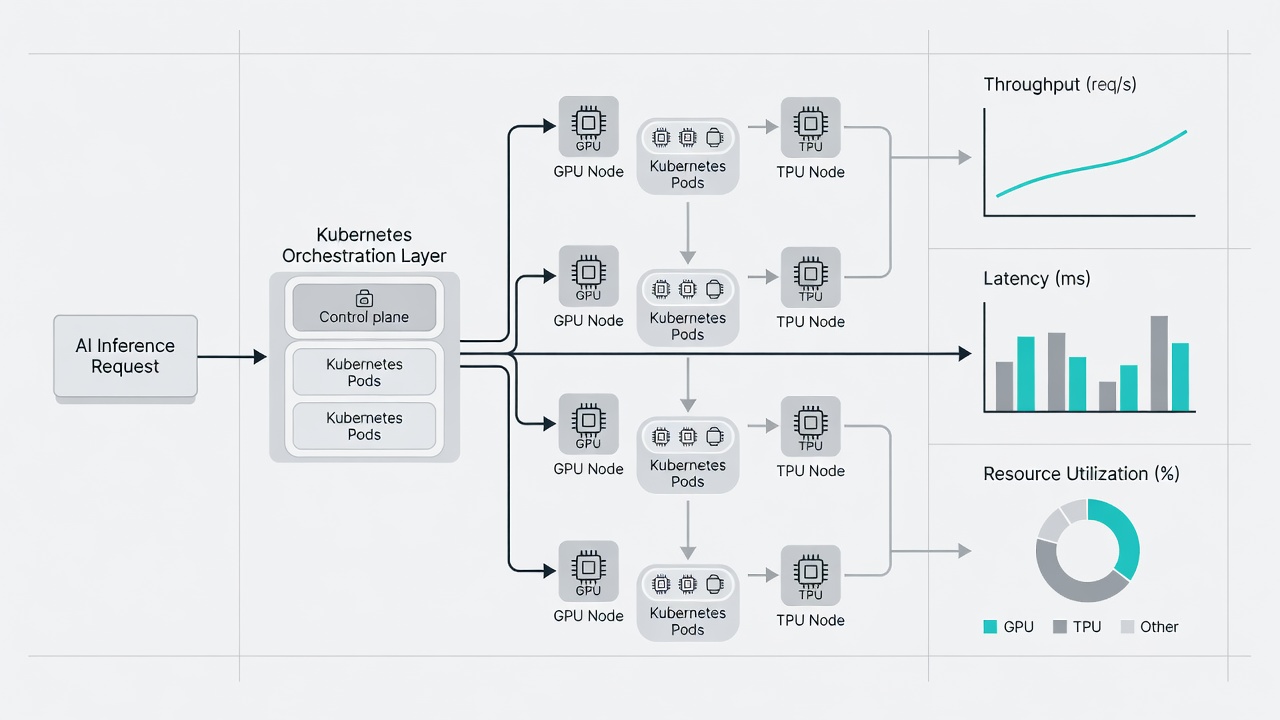
Once the base operating system is updated, reconfiguration of orchestration layers ensures optimal resource utilization. Begin by updating the NVIDIA device plugin to the latest compatible version and relabeling nodes to expose new GPU features. Next, revise Helm charts to pin container images that have been validated against the updated kernel. Enable dynamic resource allocation for TPU pods using the latest Kubernetes device plugins.
Practical examples include setting resource limits with explicit GPU memory requests and configuring affinity rules to keep inference pods co-located with high-bandwidth interconnects. Real-world metrics from enterprise clusters demonstrate a 15 to 18 percent improvement in pod scheduling efficiency after these adjustments. Always validate changes in a staging environment using representative model workloads before promoting to production. Include automated canary deployments that monitor key indicators such as tokens-per-second and queue depth.
Comparing Linux Kernel Changes Across Distributions
Choosing the right distribution requires understanding how kernel modifications affect AI workloads. Ubuntu 26.04 LTS emphasizes enhanced eBPF instrumentation for real-time performance tracing, making it attractive for teams that need granular visibility into GPU utilization patterns. Red Hat Enterprise Linux 10 strengthens NUMA awareness and introduces improved multi-GPU scheduling policies that benefit large-scale training jobs. SUSE Linux Enterprise Server focuses on real-time kernel patches that deliver deterministic latency for latency-sensitive inference services.
Compare these options by reviewing official changelogs and conducting controlled benchmarks on identical hardware. Kernel.org serves as the authoritative source for upstream changes, while distribution-specific portals provide curated summaries. Teams often maintain parallel test clusters running different distributions to quantify trade-offs in throughput, power consumption, and operational overhead before committing to a production standard.
Pre-Update Validation Checklist
A structured checklist minimizes risk during major updates. Complete the following steps in sequence:
- Backup all model weights, tokenizer files, and runtime configurations to immutable storage with verified restore procedures.
- Execute synthetic benchmarks on isolated GPU and TPU nodes to establish performance baselines before any changes.
- Confirm container runtime compatibility, including containerd or CRI-O versions, with the new kernel and device drivers.
- Simulate full rollback scenarios in a non-production cluster to measure recovery time objectives.
- Assess network bandwidth and storage IOPS requirements for distributed training pipelines under expected load.
- Review security advisories for any newly introduced vulnerabilities that could affect model serving endpoints.
Document results and obtain sign-off from both infrastructure and data science stakeholders prior to proceeding.
Monitoring and Optimization Post-Update
After deployment, continuous monitoring becomes critical. Deploy Prometheus exporters configured for GPU metrics and integrate them with existing observability stacks. Track key performance indicators such as SM utilization, memory bandwidth saturation, and inference queue latency. When anomalies appear, apply targeted optimizations including adjustment of CUDA context switching policies or modification of TPU compilation flags.
Case studies from financial services and healthcare organizations show that proactive tuning after the 2026 kernel updates yielded an average 12 percent reduction in per-token inference cost while preserving strict latency service-level agreements. Schedule regular reviews of telemetry data to identify gradual drift and plan incremental improvements.
FAQ on Rollback Triggers for Inference Clusters
What metrics indicate a need to rollback?
Sustained inference latency increases above established baselines or GPU utilization drops exceeding 20 percent typically signal compatibility problems. Monitor error rates in application logs and set automated alerts that trigger when thresholds are breached for more than five minutes.
How to execute a safe rollback?
Implement immutable infrastructure patterns with versioned container images and infrastructure-as-code definitions. Use canary deployments that automatically revert traffic if error budgets are exceeded, achieving recovery within minutes rather than hours.
When should teams avoid immediate rollback?
If the issue stems from a known transient driver initialization delay, allow a short stabilization window of 15 to 30 minutes while collecting additional diagnostics before initiating rollback procedures.
Conclusion
Optimizing 2026 software updates for AI infrastructure demands careful attention to patch analysis, orchestration adjustments, distribution comparisons, and thorough validation. By applying the detailed techniques outlined above, engineering teams achieve stable model serving, superior hardware efficiency, and reduced operational risk. Continue referencing authoritative resources such as Kubernetes.io, NVIDIA, and Red Hat for the latest guidance as the ecosystem evolves.

No comments yet. Be the first!