 NeoBit Daily
Introduction to 2026 OS Privacy Updates for Remote Teams
Remote compliance teams face increasing pressure to maintain GDPR and SOC 2 standards while working from distributed locations. The 2026 operating system patch notes from major platforms introduce targeted privacy enhancements that directly address encryption, user consent mechanisms, and detailed audit logging. These updates reduce reliance on third-party solutions and streamline workflows for IT auditors and compliance officers. With remote work now a permanent fixture in many industries, organizations must leverage these native tools to protect sensitive data across home networks, public Wi-Fi, and hybrid setups. The latest releases emphasize zero-trust principles, making it easier to demonstrate continuous compliance without deploying extra agents or monitoring software.
By focusing on built-in OS capabilities, organizations can achieve stronger data protection without additional licensing costs. This article examines the specific changes across Windows, macOS, and Linux, provides a practical scanning checklist, shares real-world audit examples, and offers integration guidance for remote environments. Compliance officers will find actionable steps to align these updates with regulatory demands while minimizing disruption to daily operations.
Key Privacy Features in 2026 Patch Notes
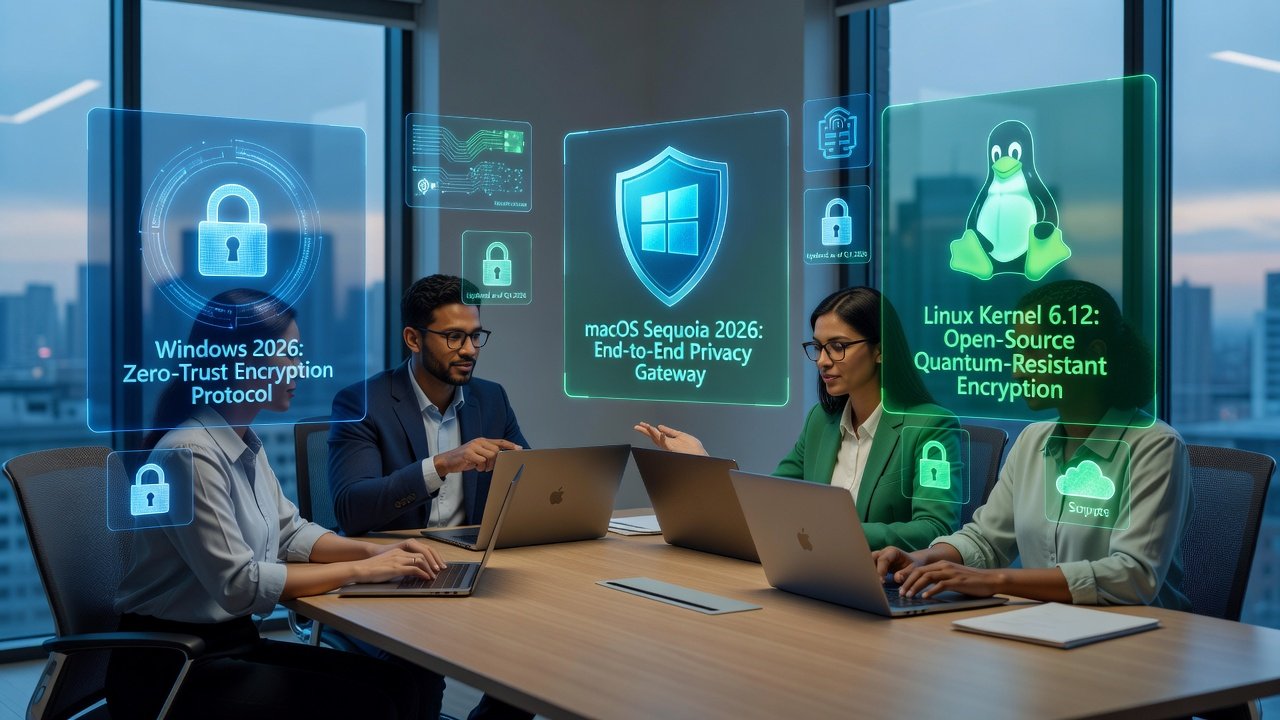
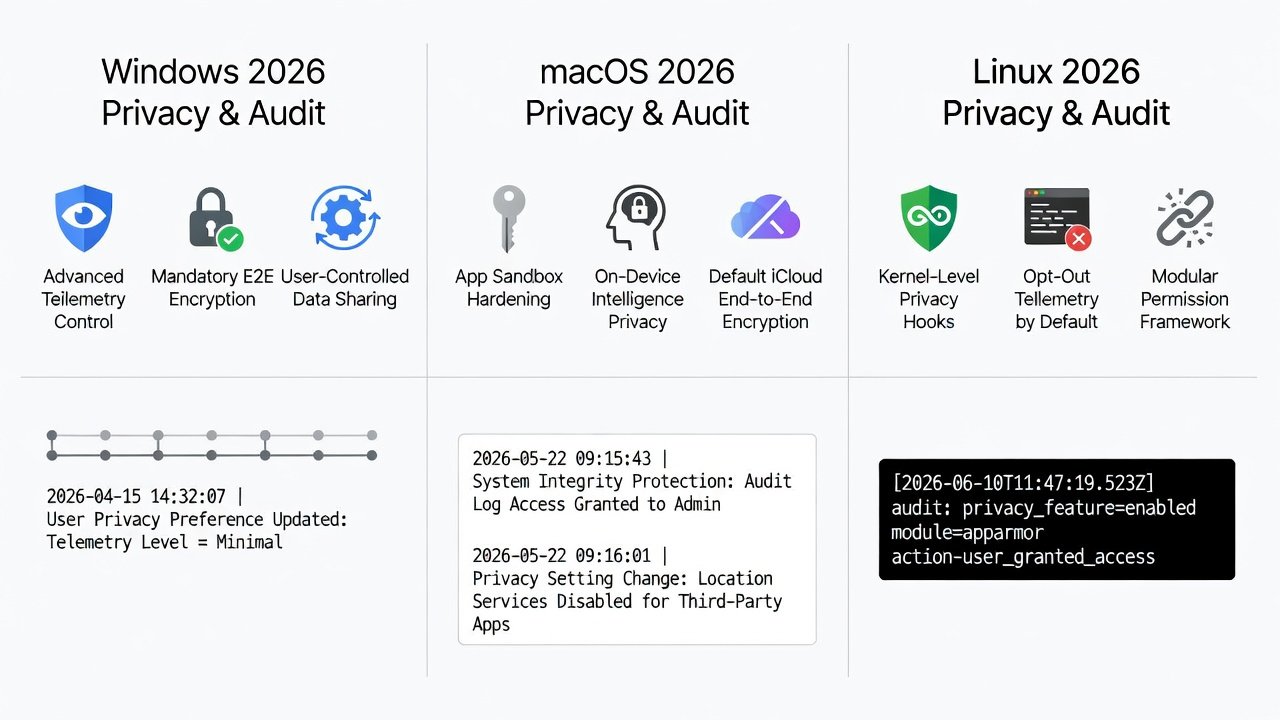
Windows 11 2026 Update introduces enhanced BitLocker encryption with automatic key rotation tied to device location signals and multi-factor authentication prompts. This helps remote workers maintain data confidentiality even when devices move between secure and unsecured networks. macOS Ventura 2026 adds granular consent prompts for data sharing across apps, including per-session toggles that log every approval with metadata such as time, app version, and network context. Linux distributions such as Ubuntu 26.04 LTS include improved auditd configurations for real-time compliance reporting, supporting advanced filtering rules that capture file system events at the kernel level.
These features support remote teams by enabling secure data handling over VPN connections and providing exportable logs that integrate with existing security information and event management platforms. Consent management now includes centralized dashboards that log user approvals with timestamps and IP addresses, which proves invaluable during external audits. Audit trails have expanded to capture file access events at the kernel level, helping teams demonstrate accountability during SOC 2 assessments. Additional improvements include better support for encrypted backups and automatic redaction of sensitive fields in log exports.
Platform Comparisons: Privacy Gains Across OS
Windows leads in enterprise encryption depth with support for post-quantum algorithms in its 2026 release, offering seamless integration with Active Directory for policy enforcement across large remote fleets. macOS excels at user-facing consent interfaces that simplify GDPR compliance for non-technical staff through intuitive notifications and one-click revocation options. Linux offers unmatched customization for audit logging, ideal for highly regulated industries that require bespoke rule sets and scripting capabilities.
- Encryption: Windows provides hardware-backed key management with location-aware policies; macOS uses Secure Enclave enhancements for faster key derivation; Linux integrates with TPM 2.0 modules more flexibly through open-source tools.
- Consent Controls: macOS offers the most intuitive prompts with visual indicators; Windows focuses on admin-level policies enforceable via Group Policy; Linux requires configuration via command-line tools but allows fine-grained scripting.
- Audit Capabilities: All three now support exportable JSON logs compatible with common SIEM platforms, though Linux provides the most extensible event hooks.
Remote teams benefit most from Windows when managing mixed-device fleets, while macOS suits creative compliance roles and Linux fits development-heavy environments. Organizations should evaluate their existing device mix before prioritizing one platform over others during the 2026 upgrade cycle. GDPR resources provide further context on consent requirements that these OS features help address.
Step-by-Step Checklist for Scanning Release Notes
- Review official patch notes from each vendor's security blog within 48 hours of release, paying special attention to security and privacy sections.
- Search for keywords including encryption, consent, audit, GDPR, and SOC 2 to identify relevant changes quickly.
- Map new features to existing compliance controls using a gap-analysis spreadsheet that includes columns for feature name, regulatory mapping, and implementation effort.
- Test updates in a sandboxed remote environment before broad deployment, simulating typical home network conditions and VPN usage.
- Document configuration changes and obtain sign-off from the compliance officer, including screenshots of new consent flows and sample audit logs.
- Schedule quarterly reviews to verify ongoing alignment with SOC 2 requirements and to incorporate any mid-cycle hotfixes.
- Train end users on new consent interfaces through short, role-specific modules that highlight privacy benefits without overwhelming technical details.
Following this checklist ensures no critical privacy improvement is overlooked during rollout and creates a repeatable process for future patch cycles.
Real-World IT Audit Examples
A fintech company with 200 remote employees used the 2026 Windows encryption updates to pass a SOC 2 Type II audit without purchasing new monitoring software. The built-in audit logs provided sufficient evidence of access controls and key rotation events, satisfying auditor requests for continuous monitoring data. Similarly, a healthcare provider leveraged macOS consent features to demonstrate GDPR Article 7 compliance during an external review, with exported logs showing explicit user approvals for each data-sharing instance.
In another case, a software development firm running Linux across its remote workforce customized auditd rules to capture specific compliance events, which streamlined their annual SOC 2 assessment and reduced preparation time by approximately 30 percent. These cases highlight how native OS tools can replace fragmented solutions when properly configured and documented. Microsoft documentation offers additional guidance on configuring these Windows features for enterprise environments.
Integrating Updates into Remote Workflows
Deploy updates via existing MDM solutions such as Microsoft Intune or Jamf to maintain consistency across home networks and enforce encryption policies automatically. Use group policies to enforce new encryption standards without requiring user intervention, and schedule staged rollouts that begin with pilot groups in different time zones. Train remote staff through short video modules focused on the updated consent flows rather than full OS overviews, ensuring quick adoption.
Monitor adoption with built-in telemetry dashboards that respect privacy boundaries and avoid collecting unnecessary personal data. For Linux users, create standardized configuration scripts that can be pushed through configuration management tools like Ansible. This approach minimizes disruption while maximizing compliance posture and allows teams to respond rapidly to regulatory changes. Regular feedback loops with remote employees help identify any usability issues early in the deployment process.
FAQ for Compliance Officers
How soon should teams apply 2026 privacy patches?
Apply critical security patches within 14 days of release and test privacy features in staging environments first to avoid compatibility issues with existing remote access tools.
Do these updates require additional hardware?
Most enhancements work on existing TPM 2.0 or Secure Enclave hardware present in devices from 2023 onward, though older machines may need firmware updates for full functionality.
Can Linux distributions be used alongside Windows in the same audit?
Yes, provided audit logs are standardized and exported to a common format for review, allowing auditors to compare events across platforms consistently.
What training is recommended for remote staff?
Short, focused sessions on consent management and encryption indicators are sufficient; avoid lengthy technical overviews that may reduce engagement.
How do these features impact SOC 2 evidence collection?
They significantly reduce manual evidence gathering by providing automated, timestamped logs that map directly to control objectives.
Conclusion
2026 operating system updates equip remote compliance teams with powerful native tools for encryption, consent, and auditing. By systematically reviewing patch notes, comparing platform strengths, and integrating changes thoughtfully, organizations can strengthen GDPR and SOC 2 adherence while reducing tool sprawl. Staying current with these releases positions teams for efficient, future-proof compliance and supports long-term operational resilience in distributed work models. Apple privacy resources complement these updates with additional best practices for macOS deployments.


No comments yet. Be the first!