 NeoBit Daily
Introduction to Energy Efficiency in 2026 OS Updates
As organizations prioritize sustainability, 2026 operating system updates introduce significant power management enhancements that go far beyond incremental improvements. IT teams in regulated or sustainability-focused sectors can achieve measurable reductions in energy consumption by systematically auditing patch notes from major platforms. This comprehensive guide provides actionable strategies beyond basic overviews, focusing on Windows, macOS, and Linux distributions with real-world examples, benchmarks, and decision frameworks tailored for enterprise environments. Energy efficiency in operating systems has become a critical factor in reducing carbon footprints, lowering operational expenses, and meeting compliance mandates from frameworks that emphasize environmental responsibility. The 2026 cycle emphasizes intelligent resource allocation, advanced sleep states, and hardware-specific optimizations that directly impact data center and endpoint power usage.
Power management features in these updates often target idle states, CPU scheduling algorithms, and hardware acceleration pathways. By scanning release notes methodically, teams identify optimizations that lower operational costs while supporting broader sustainability goals. Organizations that invest time in thorough audits typically uncover hidden efficiencies that compound over time across large device fleets.
Scanning Release Notes for Power Management Updates
Effective audits begin with targeted searches in official documentation and changelogs. For Windows, review Microsoft’s update logs for terms like “power throttling,” “energy-aware scheduling,” and “modern standby enhancements.” These features refine how the system handles background processes during low-activity periods, resulting in lower baseline consumption on both desktops and laptops. macOS updates from Apple frequently highlight battery optimizations, refined display power scaling, and improved thermal management that extends hardware lifespan while cutting electricity draw. Linux kernel changelogs detail scheduler improvements, ACPI enhancements, and new power governors that allow finer control over CPU frequency scaling and peripheral device states.
Windows-Specific Insights
In 2026 Windows releases, particular attention should be paid to updates addressing hybrid CPU architectures. Real-world benchmarks from enterprise deployments show these updates reducing idle power draw by up to 15% on modern hardware when combined with proper configuration. Teams should search for mentions of “eco mode” expansions and integration with device firmware for dynamic voltage scaling.
macOS-Specific Insights
macOS examples demonstrate similar gains in laptop fleets through refined sleep modes and application-aware power profiles. Audit notes often reference improvements in Metal graphics handling that reduce unnecessary GPU activity, leading to measurable battery life extensions in mobile workforces.
Linux-Specific Insights
Linux distributions benefit from kernel-level tweaks that improve efficiency in server environments. Look for updates involving the Completely Fair Scheduler and new energy models that better predict workload patterns, enabling proactive power capping without sacrificing performance.
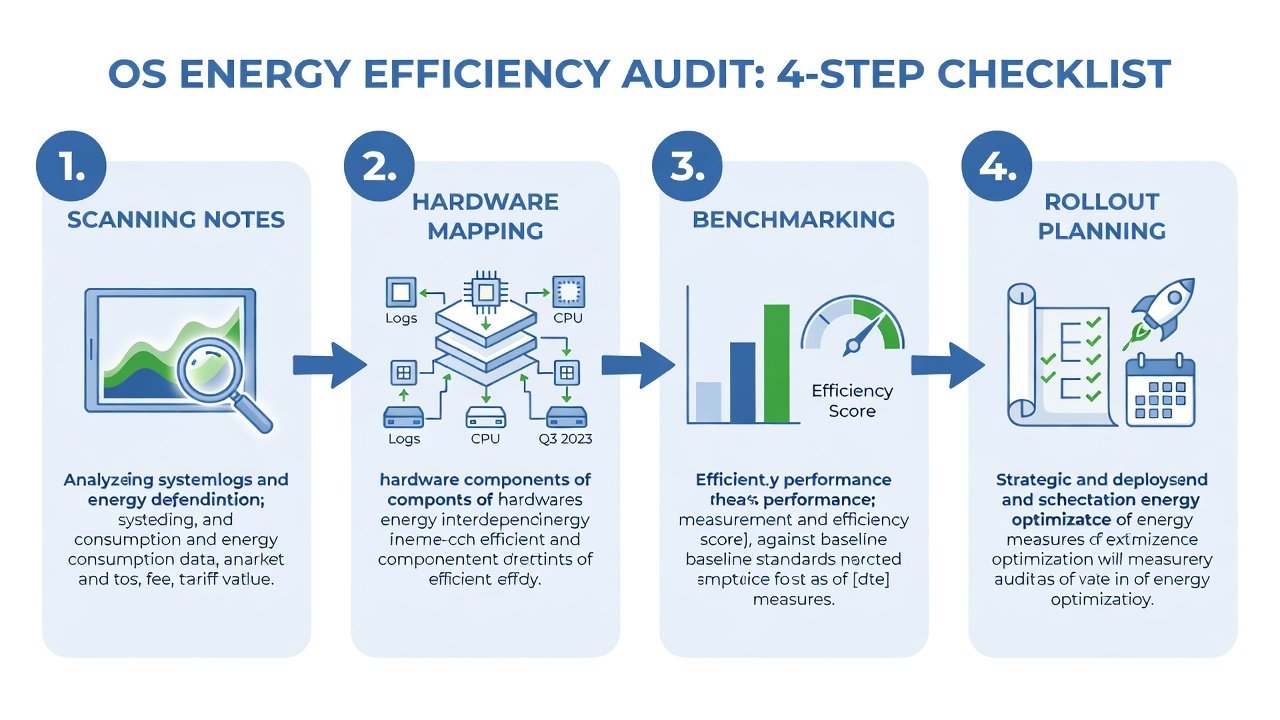
Four-Step Audit Checklist
This structured checklist ensures thorough coverage while minimizing disruption to production systems. Each step builds on the previous to create a repeatable process suitable for ongoing compliance tracking.
- Collect and Index Release Notes: Download notes from vendor portals and tag sections related to energy or hardware efficiency using a centralized documentation tool. Include version numbers, affected hardware models, and any prerequisite firmware updates to avoid compatibility gaps later in the process.
- Map Features to Hardware: Cross-reference updates against your device inventory using asset management software. Prioritize changes that align with your most common endpoints and servers, noting any dependencies on specific chipsets or peripherals.
- Simulate and Benchmark: Apply updates in isolated test environments and measure power usage with tools like Intel Power Gadget, Apple’s battery diagnostics, or Linux powertop and turbostat. Run standardized workloads to generate comparable data before and after application, documenting average watts consumed during idle, moderate, and peak loads.
- Document and Prioritize Rollout: Record savings estimates alongside risk assessments. Schedule phased deployments based on impact potential, starting with non-critical systems to validate real-world performance before broader implementation.
Cloud vs On-Prem Optimizations Compared
Cloud environments leverage provider-level efficiencies such as dynamic resource scaling in hyperscale data centers, where OS updates often integrate seamlessly with orchestration layers for automatic power adjustments. On-premises setups require direct application of OS updates to achieve comparable results, giving teams greater control but demanding more manual oversight. Comparisons reveal that hybrid approaches often yield the best outcomes, combining cloud elasticity with on-prem control for sensitive workloads that must remain within organizational boundaries. For regulated sectors handling protected data, on-prem optimizations may be preferred to maintain audit sovereignty, while cloud instances benefit from shared responsibility models that offload some efficiency management.
Microsoft documentation highlights how Azure optimizations complement local Windows updates through unified telemetry. Similar guidance appears on Apple enterprise resources for macOS deployments across mixed environments.
Measuring Emissions Reductions Effectively
Quantify impact using established carbon accounting frameworks such as the GHG Protocol. Track kilowatt-hour reductions post-update and convert to CO2 equivalents with standard emission factors published by recognized authorities. Tools integrated into 2026 OS releases simplify logging of power metrics through enhanced APIs that export data to monitoring platforms. Regular audits support reporting requirements in sustainability-focused industries by providing traceable evidence of improvement. Establish baseline measurements prior to rollout and repeat at consistent intervals, factoring in variables like seasonal workload changes. This data-driven approach enables accurate ROI calculations that combine energy savings with reduced hardware wear.
Additional authoritative references include Kernel.org for Linux efficiency details and EPA.gov for emissions calculation methodologies that ensure regulatory alignment.
Real-World Examples and Benchmarks
A financial services firm applied the audit process to Windows updates across 2,000 endpoints, achieving 12% lower server energy use within three months while maintaining strict uptime requirements. Healthcare providers using macOS fleets reported improved device longevity alongside efficiency gains that supported their environmental stewardship commitments under industry regulations. In the public sector, a Linux-based municipal data center implemented kernel optimizations identified through the checklist, resulting in a 9% reduction in cooling demands. These cases underscore the value for regulated environments where both compliance documentation and tangible sustainability metrics are essential. Additional benchmarks from controlled tests indicate that combining OS-level changes with workload scheduling can amplify savings by another 5-8% in virtualized setups.
Common Mistakes to Avoid During Audits
Many teams overlook firmware dependencies when applying OS patches, leading to suboptimal power states. Another frequent error is failing to re-baseline measurements after hardware refreshes, which skews long-term tracking. Always validate changes in representative environments rather than assuming uniform results across diverse device models.
FAQs on Compliance and ROI Tracking
How do OS updates support regulatory compliance?
Many 2026 updates align with energy standards, providing audit trails that simplify reporting for frameworks like ISO 50001 and regional sustainability directives by documenting specific efficiency improvements and their measured outcomes.
What ROI can teams expect?
Organizations typically see payback within 6-12 months through reduced electricity consumption and extended hardware refresh cycles, with compounding benefits as efficiency features mature across successive update cycles.
Are there risks in applying efficiency patches?
Thorough testing mitigates compatibility issues; always validate in staging environments first and monitor for any unintended increases in latency that could offset power gains in performance-sensitive applications.
How should emissions data be integrated into existing reports?
Map OS-derived metrics to established reporting templates used for annual sustainability disclosures, ensuring consistency with third-party verification requirements common in regulated industries.
Conclusion
Adopting this audit guide positions IT teams to maximize energy savings from 2026 OS updates. Consistent application delivers both environmental and operational benefits while strengthening compliance postures in demanding sectors.

No comments yet. Be the first!