 NeoBit Daily
Introduction
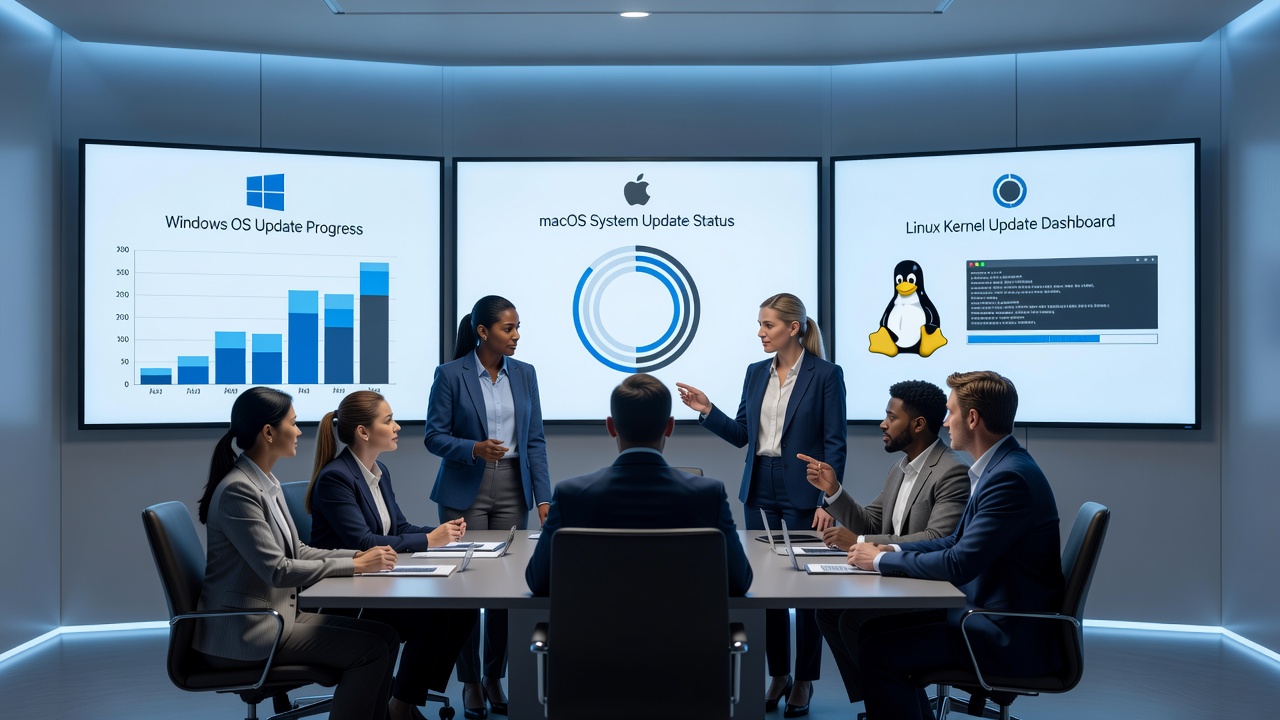
In 2026, operating system updates remain a critical yet disruptive force in enterprise environments, particularly for large teams managing diverse device fleets across multiple locations. Frequent patches for security, performance, and new features often lead to update fatigue, where employees experience overwhelm from constant notifications, mandatory restarts, and unclear change impacts. This fatigue can result in delayed adoptions, reduced productivity, and heightened security risks as systems lag behind essential protections. IT leaders must adopt proactive change management approaches that prioritize communication through detailed patch notes and release notes, strategic scheduling, targeted training, and selective automation. By addressing these elements systematically, organizations can transform updates from sources of frustration into opportunities for seamless improvement. This comprehensive guide delves into identifying fatigue symptoms, proven scheduling tactics, effective use of documentation for training, automation options, tool comparisons, and real-world implementations drawn from leading tech firms. Implementing these methods helps maintain compliance while fostering a culture of informed adaptation.
Identifying Signs of Update Fatigue
Detecting update fatigue early allows IT teams to intervene before it escalates into broader resistance or operational setbacks. Primary indicators include a sharp rise in support tickets following rollout announcements, noticeable drops in voluntary update compliance rates, and anecdotal feedback shared in internal forums or meetings. In large-scale settings, leaders should track quantitative metrics such as average installation delays, employee survey responses on perceived disruption, and patterns of workarounds like disabling automatic updates. Additional signs encompass declining participation in related training sessions, increased error reports during transition periods, and informal complaints about notification overload. Monitoring these through dashboards helps quantify the problem across departments. For instance, teams might observe higher absenteeism or lower engagement scores during peak update cycles. Addressing these signs involves regular pulse checks and feedback loops to refine future processes, ensuring that updates do not erode trust in IT initiatives over time.
- Delayed installations or workarounds attempted by staff
- Lower morale during rollout periods
- Increased errors due to rushed adaptations
- Spike in helpdesk volume post-notification
- Reduced survey response rates on IT communications
Scheduling Strategies for Minimal Disruption
Strategic scheduling forms the backbone of fatigue reduction by aligning updates with natural workflow lulls rather than imposing them during peak productivity. Begin by analyzing team calendars to identify low-impact windows, such as end-of-quarter reviews or holiday periods, and stagger deployments across regions to avoid simultaneous global strain. Incorporate buffer times for unexpected issues and communicate timelines at least two weeks in advance. Phased approaches, starting with pilot groups representing different roles, allow for iterative refinements based on real feedback. Global enterprises benefit from time-zone aware planning, ensuring no single region bears the brunt of after-hours demands. Examples include coordinating with business units to bypass critical project deadlines. This method not only minimizes downtime but also builds confidence as early successes demonstrate reliability. Regular audits of scheduling effectiveness further optimize future cycles, turning potential pain points into predictable routines.
Using Release Notes and Patch Notes Effectively
Release notes and patch notes serve as vital communication bridges between technical changes and end-user understanding, directly combating fatigue by clarifying benefits and required actions. Effective notes use concise language, categorize impacts by role, and include visual aids like before-and-after comparisons or quick-start guides. Distribute them via multiple channels such as email summaries, intranet portals, and mobile alerts to ensure broad reach. 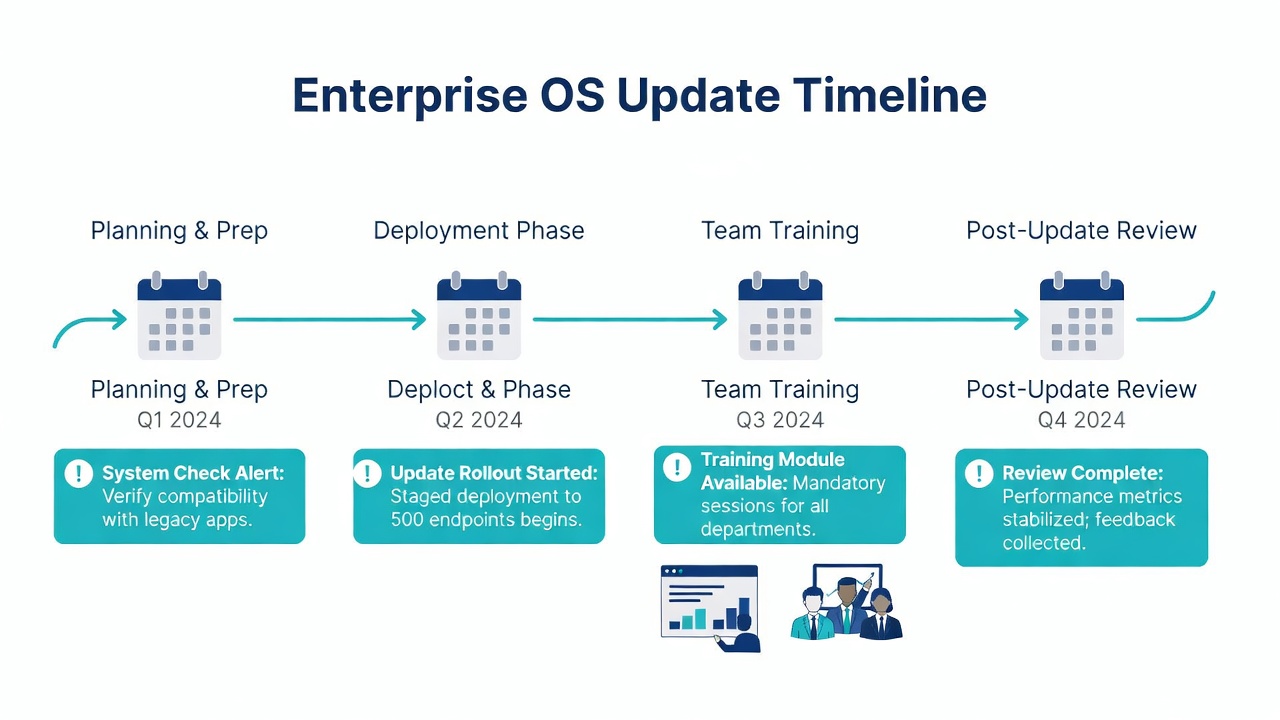
Team Training via Release Notes
Transforming release notes into training assets elevates their value beyond mere announcements. Design short, modular sessions or self-guided modules that break down key changes, focusing on new workflows and troubleshooting steps. Incorporate interactive elements like quizzes or scenario-based discussions to reinforce retention. Real-world applications at scale show that note-centric training boosts user confidence and reduces post-update queries. For large teams, leverage recorded webinars accessible on demand, allowing flexible participation. This approach ensures consistent knowledge transfer regardless of shift patterns or locations, ultimately accelerating adoption and minimizing support burdens.
Automation Alternatives to Reduce Manual Burden
Automation offers powerful alternatives for handling repetitive update tasks without overwhelming users. Enterprise platforms enable policy-based deployments that push updates silently during off-hours, with options for user-controlled pauses in non-critical scenarios. AI-driven tools can analyze usage patterns to recommend ideal rollout times, further easing the load on IT staff. While full automation reduces manual oversight, hybrid models combining automated back-end processes with user notifications maintain transparency. Evaluate options for compatibility with existing infrastructure and scalability for thousands of endpoints. These alternatives free teams to focus on strategic initiatives rather than firefighting update issues.
Comparison of Notification Tools
Selecting the right notification tools requires weighing features against team needs. Built-in OS mechanisms provide basic reliability but lack advanced customization. Third-party solutions deliver superior analytics, cross-platform support, and granular control over message timing and content. Custom-developed scripts allow precise tailoring yet demand continuous maintenance and expertise. Key comparison factors include integration ease with identity management systems, reporting depth for compliance audits, and user experience ratings from pilot tests. Organizations should prioritize tools offering A/B testing for notification styles to identify what resonates best with their workforce.
- Built-in OS tools: Reliable but limited customization
- Third-party platforms: Enhanced analytics and multi-OS support
- Custom scripts: Tailored but require ongoing maintenance
- Hybrid enterprise suites: Balanced automation with oversight features
Step-by-Step Implementation Plan
A structured rollout plan ensures methodical progress. First, conduct a comprehensive audit of existing update workflows and gather baseline fatigue data through surveys. Next, craft a communication calendar synchronized with release note releases. Then evaluate and pilot automation platforms in controlled environments. Proceed to train representative groups using note-based materials, collecting iterative feedback for refinements. Finally, scale organization-wide while establishing ongoing metrics for success tracking and periodic adjustments. This phased method minimizes risk and allows evidence-based scaling.
Real-World Examples from Tech Companies
Leading organizations demonstrate these principles in action. Microsoft employs unified endpoint management to orchestrate phased Windows updates across global teams, significantly lowering resistance through transparent release documentation. Apple provides detailed enterprise guidance for macOS deployments that emphasizes pilot testing and role-specific notes. Similarly, Cisco integrates automation with user-centric notifications to maintain high compliance rates in large IT environments. These cases highlight how combining documentation, scheduling, and tools yields measurable improvements in adoption and satisfaction.
Conclusion
Reducing update fatigue in 2026 demands a holistic strategy encompassing identification, communication, training, and technology. IT leaders who invest in these areas position their teams for efficient, low-disruption transitions that support both security and productivity goals. Begin with targeted assessments and build from there to achieve lasting results.
FAQ
How can we handle global team time zones during updates?
Use staggered schedules and region-specific pilots to accommodate differences while providing localized support resources.
What if users ignore release notes?
Incorporate interactive elements like quizzes or video summaries to boost engagement and ensure key information lands effectively.
Are there risks with full automation?
Yes, always maintain rollback options and real-time monitoring to address unexpected issues quickly and preserve system stability.
How often should fatigue metrics be reviewed?
Conduct reviews quarterly or immediately after major rollouts to capture timely insights and adjust strategies accordingly.
Can small teams apply these same tactics?
Absolutely, scaling the core principles of clear notes and phased scheduling works effectively regardless of team size.


No comments yet. Be the first!