 NeoBit Daily

Understanding 2026 Patch Notes Without the Jargon
Business stakeholders and department leads frequently encounter dense technical release notes packed with code references, version numbers, and developer terminology that obscure the real-world business implications. In 2026, major operating system vendors continue releasing complex updates that affect daily operations, security posture, and team productivity. This comprehensive guide provides practical techniques to translate these notes into clear, actionable insights that support better cross-team decisions. By focusing on user-facing changes, productivity impacts, and prioritized comparisons across platforms, non-technical teams can avoid confusion and drive smoother adoption processes.
Identifying User-Facing Changes in Major OS Updates
The first step in decoding any patch note involves scanning for clearly labeled sections such as New Features, User Experience Improvements, Deprecations, and Known Issues. These areas directly influence how employees interact with their devices. For example, Windows updates often detail interface refinements that alter navigation in productivity suites, while macOS releases frequently emphasize privacy controls that matter for data-handling departments. Linux distributions tend to highlight kernel-level enhancements that improve stability for specialized hardware setups. Effective identification requires mapping each change to specific business functions like sales reporting, HR onboarding, or customer support workflows. Teams should create a simple checklist that flags items affecting end-user interfaces, file compatibility, or third-party integrations. This approach prevents overlooking subtle shifts that could lead to widespread training needs or temporary productivity dips. Authoritative sources such as Microsoft documentation provide structured breakdowns that help non-technical readers separate cosmetic updates from functional ones.
Spotting Productivity Impacts and Security Relevance
Once user-facing elements are identified, the next priority is assessing how updates influence overall team efficiency and risk exposure. Productivity impacts often appear in mentions of performance optimizations, new collaboration tools, or hardware requirement changes. Security patches, meanwhile, address vulnerabilities that could expose company data. Non-technical teams benefit from evaluating these through a business lens: Does the update require downtime? Will it necessitate new employee training? Does it align with compliance standards? A practical method involves rating each change on a simple scale of low, medium, or high impact, then discussing findings in cross-department meetings. Real-world scenarios show that organizations ignoring these details face delayed projects or increased support tickets after rollout. Always cross-reference security notes with internal policies, and consult resources like Linux Foundation guidelines for open-source environments where community feedback adds valuable context.
- Review change logs for backward compatibility issues that could break existing workflows or require custom scripting.
- Assess training needs based on UI overhauls, new keyboard shortcuts, or altered menu structures.
- Prioritize updates addressing known exploits common in your industry or region.
- Document any required hardware upgrades that might affect budget planning for the quarter.
Comparing Update Priorities Across Windows, macOS, and Linux
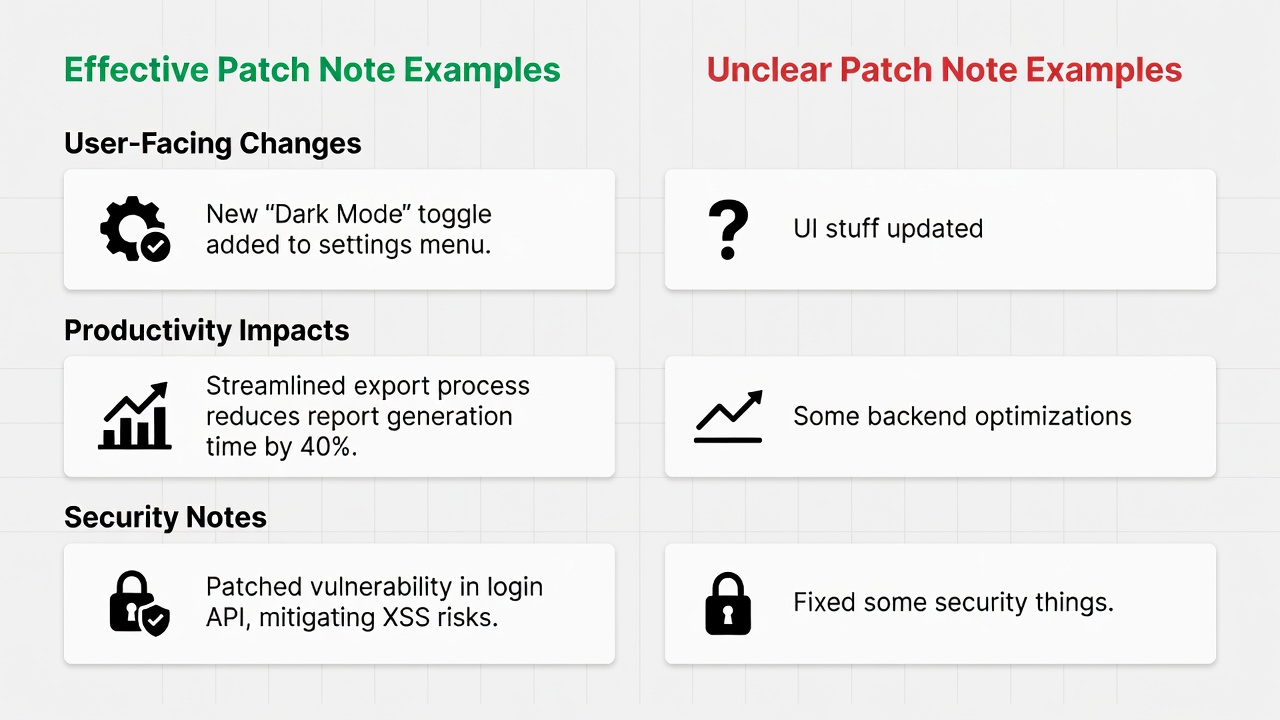
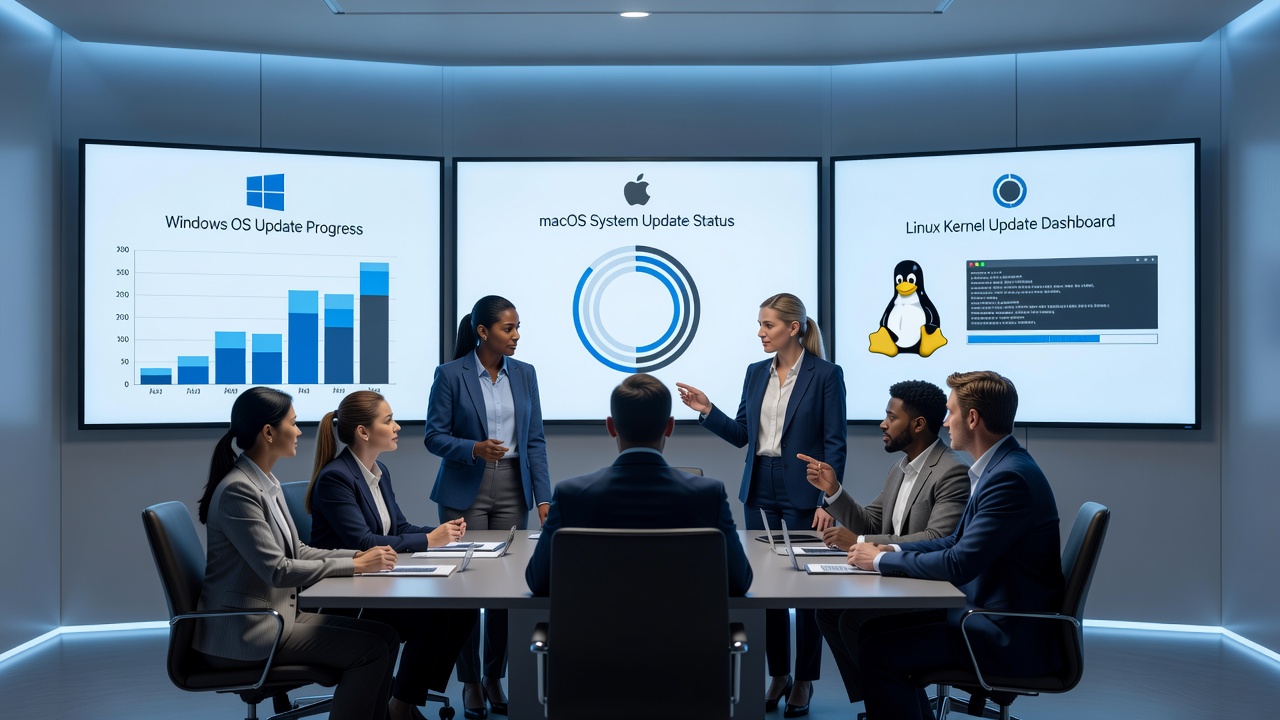
Understanding platform-specific release patterns enables smarter prioritization. Windows typically issues monthly cumulative updates with clear enterprise-focused editions that emphasize security and management features. macOS centers on annual major versions supplemented by targeted security updates, appealing to creative and mobile-first teams. Linux distributions offer rolling releases or point updates that provide flexibility but demand deeper evaluation, especially in server or development environments. Effective patch notes include plain-language summaries, impact ratings, and migration guides, whereas unclear notes rely heavily on technical jargon and vague descriptions that leave stakeholders guessing. Teams using well-structured notes consistently achieve faster decision-making and fewer post-update issues. Comparing these approaches side by side helps organizations select the right timing for each platform based on their operational needs.
Step-by-Step Methods for Creating Internal Summaries
Developing consistent internal summaries transforms raw patch notes into decision-ready documents. Begin by extracting the most relevant sections: new features, critical fixes, and any known issues. Next, map each item to affected business functions, quantifying potential risks and benefits with a straightforward scoring system. Share the resulting one-page brief through email or shared drives, incorporating simple visuals such as bullet lists or color-coded tables. Finally, schedule brief follow-up reviews after deployment to capture lessons learned. This repeatable process reduces miscommunication and builds organizational knowledge over time. For added depth, include stakeholder input from each department during the mapping phase to ensure no critical use case is missed.
- Extract key sections including features, fixes, and known issues from the official vendor notes.
- Map changes directly to business functions such as sales, HR, operations, or customer service.
- Quantify risks and benefits using a simple low-medium-high scoring system tailored to your team.
- Share summaries via concise one-page briefs that incorporate helpful visuals and clear recommendations.
- Schedule structured follow-up reviews after deployment to refine future processes.
Real-World Examples from Major OS Vendors
Recent 2026 cycles illustrate successful translation in practice. Windows notes highlighted enhanced Copilot integration that improved document collaboration for non-technical users across departments. macOS examples demonstrated strengthened file-sharing security protocols that reduced compliance concerns for legal teams. Linux distributions such as Ubuntu supplied detailed migration guides for enterprise servers, enabling IT and operations groups to plan upgrades without disruption. These cases show how structured, accessible notes facilitate quicker alignment and reduce the time spent on clarification meetings.
Common Mistakes to Avoid When Reviewing Patch Notes
Many teams stumble by focusing exclusively on security headlines while ignoring usability changes, or by attempting to interpret every technical detail without business context. Another frequent error is delaying review until after deployment, which often leads to reactive problem-solving. To avoid these pitfalls, establish a pre-release review cadence and involve a small cross-functional group early. Comparing effective versus unclear release notes side by side reveals that clarity in language and structure directly correlates with smoother adoption and higher user satisfaction.
Tools and Resources for Non-Technical Teams
Several accessible tools can streamline the decoding process. Simple spreadsheet templates help track changes across multiple vendors, while collaborative platforms allow real-time annotation of notes. Official vendor portals remain the most reliable starting point, supplemented by Apple support resources for macOS specifics. Organizations that invest in lightweight internal templates report measurable improvements in update readiness and reduced support volume.
FAQ: Common Questions on Patch Note Evaluation
How do I determine if a security update matters to my team?
Examine CVSS scores or affected components that match your current software stack, then consult internal IT specialists for tailored risk assessments before approving rollout.
What if the notes seem overly technical?
Refer to vendor support portals or trusted community forums for simplified breakdowns and plain-language translations before finalizing deployment timing.
Should non-technical teams review every single update?
Concentrate efforts on major releases and critical security bulletins while delegating routine minor patches to technical specialists, staying informed only on changes with clear user impact.
Conclusion
Applying these structured techniques allows non-technical teams to confidently navigate 2026 software updates. By converting complex patch notes into strategic insights, organizations achieve smoother operations and stronger cross-team collaboration across Windows, macOS, and Linux environments.
No comments yet. Be the first!