 NeoBit Daily

2026 OS Updates: 7 Common Pitfalls IT Teams Must Dodge
IT professionals face increasing complexity with operating system updates in 2026. Effective handling of software updates and release notes is essential to minimize downtime and security risks. This guide explores seven common pitfalls, supported by real-world examples, a pre-update audit checklist, Windows and Linux comparisons, and recommended monitoring tools. Proactive management of these elements helps teams reduce incidents while maintaining compliance and operational efficiency across diverse environments.
Why OS Update Management Matters in 2026
Organizations rely on timely patches to address vulnerabilities and improve performance. However, rushed or poorly planned deployments often lead to outages that cost businesses significant productivity losses. Understanding release notes signals helps teams prioritize changes correctly and reduce operational disruptions. In regulated sectors, missed updates can trigger compliance violations that result in fines or audits. Teams that invest time in structured update processes see fewer emergency rollbacks and better long-term system stability.
Pitfall 1: Inadequate Testing Environments
Many teams skip comprehensive staging setups, assuming production will behave identically to development servers. This leads to unexpected compatibility issues after rollout, such as driver conflicts or configuration mismatches that only appear under full load. Real-world cases show enterprise deployments failing due to untested hardware drivers, causing multi-day recovery efforts and data inconsistencies across distributed systems. Building mirrored environments with representative data sets and network conditions prevents these surprises and allows thorough validation of every change.
Pitfall 2: Ignoring Dependency Chains
Updates rarely occur in isolation. Overlooking library or service dependencies can break critical applications that rely on specific versions of shared components. For example, a kernel update might silently affect container runtimes if dependencies are not mapped beforehand, leading to cascading failures in orchestration platforms. Mapping these chains with automated discovery tools before applying patches reveals hidden connections and prevents widespread service interruptions that could impact entire departments.
Pitfall 3: Misreading Release Notes Signals
Release notes often highlight deprecations and breaking changes in subtle language that requires careful reading. Teams that skim these documents miss critical warnings, resulting in post-update failures that require immediate hotfixes. Always parse notes for keywords like "deprecated," "removed," and "requires migration." In 2026, many vendors include structured metadata alongside notes that can be parsed programmatically to flag high-risk items automatically.
Pitfall 4: Skipping Rollback Plans
Without documented rollback procedures, failed updates become prolonged incidents that extend downtime far beyond initial estimates. Effective teams maintain automated snapshots and tested reversion scripts that can be executed within minutes of detecting issues. Including rollback validation in every pre-deployment test ensures teams can restore service quickly without data loss or extended troubleshooting sessions.
Pitfall 5: Overlooking Security Patches in Minor Updates
Security fixes are sometimes bundled in routine updates that appear low priority at first glance. Ignoring these increases exposure windows to known exploits that attackers actively target. Regular review of all patch classifications prevents this oversight and keeps vulnerability remediation on schedule. Integrating automated severity scoring into monitoring workflows helps surface these hidden fixes promptly.
Pitfall 6: Not Monitoring Post-Update Performance
Deployment does not end at installation. Continuous monitoring reveals performance regressions that surface hours or days later due to subtle resource leaks or configuration drift. Implement baseline comparisons immediately after updates and set automated alerts for deviations in CPU, memory, or latency metrics. This practice catches problems early and allows targeted remediation before users notice impacts.
Pitfall 7: Failing to Communicate with Stakeholders
Poor communication leads to business disruption surprises that erode trust between IT and other departments. Schedule change windows, send advance notifications, and provide status updates throughout the process. Clear escalation paths and post-update summaries help stakeholders understand risks and timelines, reducing friction during critical maintenance periods.
Step-by-Step Pre-Update Audit Checklist
A thorough audit reduces risk across the board. Follow these expanded steps for consistent results:
- Inventory all systems and their current patch levels using centralized asset management platforms to avoid blind spots in hybrid clouds.
- Map application dependencies using automated discovery tools that scan runtime behavior and configuration files.
- Review release notes thoroughly for each targeted OS version, extracting breaking changes into a shared tracking document.
- Validate staging environments mirror production configurations, including network latency, storage performance, and user load simulations.
- Test rollback procedures in isolated sandboxes and document exact commands or scripts required for each scenario.
- Define success metrics and monitoring alerts that trigger within the first hour after deployment.
- Notify stakeholders with clear timelines, impact assessments, and contact points for questions or escalations.
Repeating this checklist for every major release cycle builds institutional knowledge and improves future update success rates.
Windows vs Linux Update Risks Comparison
Windows updates frequently involve driver and registry changes that can destabilize enterprise software, especially in environments with custom line-of-business applications. Rollback options like System Restore provide a safety net but require sufficient disk space and can fail if the update corrupts core files. Linux distributions vary widely; kernel updates on distributions like Ubuntu or RHEL require careful module compatibility checks and often involve recompiling drivers for specialized hardware. Windows offers more built-in rollback via System Restore, while Linux often relies on custom scripting or LVM snapshots that demand deeper administrator expertise. Teams managing mixed environments must adapt strategies to each platform's unique risks and maintain separate runbooks for each operating system family.
Learn more about secure update practices from Microsoft and The Linux Kernel Archives.
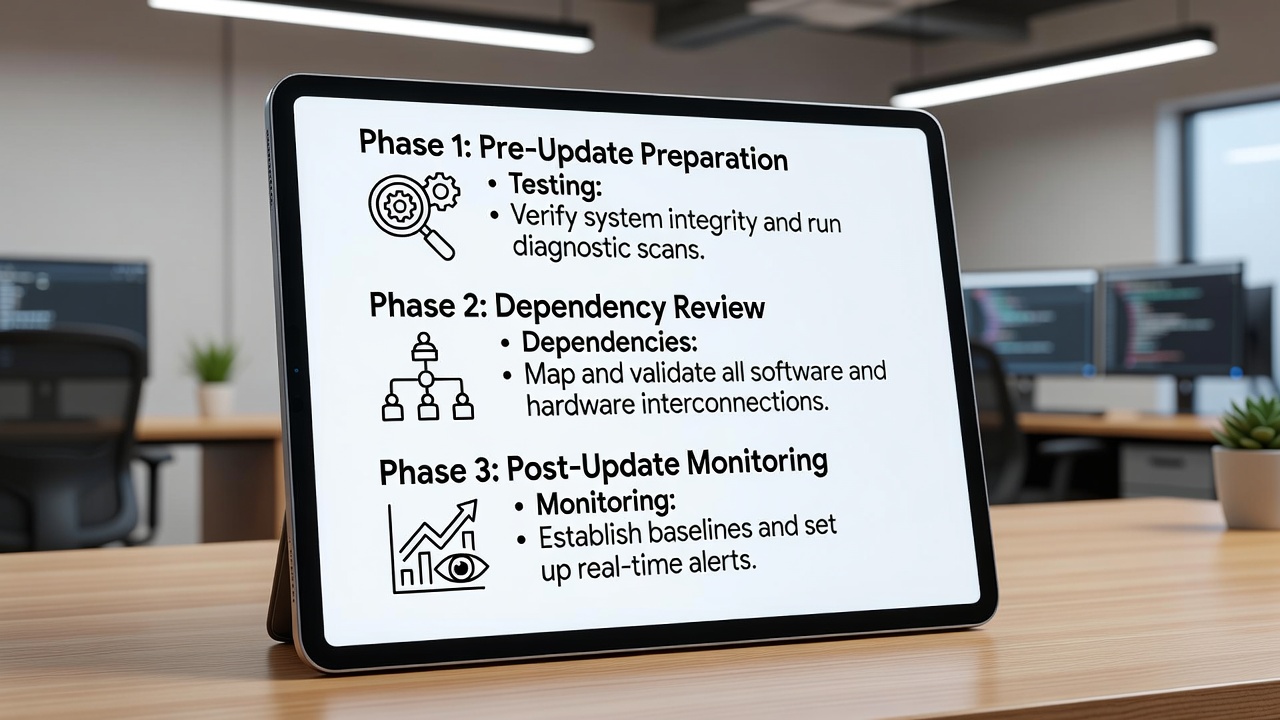
Practical Tools for Monitoring OS Updates
Effective monitoring solutions include Microsoft Endpoint Configuration Manager for Windows fleets and Ansible Automation Platform for Linux environments. Open-source options like OSQuery provide real-time visibility across platforms by querying system state directly. Integrate these with SIEM systems for centralized alerting on patch compliance and anomaly detection. Additional tools such as Puppet or SaltStack can enforce configuration baselines after updates complete, ensuring drift does not occur over time. Choosing the right combination depends on existing infrastructure, team skills, and the scale of managed endpoints.
FAQ: Compliance Concerns in Regulated Industries
How do OS updates affect compliance frameworks?
Updates must align with standards such as NIST or ISO 27001. Document all changes and maintain audit trails to demonstrate due diligence during external reviews.
What documentation is required after a failed update?
Record incident timelines, root cause analysis, and remediation steps. Retain these records according to your industry's retention policies, often spanning several years.
Can automated patching satisfy regulatory requirements?
Automation is acceptable when paired with human oversight, testing protocols, and approval workflows that meet specific regulatory mandates.
How often should audits occur in high-compliance sectors?
Quarterly reviews combined with every major OS release cycle provide adequate coverage while allowing rapid response to emerging threats.
Additional guidance is available from CISA and Red Hat.
Conclusion
Mastering OS updates in 2026 requires deliberate avoidance of these seven pitfalls through structured processes and continuous learning. By implementing the audit checklist, comparing platform-specific risks, and leveraging proven monitoring tools, IT teams can deliver reliable updates that strengthen security without sacrificing availability. Regular practice of these principles leads to smoother operations and greater confidence when facing future release cycles.


No comments yet. Be the first!