 NeoBit Daily
Strava 2026 Guide: Track Runs and Build Community Challenges
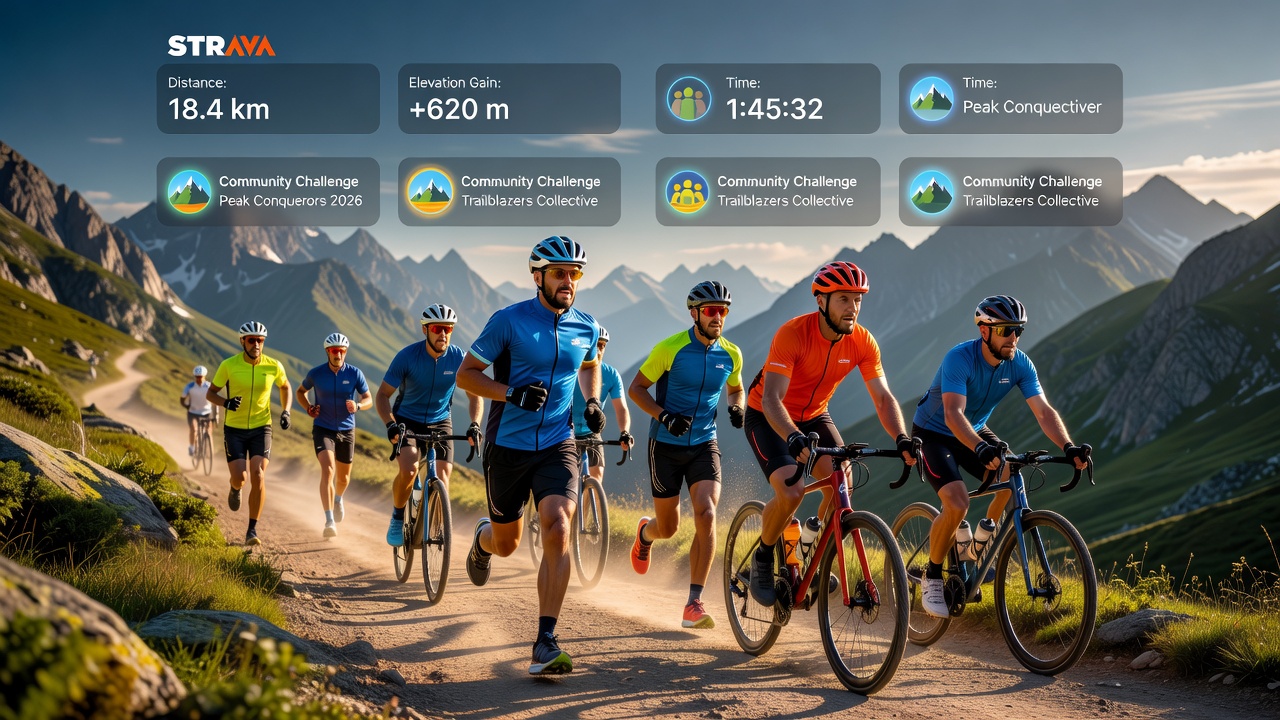
Strava continues to lead as the premier platform for runners and cyclists in 2026 who want precise performance tracking combined with engaging social features. Whether you are a complete beginner logging your first 5K or an advanced athlete preparing for an ultra-distance event, this guide provides actionable steps to maximize every aspect of the app. From profile setup to creating custom community challenges, you will learn how to turn raw GPS data into meaningful insights that drive real improvement.
Optimizing Your Strava Profile for Maximum Engagement
Your profile serves as your digital identity within the Strava community. Begin by selecting a high-quality profile photo that clearly shows your face or athletic gear to build instant recognition among local athletes. Write a bio that includes specific goals such as "Training for the 2026 Boston Marathon" or "Weekly century rides in the Rockies." Add your location and preferred disciplines so the algorithm can suggest relevant clubs and segments. Athletes who optimize their profiles report higher connection rates and more challenge invitations within the first two weeks of use.
Step-by-Step App Setup and GPS Route Planning
Proper setup ensures accurate data collection from day one. Follow these detailed instructions to configure Strava correctly:
- Open the app and create an account using email or a social login, then verify your email to unlock full features.
- Navigate to Settings and grant precise location access along with motion and fitness permissions on both iOS and Android devices.
- Connect supported wearables immediately through the Devices tab; popular pairings include Garmin, Apple Watch, and Wahoo computers.
- Import historical activities from other platforms to establish a performance baseline before starting fresh tracking.
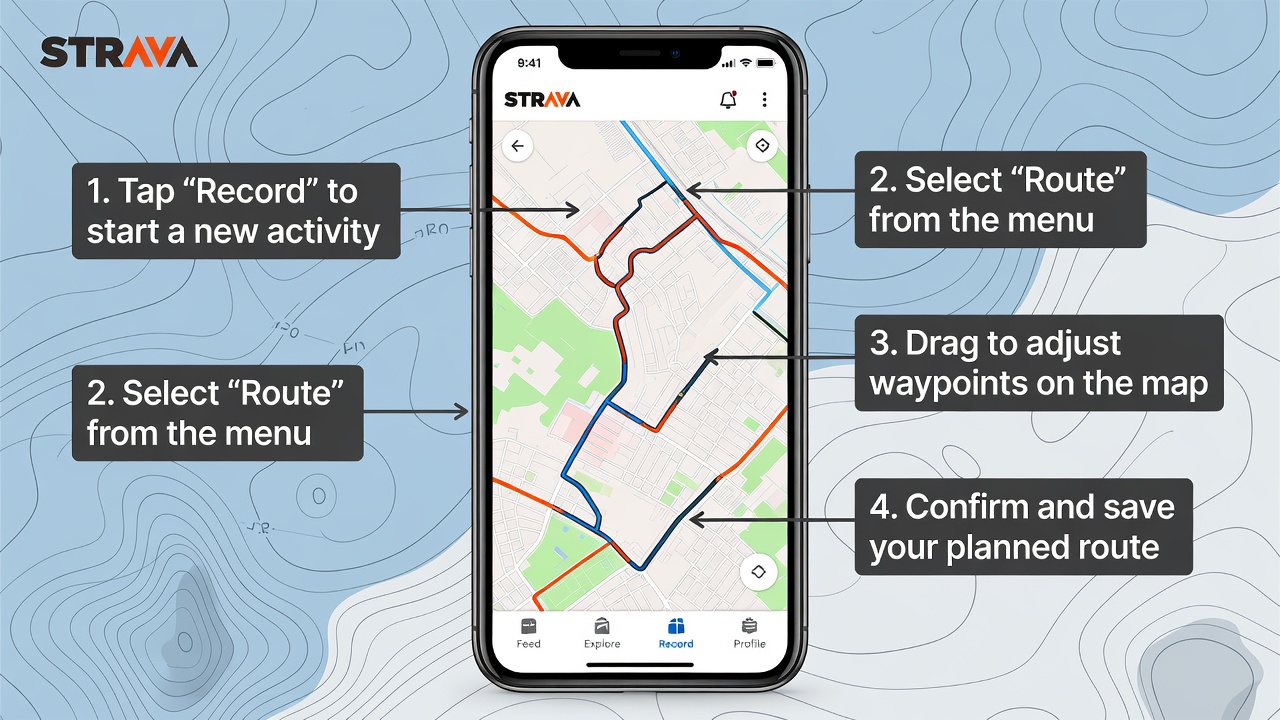
- Use the Route Builder tool to design custom paths. Input start and end points, adjust for elevation preferences, and preview surface types like paved roads or gravel trails.
- Test a short activity in a familiar area to calibrate GPS accuracy before relying on the app for longer efforts.
Real-user example: Sarah, a recreational runner from Seattle, followed these steps to plan a 10-mile waterfront route that incorporated three popular segments. Within four weeks she achieved new personal records and joined a local running club through the app's suggestions.
Analyzing Activities and Creating Segment Challenges
After completing a run or ride, dive into the activity analysis page to review splits, heart rate zones, cadence, and estimated power output. Strava highlights relative effort scores and compares your performance against previous efforts on the same route. To create a segment challenge, select any portion of your recorded activity, set a time frame such as 30 days, and invite followers or club members. This turns casual rides into structured competitions that boost motivation. Advanced users often combine multiple segments into monthly leaderboards to track cumulative progress across an entire training block.
Wearable Integrations and Privacy Controls
Strava integrates smoothly with dozens of devices, allowing automatic uploads after every workout. For cyclists using power meters or runners tracking advanced metrics, ensure the wearable firmware is updated to the latest version for seamless data transfer. Privacy remains a top concern for many athletes. Access the Privacy Controls menu to choose between public, followers-only, or private activity settings. The "Hide Map" option protects exact starting locations near your home. Users concerned about data sharing can also disable third-party app connections while still enjoying core tracking functions.
Advanced Community Challenge Strategies
Beyond basic segments, Strava offers group challenges that foster long-term engagement. Organize a virtual relay by dividing a long route among club members, or launch a monthly distance challenge with tiered badges for different mileage goals. Successful challenge creators often post weekly updates with leaderboards and encouragement, which increases participation rates. One cycling team in California reported a 40 percent rise in consistent weekly rides after implementing themed challenges focused on climbing elevation.
Strava vs Garmin Connect Comparison
Choosing the right platform depends on your priorities. The table below highlights key differences:
| Feature | Strava | Garmin Connect |
|---|---|---|
| Social Challenges | Extensive community leaderboards and group events | Basic personal goals with limited sharing |
| Route Planning | Advanced mapping with heatmaps and popularity data | Standard GPS routes without social input |
| Analysis Depth | Segment comparisons and relative effort scores | Training load and recovery metrics |
| Integration Options | Broad third-party connections | Strong within Garmin ecosystem only |
Many athletes use both platforms together, exporting Garmin data to Strava for the social layer while keeping detailed training analysis in Garmin Connect.
Troubleshooting Common Syncing Issues and FAQ
Sync problems can disrupt training logs. First, confirm your device has the latest app and firmware updates. Restart Bluetooth and ensure a stable internet connection before attempting manual uploads. If activities fail to appear, check the activity visibility settings on your wearable.
- How do I fix failed uploads? Delete the activity from the wearable and re-record a short test ride.
- Can I merge duplicate activities? Use the edit function to combine entries and preserve the most accurate GPS trace.
- What about data export? Strava provides bulk export tools that generate GPX or CSV files for backup or analysis in other software.
- Why are my segments not matching? Ensure the start and end points align closely with existing segment definitions.
For broader fitness guidance, consult resources from the World Health Organization. Developers exploring data integration can reference MDN Web Docs. Official support is available directly through Strava and Garmin.
Conclusion
Implementing these Strava strategies in 2026 transforms simple activity tracking into a powerful system for performance gains and community building. Consistent profile optimization, careful route planning, and active participation in challenges create a rewarding cycle that keeps athletes motivated year-round. Start with the setup steps today and gradually incorporate advanced features as your training evolves.
No comments yet. Be the first!