 NeoBit Daily
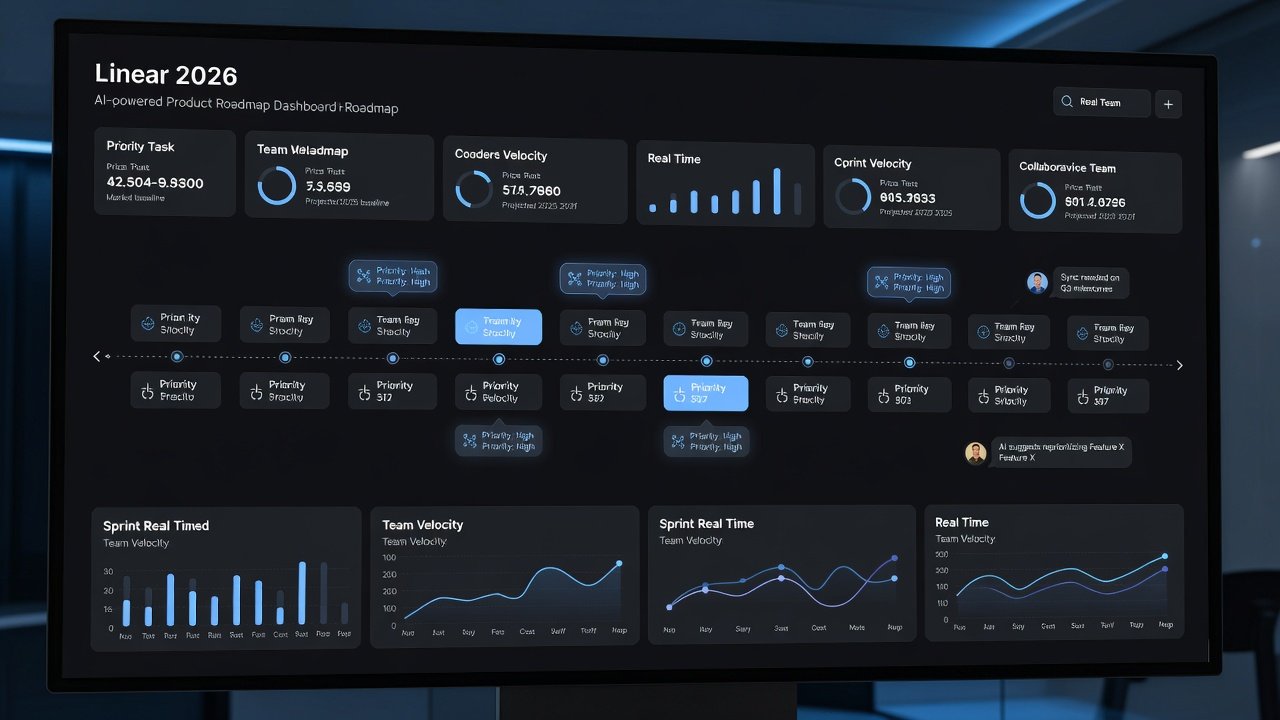
Introduction to AI-Driven Roadmapping in Linear 2026
Product teams in 2026 face increasing pressure to deliver value quickly amid shifting market demands and evolving customer expectations. Linear 2026 addresses this challenge by embedding advanced AI capabilities directly into roadmap creation, issue prioritization, and ongoing decision-making processes. This enables teams to move beyond manual spreadsheets and static planning documents toward intelligent, adaptive systems that process real-time signals from multiple sources. The result is faster alignment on what matters most, reduced time spent on administrative tasks, and a sharper focus on delivering features that drive business outcomes. This comprehensive guide explores every aspect of leveraging Linear 2026, from initial setup of AI prioritization tools to building living roadmaps, integrating with essential platforms like GitHub and Slack, and applying practical examples drawn from real SaaS environments. Advanced users will also find detailed comparisons to legacy tools such as Jira, actionable time-saving strategies, and answers to frequently asked questions about avoiding common implementation pitfalls.
Setting Up AI Prioritization Tools in Linear
Effective use of Linear 2026 begins with a structured configuration of its AI prioritization engine. Start by accessing the workspace settings and enabling the dedicated AI module, which analyzes issues based on weighted factors including customer impact scores, development effort estimates, strategic alignment with company OKRs, and urgency signals pulled from support tickets or usage analytics. Import your existing project backlog in bulk to allow the system to generate initial scores. The AI then evaluates each item against your predefined criteria, producing ranked recommendations that teams can review and adjust. To maximize accuracy, dedicate time to uploading at least three months of historical release data so the model learns patterns specific to your product and market. Custom scoring rubrics can be created to emphasize certain dimensions, such as revenue potential for enterprise SaaS features or technical debt reduction for infrastructure work. After the first audit completes, schedule a team workshop to validate outputs and calibrate weights before activating automated suggestions across the board.
Step-by-Step Workflow for Initial Configuration
- Navigate to the AI settings panel and choose from SaaS-specific presets that balance growth, retention, and innovation goals.
- Sync or upload supporting data sources such as churn reports, NPS feedback, and feature request databases.
- Execute the baseline AI scan to produce preliminary priority scores and suggested roadmap placements.
- Conduct a collaborative review session where product managers and engineers refine or override any questionable recommendations.
- Lock in the model parameters and enable continuous learning so future data inputs automatically improve scoring precision.
Building Dynamic Roadmaps with Real-Time Data
Linear 2026 transforms traditional roadmaps from fixed quarterly artifacts into continuously updated living documents. The AI engine ingests fresh information from connected analytics platforms, support systems, and internal metrics to recalculate priorities and timelines automatically. When new customer feedback arrives or development velocity shifts, affected roadmap items adjust their positions without requiring manual intervention. This dynamic approach ensures that teams always work from the most current view of priorities rather than outdated plans created weeks earlier. Visualization options include timeline views, Kanban-style boards, and dependency maps that highlight potential bottlenecks before they impact delivery. Teams that adopt these adaptive roadmaps frequently report improved cross-functional alignment because stakeholders can see exactly why certain features have risen or fallen in priority based on transparent AI reasoning.
One practical benefit appears when external events, such as a competitor launch or regulatory change, influence priorities. The system can flag impacted items and suggest revised sequencing within minutes. This level of responsiveness was difficult to achieve with previous manual methods that demanded hours of spreadsheet updates and stakeholder meetings.
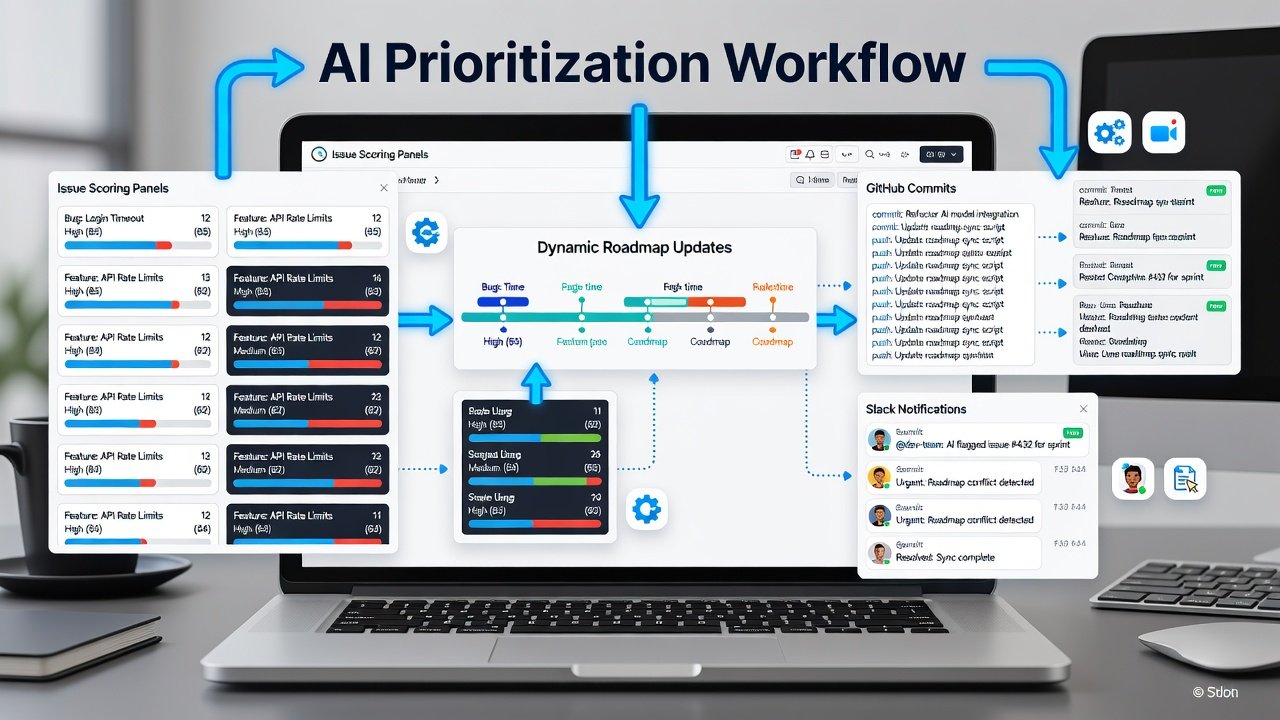
Integrating Linear with GitHub and Slack
Deep integrations amplify the power of Linear 2026 by connecting roadmap intelligence directly to the tools where work actually happens. Linking to GitHub allows the AI to associate commits, pull requests, and issue references with specific roadmap items, creating automatic progress tracking and surfacing code-level context for prioritization decisions. Similarly, Slack connectivity captures discussions, approvals, and sentiment signals from team channels, feeding these qualitative inputs into the AI scoring algorithm. To configure these connections, authorize the Linear application through OAuth in each platform and define webhook rules that govern data flow in both directions. Once active, updates in GitHub can trigger roadmap status changes, while Slack messages can prompt the AI to re-evaluate an item’s priority based on recent team consensus. These integrations dramatically reduce context switching and keep all stakeholders informed without extra reporting overhead.
Additional value emerges when combining the two platforms. For instance, a merged pull request in GitHub can automatically notify the relevant Slack channel while updating the Linear roadmap view to reflect completed work and freed capacity for new initiatives.
Practical Examples from SaaS Teams
Consider a Series B SaaS company that implemented Linear 2026 to overhaul its feature planning process. By feeding six months of support ticket trends and usage analytics into the AI engine, the team discovered that billing-related friction was driving disproportionate churn. The system automatically elevated a comprehensive billing overhaul above several other planned initiatives, resulting in a targeted release that improved retention by double digits within one quarter. Another example comes from a mature SaaS provider focused on mobile growth. Their product team integrated interview notes and app store reviews into Linear, allowing the AI to detect rising demand for offline capabilities. Within weeks the roadmap shifted to prioritize mobile enhancements, accelerating delivery of a feature set that increased daily active users by 18 percent. These cases illustrate how AI-driven roadmapping surfaces opportunities that might otherwise remain buried in unstructured data.
Comparisons to Traditional Tools Like Jira
While Jira remains a powerful issue tracker with extensive customization options, its roadmap and prioritization features typically demand significant manual configuration and ongoing maintenance. Linear 2026 differentiates itself through native AI that automates scoring, dependency detection, and timeline adjustments. Teams migrating from Jira often highlight reduced administrative burden and faster insight generation as primary advantages. Where Jira requires plugins or custom fields to approximate similar intelligence, Linear delivers these capabilities out of the box with continuous learning. That said, organizations deeply invested in Jira’s ecosystem may prefer a hybrid approach initially, using Linear for AI-enhanced roadmapping while retaining Jira for granular sprint tracking. Evaluating both platforms against your team’s specific velocity metrics and data sources helps determine the optimal path forward.
Time-Saving Tips for Advanced Users
- Utilize AI batch actions to re-prioritize or reassign dozens of issues in a single operation rather than editing records individually.
- Establish recurring AI review cycles that run automatically each week to surface drift or newly emergent high-impact items.
- Adopt pre-built roadmap templates calibrated for common SaaS milestones such as quarterly OKR alignment or post-funding growth initiatives.
- Connect additional external data feeds like CRM opportunity data to enrich scoring without increasing manual workload.
- Train team members on override logging so every human adjustment contributes to long-term model improvement.
FAQ: Common Pitfalls and How to Avoid Them
How accurate is the AI prioritization after initial setup?
Accuracy improves substantially once the model processes at least three months of completed issues. Teams should treat early outputs as drafts and invest time in calibration sessions.
What happens when team members disagree with AI-generated suggestions?
Linear 2026 provides straightforward override controls. Recording the rationale behind each override helps the system refine its recommendations over subsequent cycles.
Does Linear 2026 eliminate the need for human judgment entirely?
No. The platform augments decision quality by revealing patterns across large datasets, yet final roadmap ownership remains with product leaders who incorporate strategic context the AI cannot access.
How should teams handle integration failures with GitHub or Slack?
Monitor webhook logs within Linear and re-authorize connections promptly. Most sync issues resolve within minutes once credentials are refreshed.
Can Linear 2026 scale for very large enterprise roadmaps?
Yes, the architecture supports thousands of issues and multiple product lines, though larger organizations benefit from segmenting workspaces to maintain clarity.
Conclusion
Linear 2026 redefines product roadmapping as an intelligent, continuous process rather than a periodic manual exercise. By mastering AI configuration, dynamic roadmap features, strategic integrations, and proven workflows, advanced teams achieve faster, more confident decisions that translate directly into improved product outcomes and sustained competitive advantage.

No comments yet. Be the first!