 NeoBit Daily
Introduction
Release notes serve as the bridge between complex technical updates and end users who rely on operating systems daily. For 2026 OS updates, clear documentation helps developers, product managers, and users understand changes ranging from security patches to new interface features. This guide explores proven methods to craft notes that improve clarity, reduce support tickets, and align with search intent around software updates. Effective notes balance technical depth with accessible language while highlighting what matters most to different audiences and maintaining compliance standards.
By following structured approaches, teams can turn routine updates into opportunities for stronger user engagement. In 2026, with advancements in AI integration, enhanced privacy controls, and cross-device compatibility becoming standard, the demand for transparent communication has never been higher. Users expect notes that not only inform but also guide them through potential disruptions or new workflows introduced by the update.
Why Clear Release Notes Matter in 2026
Operating system updates in 2026 introduce advancements in AI integration, enhanced privacy controls, and cross-device compatibility. Poorly written notes lead to confusion, lower adoption rates, and negative reviews. Well-crafted notes build trust and encourage timely installations. Users searching for terms like "2026 OS patch notes" expect concise overviews paired with actionable details. Aligning content with these queries improves visibility in search results and positions your documentation as authoritative.
Furthermore, in an era where updates roll out frequently across desktop, mobile, and embedded platforms, release notes influence everything from enterprise deployment decisions to individual user satisfaction scores. Teams that prioritize clarity often see reduced churn and higher retention metrics following major releases. This is especially true when notes proactively address common concerns such as compatibility with existing hardware or third-party applications.
Structuring Content for Maximum Clarity
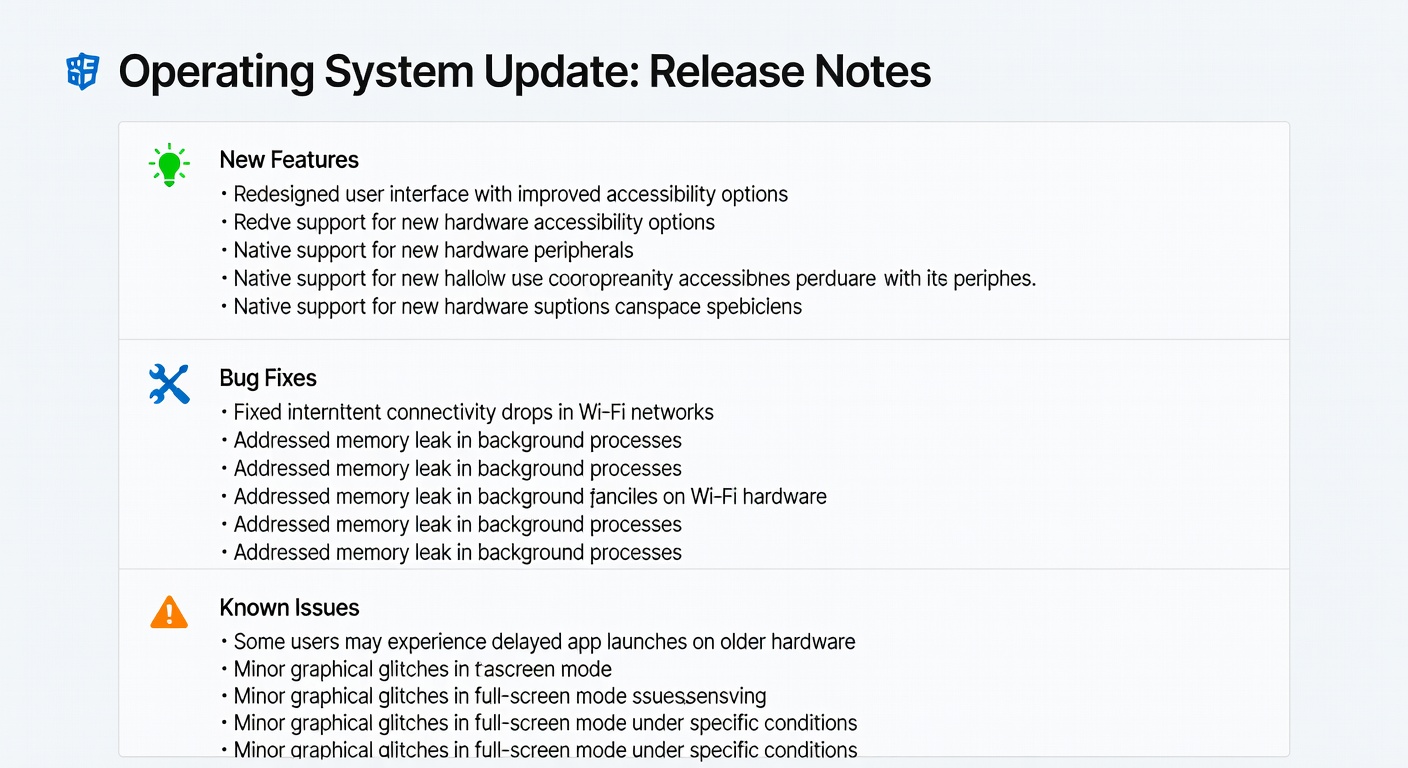
Organize notes into consistent sections: version number and release date, new features, bug fixes, known issues, and breaking changes. Start with a high-level summary before diving into specifics. This hierarchy helps readers scan quickly while providing depth for those who need it. Use bullet points and tables for scannability. For example, group changes by category such as performance, security, or accessibility. Include timestamps for when fixes were implemented to add transparency.
Additional subsections like "What's Changed for Developers" or "Enterprise Considerations" can further tailor the experience. Always begin with the most impactful changes at the top to respect readers' time. Consistent formatting across multiple releases also builds familiarity, making it easier for power users to locate information quickly in future updates.
Using User-Friendly Language While Detailing Technical Changes
Avoid jargon where possible or explain it immediately. Instead of saying "kernel-level optimizations," write "Improved system stability through backend enhancements that reduce crashes by up to 40%." Pair this with technical appendices for developers who want source-level information. Examples from major platforms show success: Apple often uses plain language in macOS notes, while Android Developers provides both user summaries and detailed changelogs.
Consider segmenting content by audience. For general users, focus on benefits and outcomes. For technical readers, link to deeper resources such as API references or code samples. This dual approach ensures broad accessibility without sacrificing precision. Testing language with sample readers from both groups before publication can reveal ambiguities that might otherwise go unnoticed.
Incorporating Visuals and Real-World Examples
Visual elements like before-and-after screenshots, icons for feature categories, and short video embeds increase engagement. For 2026 updates, consider embedding comparison graphics showing UI refreshes or performance benchmarks. Real-world case comparisons reveal patterns. One major OS vendor streamlined its notes in early 2026 by adding interactive changelogs, resulting in higher user satisfaction scores. Another focused on mobile-first formatting to match how most users consume the content.
Visuals should always include descriptive captions and alt text for accessibility. When showcasing performance improvements, pair charts with plain-language explanations of what the data means for everyday tasks such as faster app loading or extended battery life. This combination of visuals and context helps bridge the gap between raw metrics and user value.
Avoiding Common Pitfalls
- Omitting known issues, which erodes trust when users encounter them.
- Overloading notes with marketing language instead of facts.
- Failing to update notes after post-release hotfixes.
- Ignoring accessibility by using low-contrast text or missing alt descriptions for images.
- Neglecting version-specific notes when supporting multiple OS branches simultaneously.
Regular audits of past notes can identify recurring issues and inform improvements in future releases. Involving cross-functional teams including support staff during the drafting process often surfaces overlooked pain points that users frequently raise.
Step-by-Step Templates for 2026 OS Updates
Follow this template for consistency:
- Header: Version, date, and one-sentence overview.
- New Features: Bullet list with user benefits first.
- Improvements: Performance and stability highlights.
- Bug Fixes: Categorized by severity.
- Known Issues: Transparent list with workarounds.
- Footer: Links to full documentation and feedback channels.
Customize for desktop versus mobile audiences by adjusting emphasis on hardware compatibility. A full sample note might start with: "Version 2026.1 – Released June 4, 2026. This update enhances AI-driven productivity tools and strengthens privacy safeguards across all supported devices." Then expand each section with 3-5 concise bullets. Providing downloadable PDF versions alongside web notes accommodates offline readers and enterprise documentation needs.
Measuring Impact on User Adoption
Track metrics such as installation rates within the first 48 hours, support ticket volume related to update confusion, and time spent on the release notes page. Tools like analytics dashboards help correlate note quality with adoption trends. Teams that iterate on note formats based on feedback see measurable lifts in positive sentiment across app stores and forums. Consider A/B testing different note structures during beta phases to quantify which formats drive the highest engagement and lowest bounce rates.
Long-term tracking also reveals patterns, such as seasonal spikes in update-related searches or correlations between note length and completion rates. Sharing these insights internally can help refine processes across product releases.
FAQ on Compliance and SEO Optimization
How do release notes support SEO for software updates?
Incorporate natural keywords like "2026 OS update features" in headings and meta descriptions while keeping content valuable. Structured data markup can further enhance search visibility. Regularly updating older notes with redirects to new versions maintains historical relevance without duplicating effort.
What compliance standards apply to 2026 OS notes?
Follow accessibility guidelines such as WCAG 2.2 and data protection regulations when referencing user data changes. Include clear privacy impact statements where relevant. Microsoft documentation often demonstrates strong examples of compliant language in their Windows update notes.
Should notes include rollback instructions?
Yes, providing safe rollback steps reduces risk perception and encourages users to install updates promptly. Detail the process step-by-step and note any data implications to set accurate expectations.
How often should notes be reviewed after release?
Review within 24 hours of launch and again after any hotfixes. Continuous monitoring through user feedback channels ensures notes remain accurate and helpful throughout the update lifecycle.
Conclusion
Crafting clear release notes for 2026 OS updates requires deliberate structure, balanced language, and ongoing measurement. Developers and product managers who invest in these practices foster better user relationships and smoother update cycles. Apply the templates and guidelines above to transform your documentation process and achieve stronger results across every release.


No comments yet. Be the first!