 NeoBit Daily
Introduction to Privacy-Focused Patch Notes in 2026
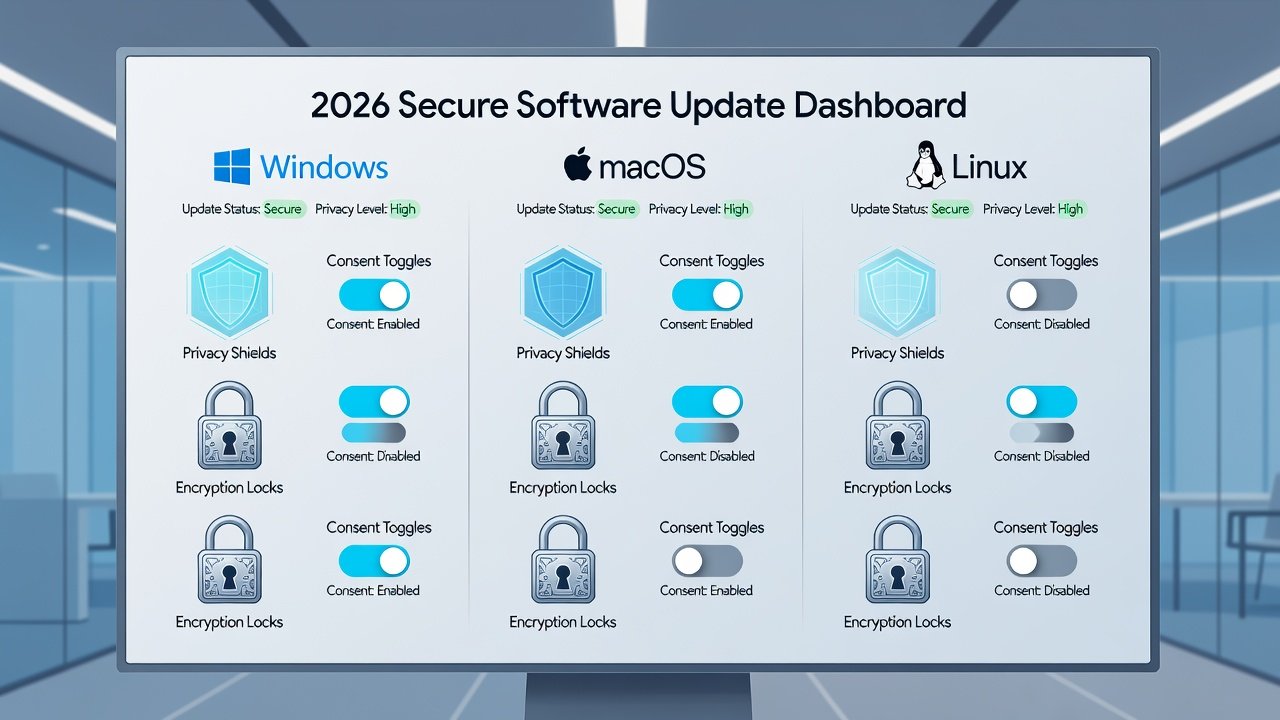
Software updates in 2026 are placing greater emphasis on data privacy than ever before. Patch notes and release notes now routinely detail enhancements such as advanced encryption protocols and refined user consent mechanisms. For IT professionals, these changes represent opportunities to strengthen organizational data protection strategies across major operating systems. As organizations increasingly rely on cloud-connected devices and remote workforces, the visibility of privacy controls in update documentation has become a critical factor in risk management. This comprehensive guide examines the specific privacy improvements visible in 2026 updates for Windows, macOS, and Linux. It provides actionable guidance including step-by-step audits, real enterprise examples, regulatory compliance advice, and strategies for turning patch notes into proactive privacy tools. By understanding these updates in depth, IT teams can reduce exposure to data breaches and align with evolving global standards.
Privacy Enhancements Across Major Operating Systems
Windows Updates in 2026
Microsoft's 2026 patches introduce improved end-to-end encryption for data at rest and in transit. New consent dashboards allow granular control over telemetry sharing. Patch notes highlight automatic disabling of legacy protocols that previously exposed user data. Additional features include enhanced BitLocker integration with hardware-based security modules and real-time monitoring for unauthorized data exfiltration attempts. These changes are documented clearly in the release notes, enabling administrators to verify deployment success through centralized dashboards. Organizations can now set default privacy levels that prevent apps from accessing location data without explicit approval, a direct response to increased regulatory scrutiny.
macOS Updates in 2026
Apple continues its focus on privacy with enhanced App Tracking Transparency features and on-device processing for more data types. Release notes detail new options for limiting cross-app data flows and improved encryption key management. The updates also introduce stricter sandboxing for third-party applications and automatic encryption of iCloud backups using user-controlled keys. IT teams benefit from detailed logs that track every consent decision made by end users, simplifying audit trails. These enhancements make macOS particularly suitable for environments handling sensitive creative or healthcare data.
Linux Distributions in 2026
Distributions like Ubuntu and Fedora emphasize kernel-level privacy controls. Updates include better support for mandatory access controls and user-configurable privacy modules that reduce unnecessary data collection by default. Advanced SELinux and AppArmor profiles now ship with stronger defaults that block network access for non-essential services. Patch notes often include command-line examples for enabling these features, helping system administrators implement them quickly across server fleets.
Microsoft and Apple both publish detailed privacy resources that align with these update changes.

Step-by-Step Audits for IT Teams
After deploying 2026 updates, IT teams should conduct structured privacy audits to confirm all new controls are active. Begin by reviewing patch notes for encryption and consent changes specific to each OS, cross-referencing them against your organization's data classification policy. Next, verify default settings match organizational policies using built-in configuration tools such as Windows Security Center or macOS Privacy preferences. Test user consent flows thoroughly to ensure they meet internal standards and do not default to overly permissive options. Scan for legacy data paths that may bypass new protections by running network traffic analysis tools during simulated user sessions. Finally, document findings in a centralized report and schedule follow-up reviews quarterly to account for any subsequent patches. Each step should include screenshots and timestamps for compliance records.
Real-World Enterprise Case Examples
A multinational corporation updated its Windows fleet in early 2026 and used the new encryption features to meet stricter internal policies, reducing incident response times by enabling faster isolation of affected devices. Another organization on macOS leveraged consent mechanisms to simplify GDPR reporting, cutting audit preparation time significantly. Linux-based environments at a financial services firm benefited from kernel privacy modules that minimized third-party data exposure, resulting in cleaner compliance logs during regulatory inspections. These examples demonstrate how patch note analysis directly translates into measurable security improvements when applied systematically.
Comparing Privacy Controls in 2026 OS Updates
Windows offers centralized management through Group Policy, making it ideal for large enterprises with thousands of endpoints. macOS provides user-friendly toggles suited to mixed-device environments where employee autonomy is valued. Linux distributions excel in customization but require more technical expertise for full implementation across heterogeneous hardware. When choosing an OS for privacy-sensitive workloads, consider the trade-off between ease of management and depth of control. Windows leads in reporting capabilities, while Linux offers the most granular kernel-level interventions.
Compliance Tips for Global Regulations
Align updates with frameworks such as GDPR and emerging standards by documenting all consent changes and encryption upgrades. Maintain version-controlled records of patch notes alongside configuration baselines. Consult official guidance from GDPR resources and NIST for technical controls that satisfy multiple jurisdictions. Regular audits help maintain compliance across regions, and organizations should map each privacy feature to specific regulatory articles for quick reference during assessments.
Common Mistakes to Avoid When Reviewing Patch Notes
Many teams overlook privacy sections buried in lengthy release notes, focusing only on security vulnerabilities. Always search for keywords like encryption, consent, telemetry, and data minimization. Another frequent error is failing to test updates in a staging environment before broad rollout, which can lead to unexpected consent prompts disrupting workflows. Finally, neglecting to communicate changes to end users reduces the effectiveness of new consent mechanisms.
FAQ: Common Questions About Data Handling in 2026 Updates
How do I verify encryption is active after an update?
Use the OS-specific verification tools listed in the patch notes, such as PowerShell commands for Windows or System Information on macOS. Run these checks immediately after deployment and again after 30 days to confirm persistence.
Are consent mechanisms mandatory in all regions?
Requirements vary by regulation; always check local laws and configure defaults to the strictest applicable standard. In the EU, explicit consent is often required, while other regions may allow implied consent under certain conditions.
Can Linux privacy modules conflict with enterprise tools?
Testing in a staging environment before full rollout prevents compatibility issues. Most modules can be tuned to allow necessary monitoring while blocking unnecessary collection.
What should I do if a patch note lacks detail on privacy changes?
Contact the vendor support team directly and request supplemental documentation. Many vendors now provide privacy impact assessments alongside major updates.
How often should privacy audits be repeated?
Conduct full audits after every major update cycle and perform lighter monthly reviews of telemetry logs to catch any drift in settings.
Conclusion
2026 software updates deliver meaningful privacy advancements that IT teams can leverage through careful review of patch notes. By following structured audits, studying real-world implementations, and maintaining strong compliance practices, organizations can enhance data protection while maintaining operational efficiency. Staying proactive with these updates positions teams to respond effectively to both technical and regulatory challenges ahead.


No comments yet. Be the first!