 NeoBit Daily

Introduction to Wearable Accuracy Testing for Global Travel
International travel in 2026 places unique demands on wearable devices, requiring them to maintain precision across changing satellite networks, cellular roaming conditions, and multiple time zones. Devices from Garmin, Apple Watch, and Samsung Galaxy Watch have become essential companions for frequent flyers who depend on accurate GPS navigation, continuous heart rate monitoring, detailed sleep analysis, and reliable offline operation. This comprehensive guide delivers practical, field-tested protocols that go beyond manufacturer claims to help travelers verify real-world performance before and during trips.
Many users discover that lab-tested accuracy figures do not always translate to remote airports, high-altitude flights, or areas with limited satellite visibility. By establishing repeatable testing routines at home and repeating them abroad, travelers can identify weaknesses early and adjust settings for optimal results. The protocols outlined here incorporate hands-on examples from frequent flyers who have logged thousands of international miles in 2025 and 2026.
Step-by-Step Protocols for GPS Accuracy Validation
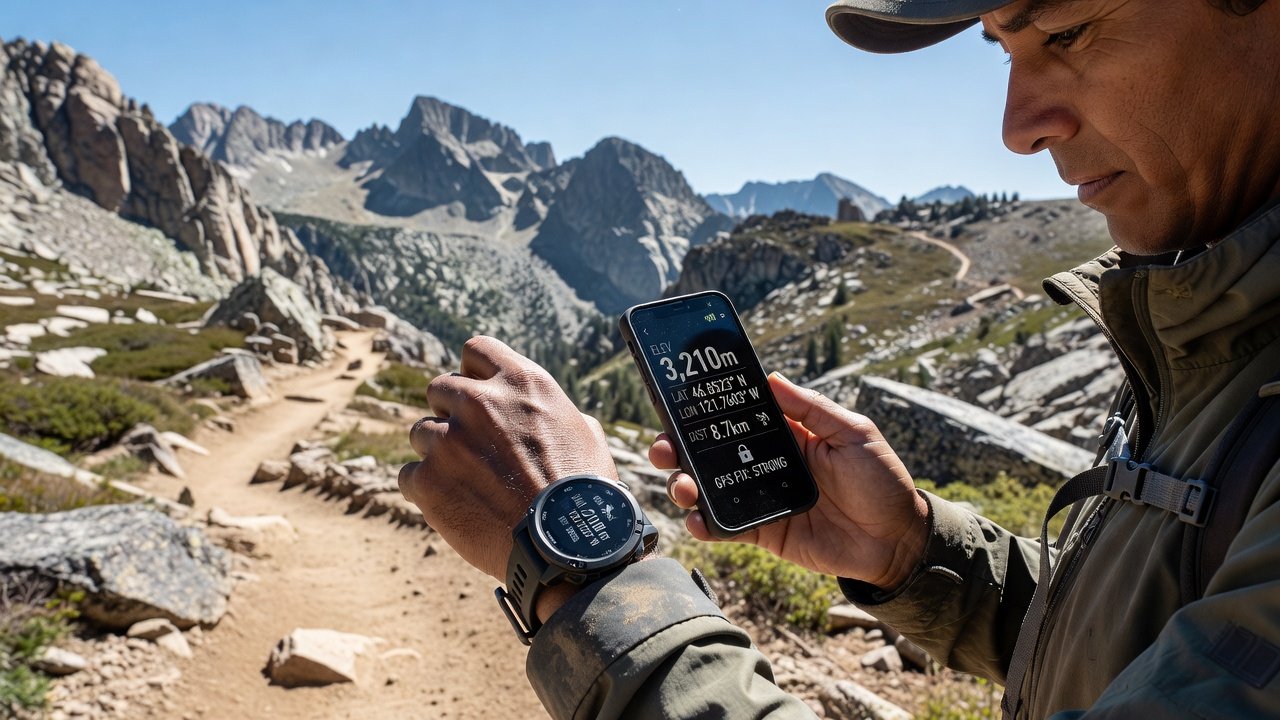
Start GPS testing in a familiar environment at least one week before departure. Select a standard route such as a 5-kilometer urban walk or a highway drive with known elevation changes. Compare wearable data against your smartphone’s GPS logs at 1-minute intervals using a simple spreadsheet or dedicated tracking app. Note any consistent offsets in distance, pace, or altitude.
Upon arrival in a new country, repeat the identical route under different conditions: early morning, midday, and evening. Urban canyons created by tall buildings can cause multipath interference, while rural or mountainous areas may suffer from fewer visible satellites. Record the number of satellites locked and the horizontal dilution of precision values if your device displays them.
Garmin watches often support multi-band GNSS, providing better performance in challenging environments, yet even these require verification. Frequent flyers recommend testing both with and without assisted GPS enabled to understand power versus accuracy trade-offs. Always preload offline maps for the destination region to maintain functionality when roaming data is unavailable.
Heart Rate and Sleep Tracking Protocols
Heart rate validation should occur during varied activity levels typical of travel days. Begin with resting measurements in a seated position at the airport lounge, then progress to brisk walking through terminals and light stair climbing while carrying luggage. Cross-reference optical sensor readings with a secondary device such as a chest strap or medical-grade monitor when possible.
Sleep tracking protocols require at least three consecutive nights in the new time zone. Enable continuous monitoring before bedtime and review metrics including total sleep time, sleep stages, and resting heart rate trends. Note how quickly the device adapts to the new schedule; some models require manual time zone updates while others detect changes automatically.
Practical examples show that wearing the device on the non-dominant wrist and ensuring a snug but comfortable fit improves consistency. Travelers crossing more than five time zones should perform baseline tests at home to establish personal norms before interpreting foreign data.
Battery Drain Comparisons: eSIM, Airplane Mode, and Time Zone Adjustments
Battery performance changes dramatically with international roaming. Conduct controlled tests by enabling eSIM data roaming and logging battery percentage every two hours during a typical travel day that includes flight, ground transport, and hotel check-in. Compare results against airplane mode usage, where GPS and heart rate sensors remain active but cellular radios are disabled.
Multi-timezone adjustments trigger additional background syncs that can accelerate drain. Disable automatic app updates and reduce screen brightness during flights to conserve power. Hands-on reports from frequent flyers indicate that pre-loading route maps and disabling unnecessary notifications can preserve significant battery life on long-haul journeys.
Device-specific differences emerge clearly in these tests. Garmin models generally offer superior multi-day battery life under roaming conditions, while Apple Watch and Samsung Galaxy Watch benefit from optimized eSIM integration but may require more frequent charging when constantly searching for networks.
Common Pitfalls and Benchmarking Against Phone GPS
Signal loss in remote regions remains one of the most frequent issues. Dense forests, tunnels, and high-latitude destinations can reduce satellite visibility dramatically. Always maintain a charged smartphone as a secondary reference and never rely exclusively on the wearable for critical navigation.
Benchmarking involves structured side-by-side sessions in multiple environments. Create a simple checklist that includes:
- Urban downtown areas with tall buildings
- Highway driving at consistent speeds
- Hiking trails with tree cover
- Airport terminals during peak hours
- Overnight flights with cabin pressure changes
Review elevation data against known topographic maps and compare total distance traveled. Common mistakes include failing to update firmware before departure, neglecting to enable international roaming settings, and assuming factory accuracy claims will hold without personal verification.
Preparing Devices and Handling Offline Functionality
Before any international trip, update all firmware and apps on both the wearable and paired smartphone. Download offline maps and music libraries while connected to reliable Wi-Fi. Test airplane mode for a full 24-hour period at home to confirm that core sensors continue logging data without cellular assistance.
Offline functionality testing should include manual heart rate checks, sleep stage recording, and GPS breadcrumb trails without any network connection. Frequent flyers emphasize the importance of carrying a portable charger and spare cable, as power outlets on trains or in older hotels can be scarce.
Mistakes to Avoid When Selecting Travel-Ready Wearables
Choosing the wrong model often leads to frustration abroad. Avoid devices with poor multi-band GPS support if your itinerary includes remote areas. Consider battery capacity carefully; models that last only one day under normal use will struggle during long flights or when eSIM roaming is active. Check compatibility with local cellular bands for your destination countries to prevent connectivity issues.
Conclusion
Thorough pre-travel testing of GPS, heart rate, sleep, and battery performance ensures that wearables remain dependable tools rather than sources of uncertainty during international journeys. By following these detailed protocols and learning from real-world examples, travelers can confidently select and configure devices that meet the demands of 2026 global mobility.
FAQ: Accuracy Claims and Choosing Travel-Ready Wearables
How do brands measure accuracy claims?
Manufacturers typically rely on controlled laboratory environments with professional athletes or standardized test subjects. These conditions rarely replicate the variable satellite geometry, temperature extremes, or movement patterns experienced during international travel. Independent traveler-led testing provides a more realistic benchmark.
What features matter most for international trips?
Prioritize multi-band or multi-GNSS support, robust offline map storage, automatic time zone detection, and extended battery life under roaming conditions. Samsung Galaxy Watch models provide strong eSIM features for seamless connectivity, while Garmin excels in long-duration tracking scenarios.
Garmin devices frequently receive firmware updates that improve international performance.
Are there specific tips for minimizing errors?
Update all software before departure, preload maps and routes, wear the device consistently on the same wrist, and perform baseline tests at home. Carry a backup power source and maintain awareness of local cellular regulations that may affect eSIM activation.
Apple Watch users should review international roaming settings in the Watch app ahead of travel.
How often should accuracy tests be repeated abroad?
Repeat core GPS and heart rate tests within the first 48 hours of arrival and again after major time zone crossings. This catches any drift caused by environmental changes or software glitches.
Samsung support resources offer detailed guidance on optimizing Galaxy Watch settings for global use.


No comments yet. Be the first!