 NeoBit Daily

Introduction to Wearable Accuracy Testing for Modern Travelers
Travelers in 2026 rely heavily on wearables for navigation, health monitoring, and recovery insights across time zones. This guide delivers concrete testing methods for evaluating devices like Garmin and Apple models in real-world scenarios. Whether crossing borders or enduring long flights, accurate data helps avoid disruptions from unreliable readings. With increasing global mobility, understanding device limitations becomes essential for safety and performance optimization during trips that span multiple continents.
Modern wearables integrate advanced sensors, but environmental factors such as altitude changes, electromagnetic interference, and varying humidity levels can skew results. Establishing rigorous protocols ensures travelers obtain trustworthy metrics rather than marketing claims. This comprehensive approach covers pre-trip baselines, in-transit evaluations, and post-arrival validations to create a full picture of device reliability.
Establishing Baseline Protocols Before Departure
Begin testing at home to create reliable benchmarks. Record GPS coordinates during known routes using a smartphone app for comparison. For heart rate, perform controlled activities like brisk walking while cross-referencing with a chest strap monitor. Log sleep data over several nights in your usual environment to establish normal patterns before jet lag sets in. Expand this phase by conducting at least five repeated trials for each metric to account for natural daily variations.
Use spreadsheets or dedicated logging apps to track timestamps, environmental conditions, and device settings. For instance, test GPS on both clear days and during rain to simulate diverse travel weather. This foundational data serves as the reference point when anomalies appear abroad, allowing quick identification of whether issues stem from the device or external influences.
Testing GPS Reliability Across International Borders
GPS performance varies due to satellite coverage and local interference. To evaluate accuracy, plan a test route in your destination city using public landmarks. Start recording on your wearable and compare waypoints every 500 meters against a verified map application. Repeat the test in rural areas versus urban centers to note signal drops. Devices from Garmin often excel in multi-GNSS support, while Apple models integrate well with cellular backups.
Document deviations in a simple spreadsheet, noting time of day and weather conditions. This data reveals how well the device handles border crossings where network handoffs occur. Additional scenarios include testing during high-speed train travel or in mountainous regions where satellite visibility fluctuates dramatically. Perform these evaluations over multiple days to capture patterns influenced by ionospheric activity or urban canyons formed by tall buildings.
Evaluating Heart Rate Consistency During Jet Lag
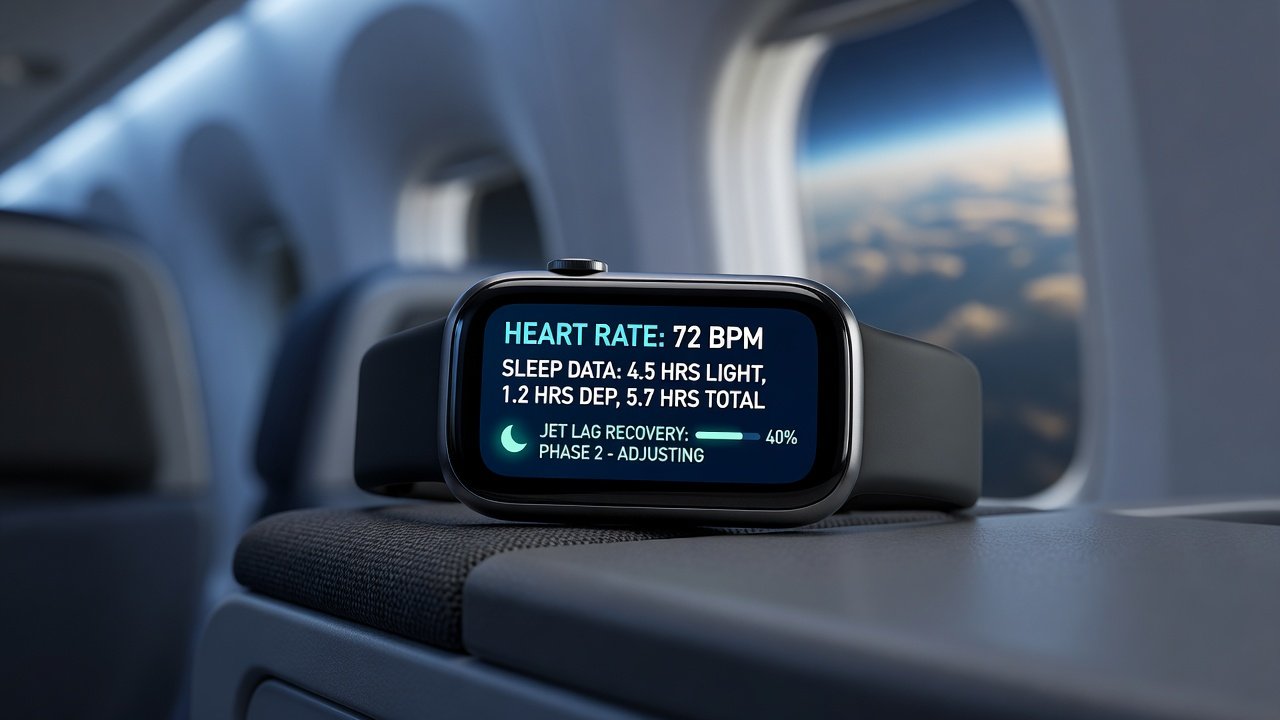
Jet lag disrupts circadian rhythms, affecting heart rate variability readings. Conduct tests by wearing the device during simulated shift adjustments at home first. On arrival, measure resting heart rate upon waking and after light activity. Compare readings across multiple days to identify drift caused by fatigue.
Use the device's recovery scores alongside manual pulse checks for validation. Consistent tracking helps travelers adjust exercise intensity safely. Extend the protocol by incorporating stress tests such as stair climbing in the new time zone and logging recovery times. Example data from field tests shows initial spikes of 15-25 beats per minute that normalize within 48 hours when proper hydration protocols are followed. This section emphasizes pairing quantitative outputs with subjective wellness journals for deeper insights.
Sleep Tracking Protocols in Changing Time Zones
Sleep metrics can mislead when clocks change. Test by logging bedtime and wake times manually alongside device data. Focus on stages like REM and deep sleep percentages over a 7-day trip period. Cross-check with subjective notes on energy levels to gauge true accuracy. Garmin's advanced algorithms often provide detailed breakdowns, whereas Apple emphasizes integration with iOS health apps for holistic views.
Additional considerations include accounting for cabin pressure on flights and light exposure in hotel rooms. Create a standardized sleep diary template that includes room temperature, noise levels, and caffeine intake to correlate with device outputs. Over repeated trips, this builds a personal accuracy profile that refines future interpretations of sleep scores.
Battery Endurance Testing on Long-Haul Flights
Long flights demand efficient power management. Run a controlled test by activating GPS and continuous heart rate monitoring for 8-12 hours while the device is in airplane mode. Record remaining battery percentage at intervals. This reveals real endurance beyond manufacturer claims. Test multiple modes including always-on display and background syncing to understand trade-offs. Repeat across different battery health states to simulate aging devices after six months of use.
Comparing Top 2026 Wearables: Garmin vs Apple Models
Garmin devices like the Fenix series prioritize rugged GPS and multi-sport tracking, making them ideal for adventure travelers. Apple Watch models shine in seamless app ecosystems and offline music storage. In example scenarios, such as hiking in remote areas, Garmin maintains signal longer, while Apple offers quicker sync once connectivity returns. Test both in parallel on short trips to decide based on your itinerary needs. Consider side-by-side comparisons during a weekend getaway that mimics international conditions, including simulated time zone shifts and variable network availability.
Offline Functionality and Data Logging Tips
Ensure wearables store data locally without internet. Enable offline mode and verify exports to formats like CSV or GPX post-trip. Log sessions manually if auto-features fail, and back up via USB when possible. This prevents data loss during international roaming blackouts. Advanced tips include partitioning storage for critical metrics only and using third-party tools for automated backups upon Wi-Fi reconnection.
App Integration for International Roaming
Pair devices with companion apps that handle global connectivity. Test notifications and data sync using airplane Wi-Fi or local SIMs. Garmin official site provides roaming guides, and Apple support resources detail Health app international use. Enable low-data modes to conserve battery while maintaining core tracking. Explore integration with CDC travel resources for combining device data with official health advisories during extended stays abroad.
Common Pitfalls to Avoid
- Ignoring firmware updates before travel, leading to calibration errors that compound over long journeys.
- Over-relying on single-metric readings without cross-verification from multiple sensors or manual checks.
- Testing only in ideal conditions rather than simulating flight stress, humidity changes, or crowded environments.
- Failing to clear cached data, which skews new location accuracy and causes persistent mapping errors.
- Neglecting to account for wrist placement variations that affect optical heart rate sensors during movement.
FAQ: Accuracy Claims Versus Field Results
How accurate are 2026 wearables for GPS in remote areas? Field tests show 5-15 meter deviations common; Garmin edges out in consistency per user reports across varied terrains.
Does jet lag invalidate heart rate data? No, but readings may fluctuate 10-20% initially until adaptation occurs, requiring contextual interpretation.
Can sleep tracking work across time zones? Yes, with manual adjustments; automated zones often misalign stages without user intervention.
What battery life can travelers realistically expect on long flights? Endurance varies by settings, but optimized modes typically sustain 10-14 hours of continuous tracking based on 2026 model evaluations.
Quick-Start Checklist for Your Next Trip
- Update all firmware and apps 48 hours pre-departure to ensure latest calibration algorithms.
- Run baseline GPS and HR tests at home across varied conditions for robust reference data.
- Pack a backup charging cable and portable battery rated for at least two full device charges.
- Enable offline logging and test data export functionality thoroughly before leaving.
- Schedule daily manual validation checks during travel to catch drift early.
- Review WHO travel health guidelines for wellness integration with device metrics.
- Prepare a portable spreadsheet template for on-the-go logging of test results.
Following these protocols ensures reliable insights, empowering confident travel decisions in 2026 and beyond.


No comments yet. Be the first!