 NeoBit Daily

Introduction to Perplexity 2026 for Researchers
Perplexity 2026 has evolved into a powerful AI-driven research platform tailored for academics, analysts, and professionals who need precise, cited information at scale. Unlike basic search engines, it combines large language models with real-time web access to deliver synthesized answers backed by sources. This guide dives deep into advanced workflows that maximize its potential for complex projects, helping users move beyond simple queries to build comprehensive research systems that integrate seamlessly into daily academic or professional routines. Researchers across disciplines now rely on its capabilities to handle everything from literature reviews to real-time policy analysis, making it an essential tool in the modern research toolkit.
Setting Up Custom Collections for Organized Research
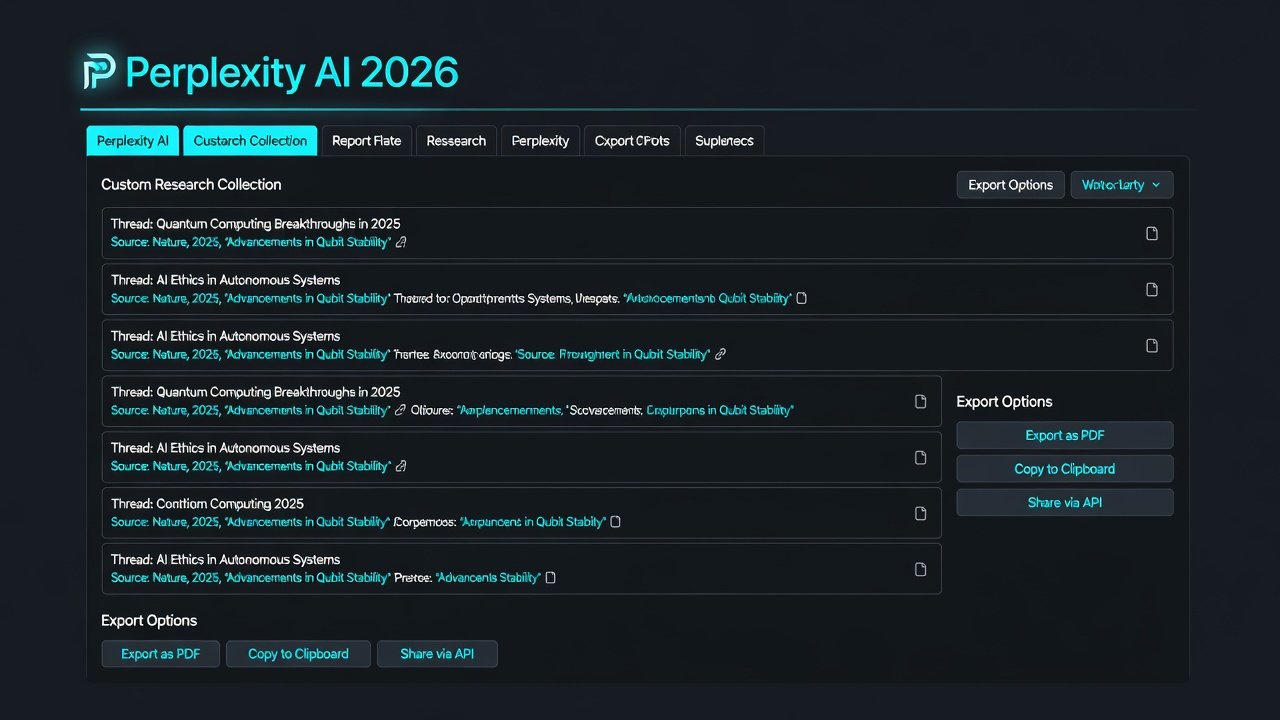
Custom collections allow users to group queries, sources, and notes into themed workspaces that keep large projects manageable. Start by creating a new collection from the sidebar, naming it after your project such as "Climate Policy Analysis 2026." Add related threads and tag them with keywords like methodology, data sources, or regional focus. This structure prevents information overload during long-term studies and enables quick retrieval across sessions. For example, a sociology researcher studying urban migration might create separate collections for quantitative data, qualitative interviews, and theoretical frameworks, then link threads between them to reveal connections that would otherwise remain hidden.
Mastering Source Citation Strategies
Accurate citations are essential for scholarly work and Perplexity 2026 automatically generates inline references with links. To optimize, always enable "Academic Mode" which prioritizes peer-reviewed and .gov domains over general web content. Cross-verify key claims by clicking through to primary sources and manually adding DOIs where available. Exporting these citations directly supports tools like Zotero integration. A practical tip involves running the same query twice—once in standard mode and once in academic mode—to compare citation quality and identify any gaps in coverage from high-impact journals.
Handling Real-Time Data Effectively
The platform pulls live data from across the web, making it ideal for time-sensitive topics such as emerging technologies or regulatory changes. Use the "Focus" filter to restrict results to recent publications within the last 30 days. Combine this with date-range operators in queries for precision, such as "impact of AI regulations after:2026-09-01." This ensures outputs reflect the most current developments. Researchers should also test queries with and without the real-time toggle to understand how freshness affects answer depth and source diversity.
Extending Functionality with Plugin Integrations
Plugin extensions boost productivity by connecting Perplexity to external ecosystems. Available extensions include direct export to reference managers and API hooks for custom scripts. Researchers often link it with data visualization tools to turn query results into charts automatically. Setting up these integrations typically involves navigating to the extensions marketplace, authenticating your accounts, and testing a sample export to ensure citation formatting remains intact. More advanced users create custom scripts that pull Perplexity outputs into dashboards for ongoing project monitoring.
Step-by-Step: Building Research Threads
1. Begin with a broad query to map the landscape and identify major themes.
2. Refine with follow-up questions that reference previous answers to create continuity.
3. Use the "Thread" feature to chain related prompts logically and maintain context across multiple exchanges.
4. Tag each response for later filtering by topic, source type, or relevance score.
5. Review the full thread summary before finalizing insights and consider exporting intermediate versions for backup.
6. Iterate by asking clarifying questions that challenge initial assumptions to strengthen the overall analysis.
Comparing Results Across Different Modes
Perplexity 2026 offers modes like Quick, Balanced, and Deep Research. Quick mode suits initial scans where speed matters most, while Deep Research provides exhaustive analysis with more sources and longer explanations. Run the same query in multiple modes and compare citation volume, depth, and response structure side-by-side. This comparison reveals which mode best fits your project scope. For instance, a literature review on renewable energy might start in Balanced mode and shift to Deep Research when exploring niche subtopics that require detailed methodological critique.
Exporting Outputs to Obsidian and Notion
Seamless export is a major productivity win for researchers managing complex note systems. For Obsidian, use the Markdown export option and import directly into your vault with preserved citations and headings intact. Notion users can leverage the built-in API connection to create database entries from each thread, complete with tags and source links. Both methods maintain formatting and allow further annotation within your preferred note-taking environment. Learn more at perplexity.ai, obsidian.md, and notion.so. Test exports on small threads first to verify how images and tables render before scaling to full projects.
Common Pitfalls and Prompt Engineering Tips
Many users encounter vague results from poorly structured prompts that lack specificity. Avoid this by specifying role, context, and output format upfront: "As an environmental economist, analyze the following policy using only 2026 sources and list three counterarguments with supporting evidence." Test prompts iteratively and maintain a personal prompt library for reuse across similar projects. Other pitfalls include over-relying on default modes without verifying sources or failing to break complex questions into smaller sub-queries, which can lead to shallower answers.
Performance Optimization for Large Projects
For extensive research involving hundreds of queries, break work into focused collections and schedule regular exports to avoid data loss. Monitor usage analytics within the platform to identify bottlenecks such as slow response times during peak hours. Combine Perplexity with offline tools for final synthesis to reduce latency. Advanced users also create template threads for recurring tasks like methodology reviews or data source evaluations, saving significant time on repetitive elements of large-scale studies.
Conclusion
Perplexity 2026 transforms research when leveraged with structured workflows. By mastering collections, citations, exports, and prompt techniques, users achieve higher efficiency and reliability in their outputs while maintaining rigorous academic standards throughout the process.
FAQ
What privacy settings should researchers configure?
Disable query history sharing and enable end-to-end encryption for sensitive topics involving proprietary data or human subjects. Review account settings regularly to control data retention periods and ensure compliance with institutional review board requirements.
How does mobile compare to desktop?
The desktop version offers superior multi-thread management, larger screen real estate for side-by-side comparisons, and more robust export options. Mobile excels for quick follow-ups and voice queries but has limited plugin access and can feel cramped when handling lengthy research threads.
How can efficiency gains be measured?
Track time saved per project against traditional methods and log the number of cited sources produced per hour. Many users report 40-60% faster literature reviews after adopting advanced workflows, with additional benefits in consistency and source diversity that improve overall research quality.

No comments yet. Be the first!