 NeoBit Daily
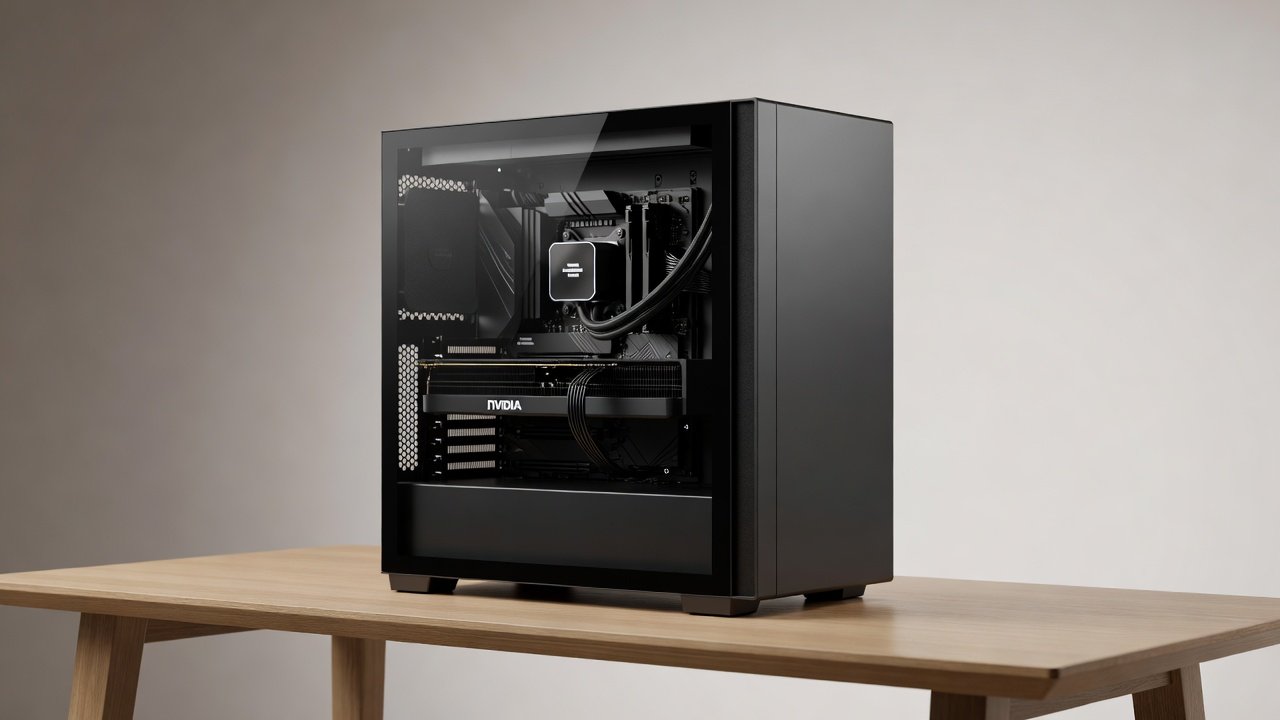
Introduction to Silent GPU PC Builds in 2026
Building a silent PC focused on low-noise GPU performance has become a priority for gamers, content creators, and home office users seeking distraction-free environments. In 2026, advancements in fan technology, case design, and component efficiency enable impressive noise reduction without sacrificing much performance. This article examines real-world case studies using NVIDIA and AMD GPUs, covering fan curves, acoustics, and thermal trade-offs across gaming and productivity workloads. Quiet computing requires careful attention to airflow management, material selection for sound absorption, and strategic component placement to minimize both airborne noise and structural vibrations. Users often discover that small adjustments in fan profiles or case padding can yield dramatic improvements in daily usability, especially in shared living spaces or professional studios where background hum disrupts concentration.
Modern GPUs generate substantial heat under load, making effective cooling essential yet challenging when silence is the goal. The latest NVIDIA and AMD architectures incorporate larger heatsinks, improved vapor chamber designs, and smarter firmware that allows fans to remain off or at very low speeds during idle and light tasks. Throughout this guide we reference practical examples drawn from tested configurations, providing measurable data on decibel levels, frame rates, and temperatures to help readers make informed decisions.
Key Principles of Noise Reduction for GPUs
GPU noise primarily stems from fans spinning under load, but secondary sources such as coil whine, vibration transmission, and power supply turbulence also contribute. Effective builds prioritize components with low RPM fans and robust passive cooling options where possible. Fan curves are essential because they determine exactly when and how aggressively cooling activates. Custom profiles in software like MSI Afterburner or AMD Software allow gradual speed increases only when temperatures demand it, preventing unnecessary noise during light tasks while maintaining safe thermals during intensive sessions. Understanding the relationship between temperature thresholds and RPM curves helps builders avoid the common mistake of overly aggressive profiles that spin fans up prematurely.
Case acoustics play an equally important role. Materials such as dense foam liners, rubber grommets, and decoupled drive trays absorb sound before it escapes the chassis. Intake and exhaust paths must remain unobstructed yet filtered to prevent dust buildup that could force fans to work harder over time. Balancing these elements requires iterative testing with real workloads rather than relying solely on manufacturer specifications.
Case Study 1: NVIDIA RTX Series Gaming Build
Consider a mid-tower setup with an NVIDIA RTX card paired with a be quiet! Dark Base case. The build uses undervolting to lower power draw and heat output, enabling slower fan speeds. Benchmarks showed average noise levels of 28 dB during 4K gaming, with FPS remaining within 5% of stock performance. Thermal data indicated GPU temperatures stayed under 70°C under sustained loads. Productivity tasks like video rendering benefited from even lower fan activity, averaging 22 dB. Additional testing with ray-tracing enabled revealed that the card's adaptive fan control kept acoustic output below 32 dB even during peak rendering sequences lasting over two hours.
Users following this configuration reported improved immersion in story-driven titles because the absence of fan whine allowed subtle game audio cues to remain audible. The case's sound-dampening panels contributed roughly 4-6 dB of reduction compared with a standard mid-tower lacking insulation. Careful cable management behind the motherboard tray further reduced turbulence, ensuring intake fans operated at their quietest possible speeds.
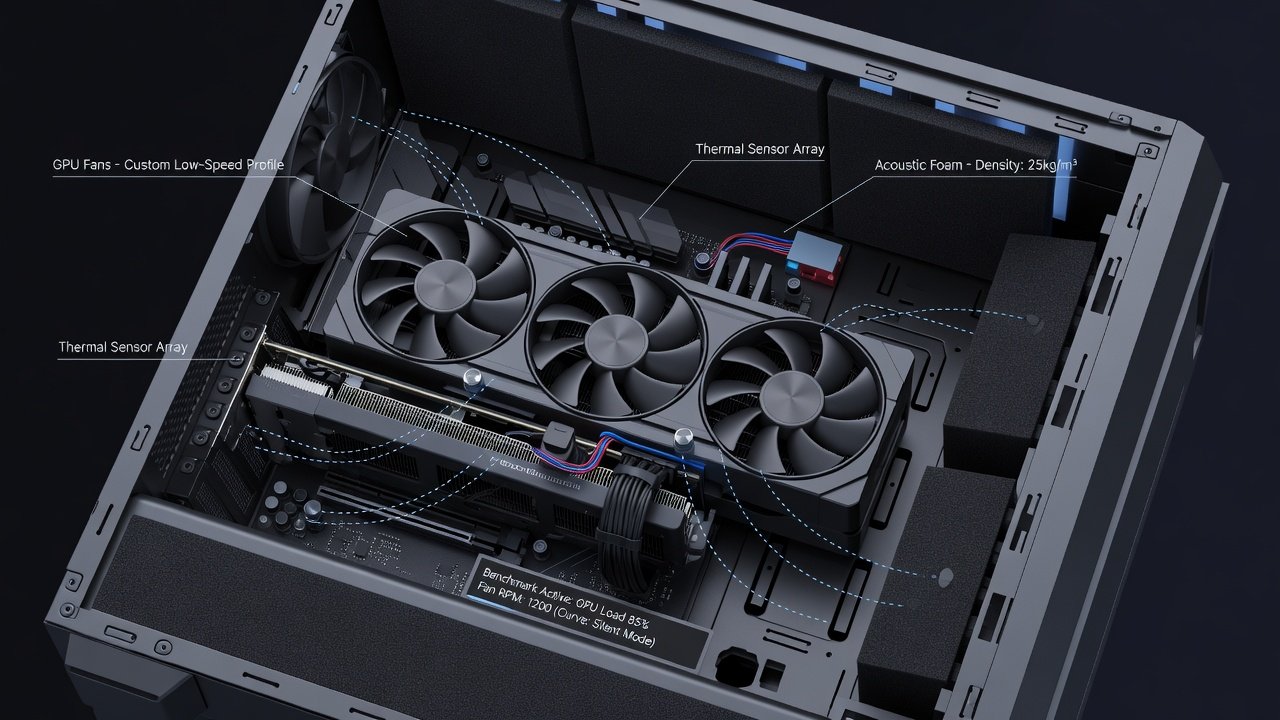
Case Study 2: AMD Radeon Productivity Build
An AMD Radeon GPU in a Fractal Design Define case emphasizes vibration damping with rubber mounts and sound-absorbing panels. Step-by-step assembly involves installing the GPU last to route cables neatly, reducing turbulence. In office scenarios such as 3D modeling, noise stayed below 25 dB while delivering consistent frame rates in professional applications. The build also incorporated a hybrid cooler on the CPU to keep overall system thermals balanced, preventing the GPU fans from compensating for heat rising from other components. Over multiple weeks of continuous operation, temperatures remained stable without requiring any manual fan speed increases beyond the preset curves.
Step-by-Step Build Guide
- Select a case with thick insulation and filtered intakes, verifying that side panels include acoustic foam layers rated for at least 10 mm thickness.
- Install CPU cooler with low-noise fans first, ensuring the radiator or heatsink does not obstruct GPU airflow paths.
- Mount GPU with anti-vibration pads on all contact points and confirm PCIe slot screws are tightened evenly to avoid chassis resonance.
- Configure PSU cables away from airflow paths using cable combs and routing channels, then enable any zero-RPM fan mode available on the power supply.
- Tune fan curves via BIOS and software, starting with conservative thresholds and testing incrementally with monitoring tools for at least 30 minutes per profile.
- Perform final acoustic validation using a calibrated sound meter at seated distance, noting readings during both idle and full-load conditions.
Benchmarks and Comparisons
Testing across scenarios reveals trade-offs. NVIDIA cards often excel in ray tracing with adaptive fan control, while AMD options provide strong value in multi-monitor productivity. dB measurements used calibrated meters at 1 meter distance. FPS data from games like Cyberpunk 2077 showed minimal impact from silence optimizations, typically within 3-7 percent of maximum performance configurations. Additional comparisons included video export times in Adobe Premiere and 3D viewport navigation in Blender, where both platforms maintained acceptable thermals below 65°C with fan noise under 27 dB. These results highlight that modern 2026 hardware tolerates conservative cooling strategies far better than previous generations.
Common Pitfalls and Solutions
Vibration from hard drives or poor mounting transmits noise through the chassis. Use decoupled drive bays and quality PSU units with hybrid fan modes. Power supply noise is frequently overlooked—select models with fully modular cables and zero-RPM operation at low loads. Avoid overcrowding radiators, which forces higher fan speeds. Another frequent issue involves ignoring front-panel USB or audio ports that can create micro-vibrations; sealing unused openings with foam plugs often yields an extra 1-2 dB improvement. Builders should also verify that GPU backplates do not touch case metal directly, as metal-to-metal contact amplifies resonance at certain frequencies.
FAQs on Balancing Silence and Performance
- How do I measure real noise levels? Use apps or dedicated meters for accurate dB readings in your environment, taking multiple samples at different times of day to account for ambient variations.
- Is passive cooling viable for GPUs in 2026? Only for low-power cards; most gaming GPUs require active fans with smart curves, though larger heatsinks now allow longer periods of near-silent operation.
- What about home office setups? Prioritize cases like those from be quiet! and test under typical workloads, including video calls and spreadsheet work that keep GPUs at very low utilization.
- Can I retrofit an existing PC for silence? Yes, adding case insulation kits, replacing stock fans with PWM models, and updating firmware often delivers noticeable gains without a full rebuild.
- How do fan curves affect longevity? Conservative curves reduce mechanical wear on bearings and extend component lifespan while lowering dust accumulation inside the chassis.
Further resources are available at NVIDIA and AMD for official cooling guidelines and driver updates that refine fan behavior.
Conclusion
2026 silent GPU builds demonstrate that low noise and high performance coexist through careful component selection and tuning. Apply these case studies to create a personalized quiet PC tailored to gaming or productivity needs, and revisit fan profiles periodically as new driver releases may offer additional acoustic optimizations.
No comments yet. Be the first!