 NeoBit Daily
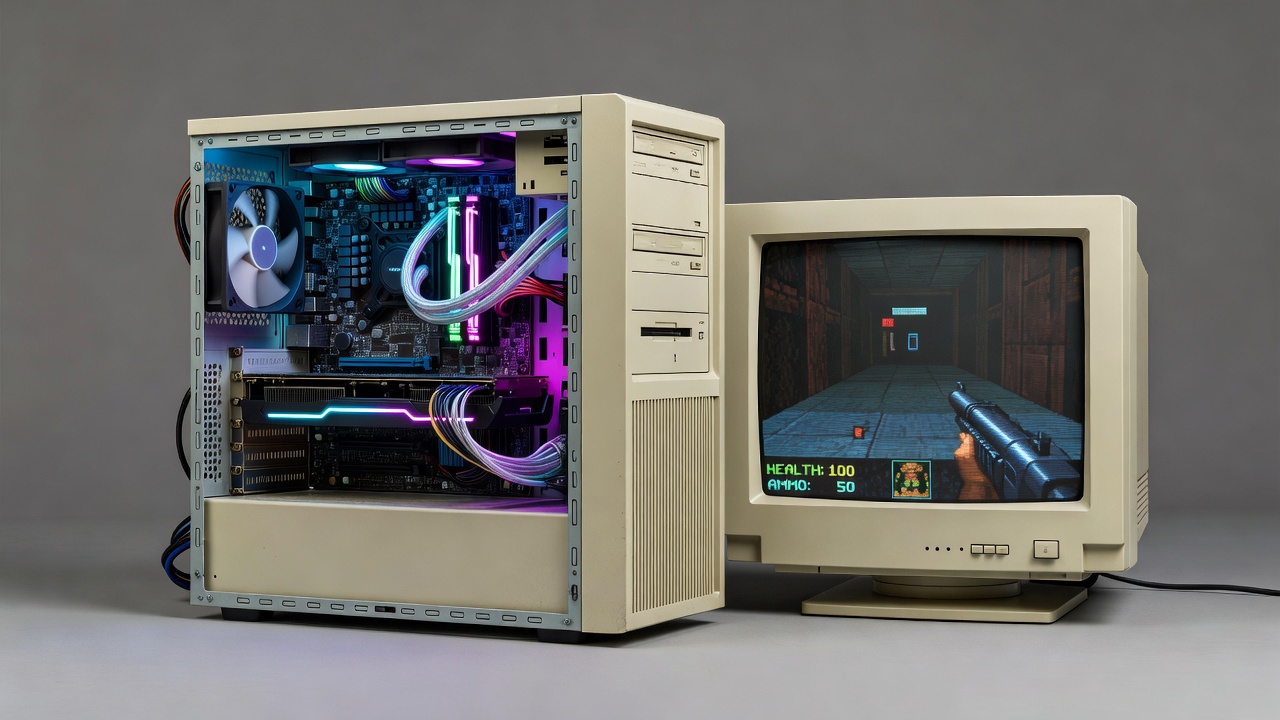
Introduction to Retro PC Builds in 2026
Enthusiasts continue to revive classic gaming experiences by pairing modern GPUs with older motherboards and CPUs. This approach allows high-fidelity rendering of pre-2010 titles while maintaining authenticity in retro PC cases. The focus remains on compatibility, performance metrics, and practical upgrades for nostalgia-driven setups. Many hobbyists seek cost-effective ways to enhance frame rates in games from the DOS era through the early 2000s without fully replacing their vintage hardware. Modern GPUs bring advanced features like improved texture filtering and higher resolutions to these older titles, yet they must navigate significant technical barriers inherent to legacy platforms.
Compatibility Challenges with Modern GPUs
Integrating current-generation graphics cards into legacy systems introduces several hurdles. BIOS limitations often prevent proper detection of newer hardware, while driver conflicts arise when mixing old operating systems with updated software. Thermal management requires careful case airflow planning to avoid overheating in compact retro enclosures. Older motherboards may lack PCIe slots that align perfectly with contemporary card dimensions, forcing users to consider riser cables or case modifications. Power delivery is another concern, as vintage power supplies might not provide stable voltages for high-performance GPUs even if connectors match. Community forums frequently discuss workarounds such as flashing custom BIOS versions or using intermediate adapters to bridge generational gaps.
Emulator Performance Overview
Emulators such as DOSBox and PCem benefit significantly from GPU acceleration. Frame rates improve when offloading certain rendering tasks, though CPU bottlenecks persist in many scenarios. Testing across multiple GPU tiers reveals clear differences in stability and visual quality for titles from the 1990s and 2000s. DOSBox excels at running pure DOS games with added scaling options, while PCem offers more accurate hardware simulation for Windows 95 and 98 environments. Users often combine these tools with modern GPUs to achieve smoother gameplay at resolutions far beyond original hardware capabilities.
Direct comparisons between NVIDIA and AMD cards highlight varying strengths. NVIDIA options frequently deliver smoother frame pacing in DirectX-based games, while AMD solutions excel in certain Vulkan-supported emulators. Users can review official resources from NVIDIA and AMD for driver recommendations tailored to older platforms. Additional guidance appears on sites like DOSBox for configuration tweaks that maximize GPU utilization.
Real-World Build Examples
One popular configuration pairs an older Intel Core 2 Duo processor with a mid-range modern GPU inside a vintage ATX case. This setup runs games like Doom and Quake at enhanced resolutions without sacrificing the original feel. Another example uses an AMD Athlon 64 system upgraded with a compact card for better power efficiency. A third build features a Pentium 4 platform housed in a beige tower, where careful GPU selection allows emulation of late-1990s titles at 1080p with minimal stuttering. Each example demonstrates how enthusiasts balance authenticity with performance by selecting cards that fit physically and electrically within constrained retro chassis.
Thermal data from these builds shows average GPU temperatures staying under safe thresholds during extended sessions. Power draw remains manageable with efficient power supplies, supporting long-term reliability. Hobbyists often log these metrics over weeks of testing to identify optimal fan curves and case ventilation strategies that prevent thermal throttling while preserving the quiet operation expected from classic machines.
Step-by-Step Upgrade Guide
- Assess your current motherboard and PSU compatibility by checking slot types and wattage ratings.
- Select a GPU with appropriate power connectors and low-profile options if space is limited, prioritizing models known for legacy support.
- Update BIOS if possible or use compatibility bridges such as PCIe adapters.
- Install necessary drivers and test with emulators like DOSBox, starting with basic configurations before enabling advanced features.
- Monitor performance and adjust settings for optimal frame rates, including resolution scaling and anti-aliasing options.
- Document all changes and benchmark results to track improvements across multiple sessions.
Benchmark Results Across GPU Tiers
Benchmarks conducted on classic titles demonstrate tiered performance gains. Entry-level cards handle basic emulation well, while higher tiers unlock advanced filtering and higher resolutions. 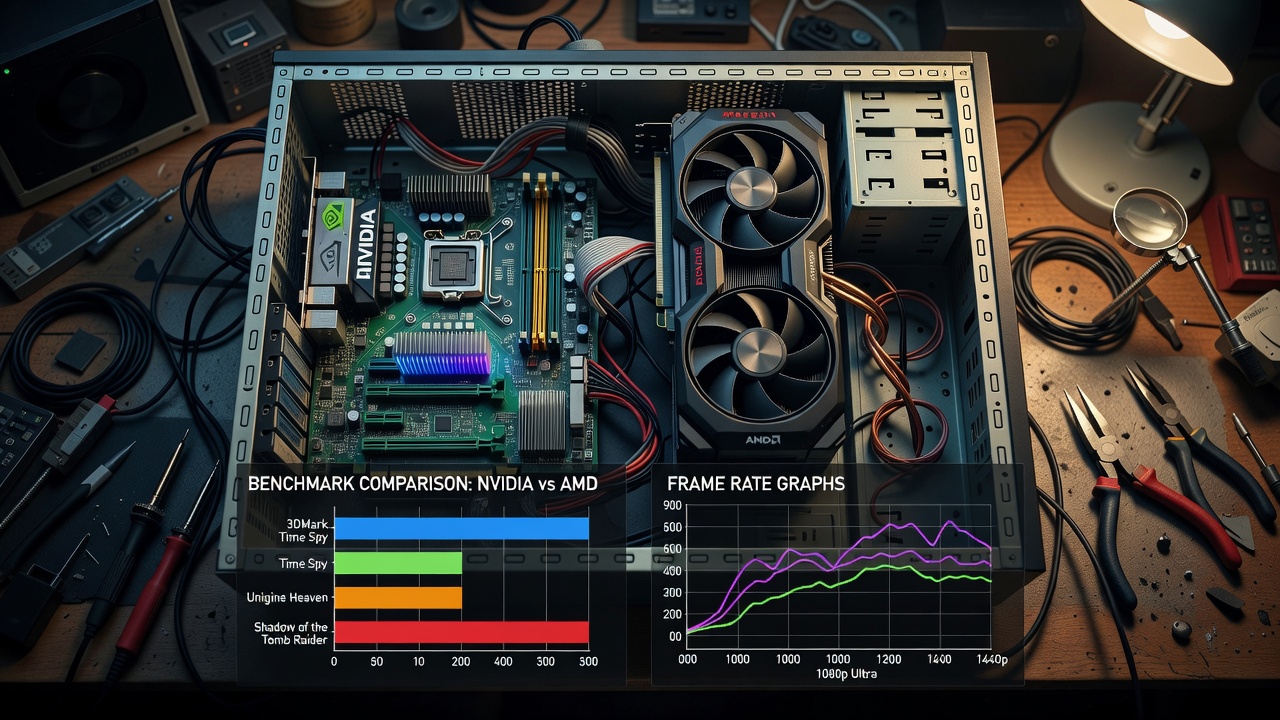
Common pitfalls include driver mismatches that cause crashes and BIOS settings that disable key features. Addressing these early prevents frustration during testing. Entry-level modern GPUs typically deliver playable frame rates above 60 FPS in most pre-2010 titles when paired with emulators, whereas mid-tier options add headroom for higher internal resolutions and post-processing effects. High-end cards provide the most flexibility but may require additional tweaks to avoid overkill on older CPUs.
Common Mistakes to Avoid
Many builders overlook the importance of matching GPU drivers to the host operating system version, leading to instability. Another frequent error involves ignoring case airflow, which results in premature component wear. Always verify that the chosen GPU supports the required output connectors for vintage monitors or capture devices. Testing incrementally rather than installing everything at once helps isolate issues quickly.
FAQ on Retro GPU Setups
What causes driver conflicts in legacy systems?
Outdated operating systems often lack support for recent drivers, leading to instability. Using compatibility modes or community patches helps resolve these issues.
How do BIOS limitations affect upgrades?
Older BIOS versions may not recognize new GPUs, requiring updates or workarounds like using older cards temporarily for flashing.
Are there power concerns with modern cards?
Modern GPUs draw more power than originals, so verifying PSU capacity ensures stable operation without unexpected shutdowns.
Which emulators work best with upgraded GPUs?
DOSBox and PCem remain top choices, with additional options like ScummVM for adventure games benefiting from GPU-accelerated scaling.
Can I expect silent operation in retro cases?
Yes, by selecting efficient cards and optimizing fan profiles, builders achieve quiet performance that matches the era's typical noise levels.
Conclusion
Building retro PCs with modern GPUs offers an engaging way to experience classic games at improved fidelity. By understanding compatibility, running thorough benchmarks, and following structured upgrades, enthusiasts achieve satisfying results that blend nostalgia with contemporary performance. Continued experimentation with different GPU tiers ensures each build can be tailored to specific game libraries and hardware constraints.
No comments yet. Be the first!