 NeoBit Daily
Introduction to Cursor 2026 Pro for Advanced Developers
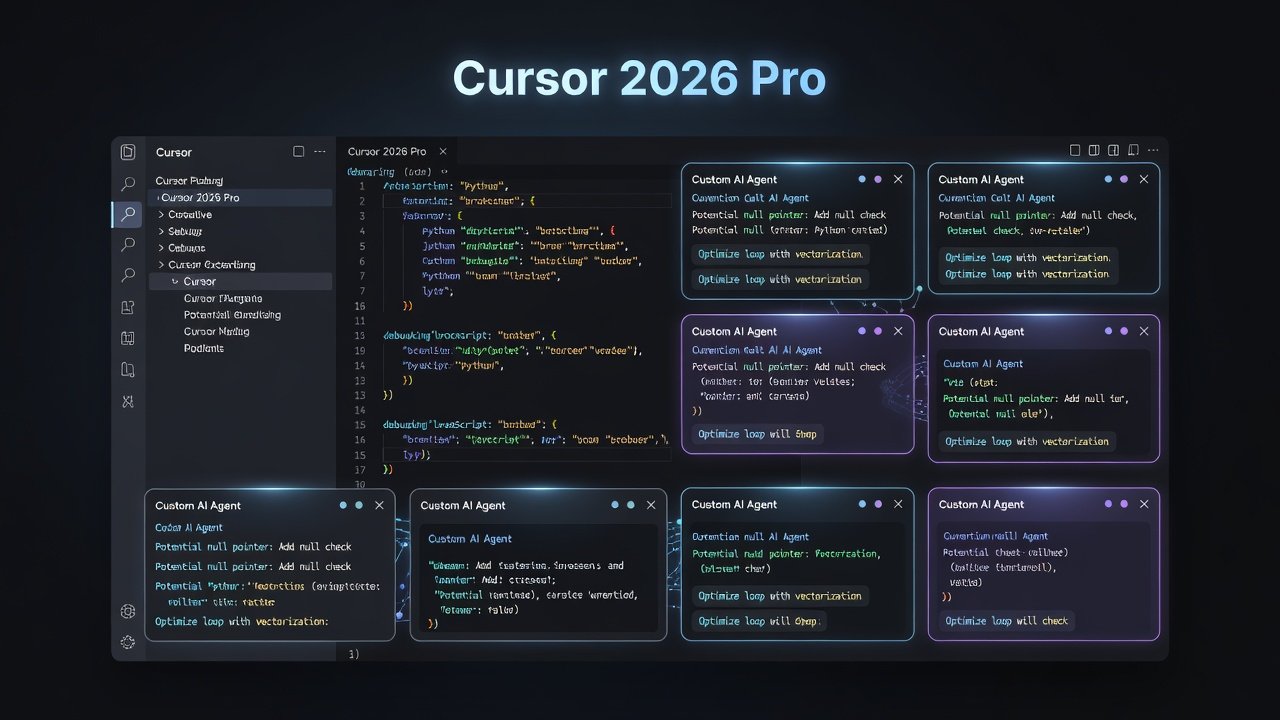
Cursor 2026 Pro transforms the standard VS Code experience into a powerful AI-driven environment. This comprehensive guide walks developers from beginner prompts to sophisticated custom agents that handle code review, automated testing, and real-time debugging. By extending beyond basic chat interactions, teams can achieve measurable productivity gains compared to traditional setups. The tool builds directly on VS Code foundations while adding native AI orchestration layers that allow persistent agent behaviors across sessions.
Developers often start with simple inline completions but quickly discover the need for autonomous agents that manage entire workflows. This shift mirrors broader industry trends toward AI-augmented engineering where repetitive tasks are offloaded. Throughout this article we explore concrete implementations, configuration patterns, and evaluation methods that help both solo developers and small teams maximize impact.
Setting Up Custom AI Agents in Cursor 2026 Pro
Begin by installing the latest Cursor 2026 Pro build and enabling agent mode in settings. Create a new agent by defining its role through natural language instructions. For example, a code review agent can be configured to scan for security issues and suggest refactors using specific style guides. Agents persist across projects once saved, allowing reuse without repeated setup.
Step-by-Step Agent Creation Process
- Open the Agents panel from the sidebar and select Create New Agent.
- Assign a descriptive name and core objective, such as "Perform thorough code reviews focused on performance and maintainability."
- Attach relevant project files, READMEs, and style configuration files as persistent context.
- Define output formats, including whether the agent should generate comments, create branches, or produce reports.
- Test the agent with sample code snippets in an isolated workspace before full deployment.
- Iterate on the system prompt by adding constraints such as language-specific rules or team conventions.
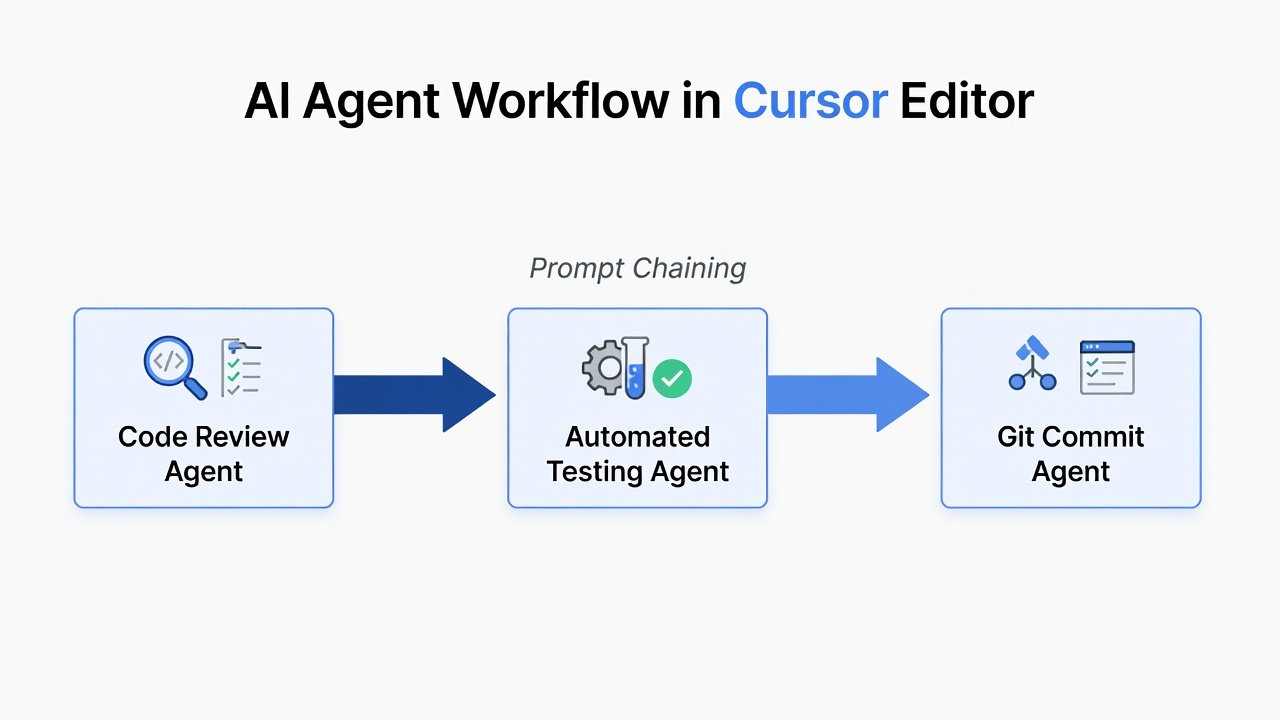
Advanced users can layer multiple agents that hand off tasks sequentially. This modular approach prevents any single agent from becoming overly complex and improves reliability during long-running operations.
Building Specialized Agents for Code Review, Testing, and Debugging
Each agent type benefits from tailored instructions. Code review agents excel when given explicit checklists covering readability, security, and performance. Testing agents perform best when instructed to generate both happy-path and edge-case scenarios. Debugging agents require access to runtime logs and stack traces to propose targeted fixes.
Code Review Agent Configuration Example
A typical review prompt might read: "Analyze the provided diff for potential null pointer risks, inefficient loops, and missing error handling. Output a numbered list of issues with suggested code changes." This structure yields consistent, actionable feedback that integrates directly into pull requests.
Integrating Agents with Git and External Tools
Cursor agents integrate seamlessly with Git repositories. Configure hooks to trigger agents on commit or pull request events. For external tools, connect via API endpoints to services like continuous integration platforms. Authoritative resources such as GitHub documentation provide reliable patterns for these workflows. Additional integration points include MDN Web Docs for language-specific validation rules and official Git resources for scripting pre-commit hooks.
Real-time debugging agents can monitor running processes and suggest fixes by parsing console output. Chain prompts to first identify errors, then generate unit tests, and finally apply patches automatically where safe. Always review agent-proposed changes before committing to maintain code quality.
Prompt Chaining Examples for Complex Workflows
Prompt chaining allows sequential agent actions that build upon prior results. Start with a review agent output, feed it into a testing agent, and conclude with a documentation updater. This method reduces manual steps significantly versus standard VS Code extensions that lack native orchestration.
Example Chain for Automated Testing
- Agent 1: Analyze function for edge cases and potential failure modes.
- Agent 2: Generate pytest or Jest test files with comprehensive assertions.
- Agent 3: Execute tests locally or in CI and report coverage metrics.
- Agent 4: Update inline documentation based on test outcomes.
Another effective chain targets legacy code modernization. The first agent identifies deprecated patterns, the second proposes refactored equivalents, and the third validates the changes against existing test suites.
Performance Measurement and Productivity Metrics
Track metrics such as time saved per task and error reduction rates. In comparisons to standard VS Code, Cursor 2026 Pro agents often deliver faster iteration cycles, particularly for solo developers managing multiple codebases. Establish baselines by timing common tasks before introducing agents, then measure again after two weeks of use. Key indicators include reduced context-switching time and higher test coverage percentages achieved with less manual effort.
Case Studies: Solo Developers and Small Teams
A solo developer working on a Python data pipeline reported streamlined debugging sessions by deploying a dedicated agent for legacy code migration. The agent handled repetitive refactoring tasks, freeing the developer to focus on business logic. Over one month, task completion speed increased noticeably while maintaining code standards.
Small teams used shared agent templates to maintain consistent review standards across projects. One team standardized security checks by embedding OWASP guidelines into every review agent. This approach reduced onboarding time for new engineers and created a living knowledge base that evolved with each project iteration. Another group integrated agents with their issue tracker to auto-generate tickets from detected code smells, improving visibility into technical debt.
Common Pitfalls and Optimization FAQ
How do I avoid agent hallucinations?
Always provide rich context and validate outputs against source code. Limit the scope of each agent to reduce drift.
What is the best way to measure agent performance?
Use built-in logging to compare before-and-after task completion times. Combine quantitative metrics with qualitative team feedback.
Can agents work offline?
Core features require connectivity, though limited local processing is available for basic completions.
How should I handle conflicting agent suggestions?
Implement a review gate where the lead developer approves merged outputs before they affect the main branch.
What training data improves agent accuracy?
Include past code reviews, internal style guides, and project-specific architecture documents as persistent context.
Conclusion
Mastering custom AI agents in Cursor 2026 Pro elevates development workflows. By following these structured approaches, developers gain efficiency and consistency that standard setups cannot match. Experiment with the examples provided to tailor agents to your specific needs and continuously refine prompts based on observed results.
No comments yet. Be the first!