 NeoBit Daily
Introduction: Why PSU Choice Matters for 2026 GPU Benchmarks
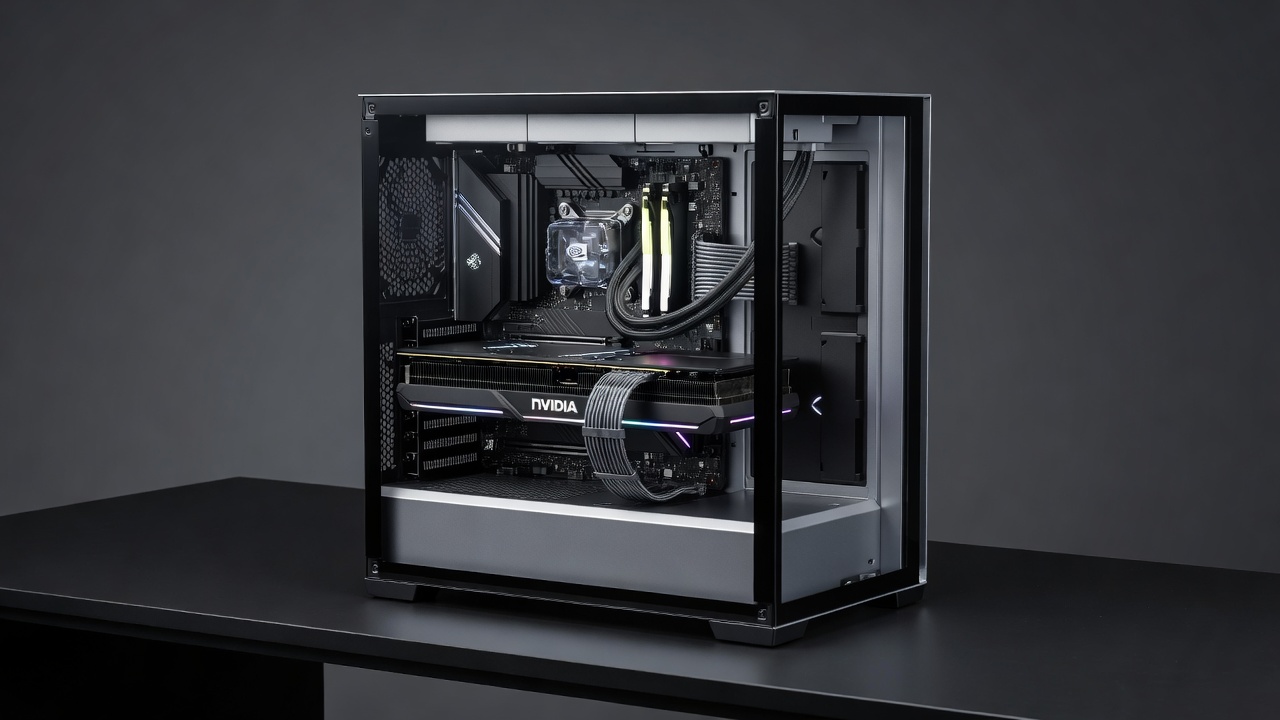
In 2026, achieving reliable GPU benchmark results requires more than just selecting the latest NVIDIA or AMD graphics cards. The power supply unit (PSU) plays a critical role in delivering consistent power, which directly influences performance stability, efficiency, and noise levels. Unstable power delivery can lead to crashes during overclocking or intensive tests, skewing benchmark accuracy and wasting hours of validation time. This comprehensive guide examines PSU reviews focused on GPU interactions, providing real-world examples, detailed testing methods, setup guidance, and decision frameworks for builders seeking maximum reliability in both desktop PCs and high-performance laptops.
Modern hardware ecosystems demand precise power management. As GPUs push higher core counts and memory bandwidth, even minor PSU shortcomings become amplified during sustained loads. Enthusiasts targeting accurate benchmark scores must consider transient response, rail stability, and thermal behavior alongside raw wattage ratings.
How PSUs Influence Consistent GPU Performance
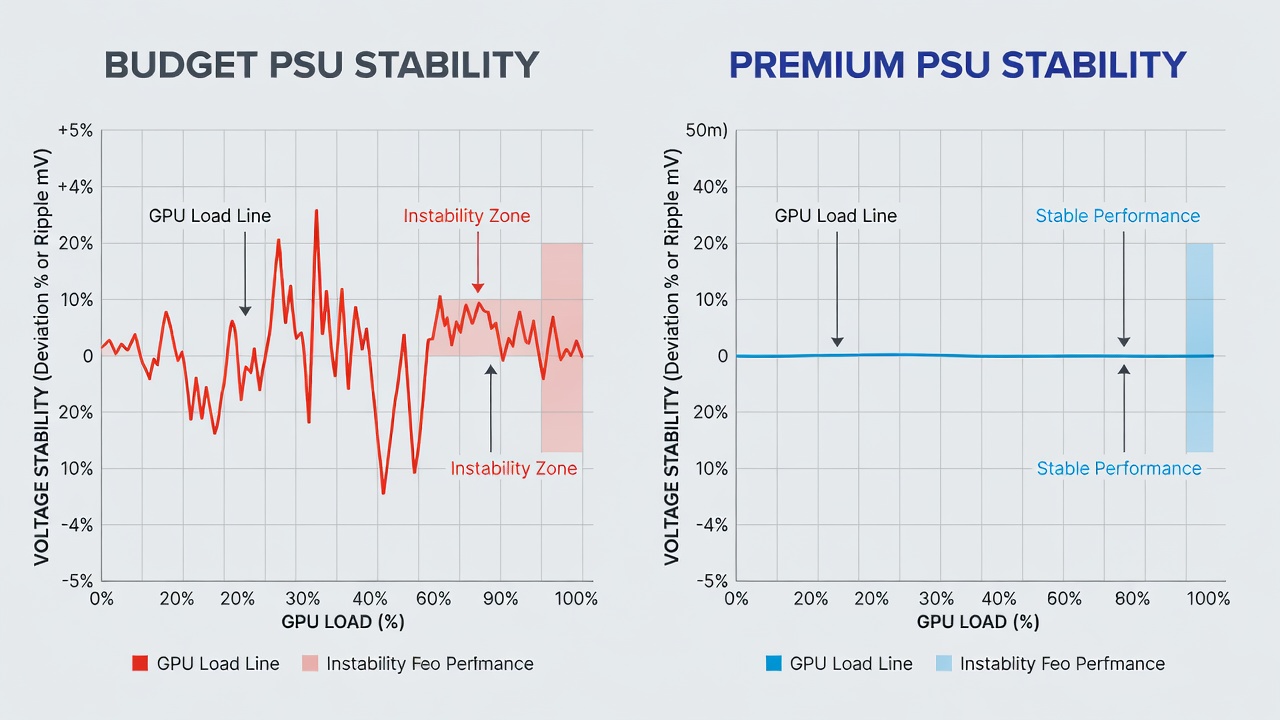
Modern GPUs from NVIDIA and AMD demand high and stable wattage, especially under load. A PSU with poor voltage regulation can cause fluctuations that manifest as benchmark inconsistencies or system instability. In high-end builds, this often appears during prolonged stress tests where power spikes exceed the unit's capacity to respond quickly. Premium PSUs with robust 80 PLUS Titanium certifications maintain tighter voltage tolerances, supporting sustained boosts without throttling or unexpected resets.
Power delivery also affects GPU boost algorithms. When voltage sags occur, cards downclock automatically to protect components, resulting in artificially lower benchmark scores that do not reflect true hardware capability. Consistent PSU output eliminates these variables, allowing testers to isolate GPU performance more accurately across multiple runs.
Efficiency Ratings, Wattage, and Noise Comparisons
Efficiency directly affects heat output and long-term reliability. Top modular PSUs in 2026 prioritize 80 PLUS Gold or higher ratings for reduced energy waste and lower operating temperatures. Wattage recommendations typically range from 750W for mid-range cards to 1200W+ for flagship models when paired with high-core CPUs. Noise becomes a factor as higher-efficiency units often run quieter fans under typical loads, which is especially valuable in compact workstation or living-room PC setups.
Budget options may deliver adequate power on paper but introduce more audible coil whine or fan noise during GPU-intensive sessions. Comparing units side-by-side reveals how premium models maintain lower acoustic profiles even at 80% load, improving the overall testing environment.
Budget vs Premium Options
- Budget PSUs: Often sufficient for stock GPU performance but struggle with overclocking stability, leading to random resets in benchmarks and unreliable data collection.
- Premium PSUs: Feature better capacitors, digital controls, and superior transient response for precise power delivery, minimizing bottlenecks and supporting higher sustained clocks across extended testing periods.
Real-World Examples of Instability During Overclocking
Consider a scenario with an AMD Radeon RX 8900 series GPU paired with a 650W budget PSU. During FurMark stress testing, voltage drops triggered driver crashes after 15 minutes, preventing completion of full benchmark suites. Switching to a 1000W modular unit resolved the issue, allowing stable overclocks with a measurable performance uplift. Similar cases with NVIDIA RTX 50-series cards highlight how insufficient headroom causes efficiency losses and thermal spikes that invalidate comparative results.
Another documented case involved a dual-GPU workstation attempting simultaneous rendering and benchmarking. The original 850W unit could not handle combined transient spikes, resulting in complete system shutdowns. Upgrading to a unit with stronger 12V rail design eliminated these failures and enabled consistent multi-hour test runs.
Practical Testing Methods for Benchmark Accuracy
To validate PSU performance, use tools like OCCT for power stress testing combined with GPU-Z for monitoring voltage rails. Run 30-minute loops at 100% load while logging data at one-second intervals. Compare results across multiple PSUs to identify stability thresholds and quantify any efficiency differences under identical conditions.
Always test in a controlled environment with ambient temperatures around 22°C to isolate PSU variables from external factors. Additional methods include using oscilloscopes for ripple measurement on the 12V rail and cross-loading tests that simulate mixed CPU-GPU workloads common in modern applications.
Setup Steps to Minimize Bottlenecks
- Calculate total system wattage using online calculators from major component manufacturers, accounting for peak transient demands rather than average consumption.
- Choose a modular PSU with at least 20% headroom above peak GPU draw to accommodate future upgrades and overclocking headroom.
- Ensure proper cable management to reduce voltage drop, using shortest possible runs and high-quality connectors rated for the required amperage.
- Update GPU drivers and BIOS for optimal power management features that work in tandem with the PSU's protection circuits.
- Monitor temperatures and power draw during initial benchmarks, establishing baseline logs before making configuration changes.
- Verify all PCIe power connectors are fully seated and use native cables rather than adapters whenever possible to maintain signal integrity.
Compatibility with High-End NVIDIA and AMD GPUs
Flagship cards require PCIe 5.0 connectors and high-quality 12V-2x6 cables. Check official guidelines from NVIDIA and AMD for recommended PSU specifications. Incompatibility often stems from outdated connectors rather than wattage alone, making cable selection as important as overall capacity.
Testing compatibility also involves confirming that the PSU supports the latest protection features such as over-current and over-voltage safeguards that prevent damage during extreme benchmark scenarios.
Common Mistakes to Avoid
Many builders underestimate transient power spikes, leading to seemingly random benchmark failures. Others neglect cable quality or reuse older modular cables with newer PSUs, creating connection issues. Always verify compatibility lists and avoid mixing components from different generations without thorough validation.
Conclusion
Selecting the right PSU ensures accurate, crash-free GPU benchmarks in 2026 builds. By prioritizing efficiency, stability, and proper setup, enthusiasts can maximize hardware potential without unnecessary setbacks or wasted testing time.
FAQ
What wattage PSU is needed for RTX 5090 benchmarks?
A minimum of 850W with strong transient response is advised for stable results, though higher capacities provide additional headroom for overclocking experiments.
Do modular PSUs improve efficiency?
Yes, they reduce cable clutter and improve airflow, indirectly aiding thermal efficiency and allowing better sustained performance during long benchmark sessions.
How do I test for PSU-related GPU instability?
Use combined CPU-GPU stress tools and monitor for voltage fluctuations over extended periods while logging environmental conditions for reproducibility.
Are there specific cables required for 2026 high-end GPUs?
Native 12V-2x6 connectors are recommended; adapters should be avoided to prevent power delivery inconsistencies during peak loads.
Check our latest gadget reviews for more hardware insights.
No comments yet. Be the first!