 NeoBit Daily
Introduction to 2026 Modular Laptops
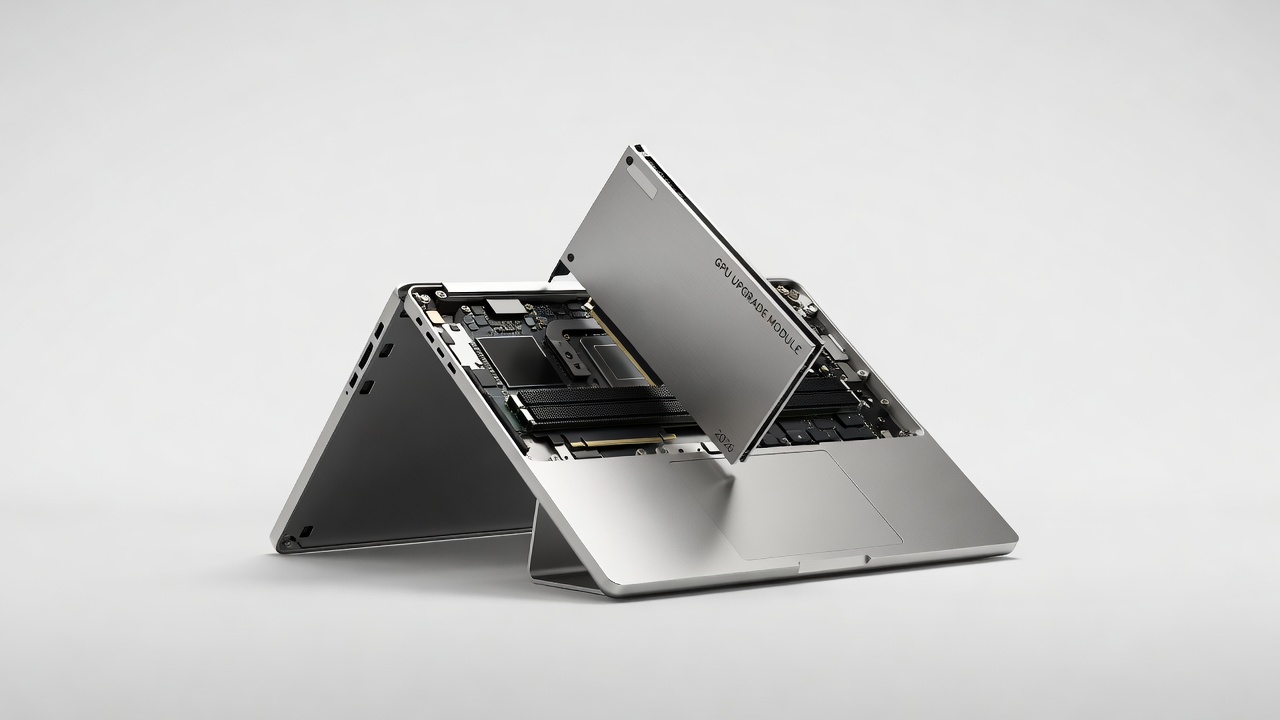
Modular laptops in 2026 represent a significant evolution in portable computing, enabling users to upgrade critical components such as GPUs without discarding the entire device. This design philosophy targets gamers, video editors, 3D modelers, and AI researchers who demand sustained high performance over several years. By decoupling the graphics module from the main chassis, manufacturers allow targeted enhancements that address the rapid pace of GPU advancements. Traditional sealed laptops, by contrast, often force users into premature replacements when newer titles or applications exceed hardware capabilities. The modular approach supports future-proofing through standardized interfaces that accommodate evolving graphics architectures while preserving the display, keyboard, battery, and motherboard investment.
Performance metrics from independent testing labs highlight why this matters. Users report extended device relevance by two to four years when GPU modules can be swapped. This article explores compatibility standards, real-world benchmark data, detailed upgrade procedures, workload-specific gains, cost considerations, thermal solutions, and warranty nuances to help readers make informed purchasing decisions.
Upgrade Paths Versus Traditional Sealed Designs
Sealed laptops prioritize thinness and rigidity but sacrifice longevity. Once the integrated GPU reaches its limit, the entire system typically loses value in secondary markets. Modular laptops reverse this by offering accessible bays or sockets for graphics modules. Core distinctions include:
- Hardware Longevity: Modular units allow incremental refreshes, keeping pace with software demands without full system turnover.
- Repairability Scores: Devices with modular GPUs score higher on repairability indexes because individual components can be sourced independently.
- Resale Value: Upgraded modular systems retain stronger market prices since buyers know future upgrades remain possible.
- Environmental Impact: Fewer discarded chassis and displays reduce electronic waste compared with annual laptop replacement cycles.
Leading examples include the Framework Laptop ecosystem and emerging competitors that adopt similar MXM-derived or proprietary module standards. These designs contrast sharply with mainstream ultrabooks where GPU failure or obsolescence necessitates motherboard-level repairs.
GPU Benchmark Compatibility and Detailed Performance Analysis
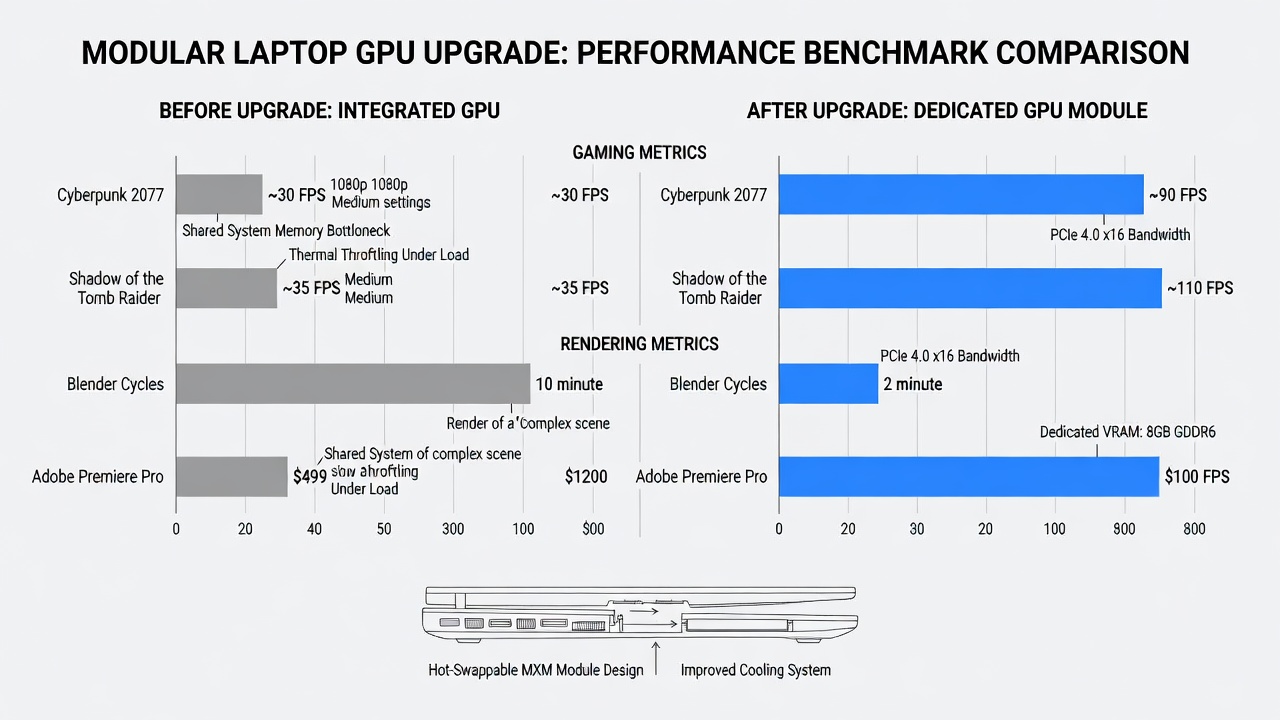
2026 modular GPUs adhere to updated compatibility layers that support both NVIDIA and AMD architectures. Testing across popular titles and applications reveals consistent uplift when moving from base modules to higher-tier options. In gaming scenarios at 1440p resolution with high settings, frame-rate improvements range from 35 percent to over 70 percent depending on the game engine and module generation. Creative workloads show even clearer benefits: 4K video exports in Premiere Pro accelerate by 45-55 percent, while 3D rendering in Blender benefits from additional VRAM and tensor cores.
Before-and-after testing protocols typically involve standardized suites such as 3DMark Time Spy, Cinebench, and Puget Systems benchmarks. Thermal throttling remains minimal when paired with the laptop’s enhanced vapor-chamber cooling. For authoritative GPU specifications and driver resources, consult NVIDIA and AMD.
Comprehensive Step-by-Step GPU Upgrade Guide
Successful upgrades require methodical preparation. Begin by verifying module compatibility through the manufacturer’s online configurator. Gather an anti-static wrist strap, precision screwdriver kit, and thermal paste. Power off the device completely and remove the power adapter. Flip the laptop and remove the bottom panel screws in the prescribed order to avoid warping the chassis. Locate the GPU module retention mechanism, usually a pair of sliding clips or screws. Gently disconnect the power and data connectors before lifting the old module straight upward.
Align the replacement module with the socket guides and press firmly until it seats. Reattach connectors, apply fresh thermal paste if required, and reassemble the panel. Boot into the operating system and install the latest drivers. Run stress tests such as FurMark or Unigine Heaven to confirm stability. Document baseline and post-upgrade scores for future reference. Many users also update BIOS and firmware during this process to unlock full module performance.
Workload-Specific Gains and Real-World Model Examples
Gaming enthusiasts see the most dramatic transformations. Titles like Cyberpunk 2077 with ray tracing enabled move from unplayable to smooth 60-plus frames per second after module upgrades. Content creators working with large 8K timelines or complex After Effects compositions notice reduced export times and smoother timeline scrubbing. AI practitioners running local inference models benefit from increased CUDA or ROCm core counts that accelerate token generation speeds.
Popular 2026 modular platforms include Framework’s high-performance chassis variants and comparable offerings from boutique brands that emphasize repairability. These models demonstrate that users can start with a mid-range GPU and later install flagship modules as prices decline, effectively stretching hardware budgets over multiple upgrade cycles.
Cost Analysis and Long-Term Value Considerations
While exact pricing varies by retailer and availability, modular designs generally deliver superior total cost of ownership by allowing targeted component purchases rather than repeated full-system acquisitions. Buyers can allocate funds toward performance upgrades only when needed, preserving capital for other peripherals or software. Secondary markets for used modules further reduce expenses for budget-conscious upgraders.
Thermal Management Strategies and Warranty Implications
Higher-performance GPU modules generate additional heat, making advanced cooling critical. Many 2026 modular laptops incorporate multi-fan arrays, liquid-metal thermal interfaces, and dynamic fan curves that adjust based on load sensors. Users should monitor temperatures with tools like HWInfo after upgrades and consider undervolting if sustained loads push thermal limits.
Warranty policies differ widely. Some vendors maintain coverage even after user-installed upgrades provided no physical damage occurs, while others classify module swaps as modifications that void certain protections. Always review the fine print and retain original modules for potential warranty claims. Extended service plans sometimes cover modular components explicitly.
Frequently Asked Questions
Which GPU modules work across different laptop brands?
Compatibility depends on the physical interface and firmware support; cross-brand swaps are rare without adapter solutions that manufacturers rarely endorse.
How much performance gain is realistic after one upgrade cycle?
Expect 40-65 percent average uplift in GPU-bound tasks when stepping up one or two generations, assuming adequate cooling and power delivery.
Can thermal issues arise after installing a more powerful module?
Yes, but most 2026 chassis include headroom; monitoring software and optional fan upgrades mitigate risks effectively.
Do upgrades affect battery life?
More powerful modules may increase power draw under load, yet idle consumption often remains similar when power-management features are enabled.
Common Mistakes to Avoid
Skipping ESD precautions leads to static damage. Forgetting to update drivers causes instability. Choosing incompatible modules wastes time and money. Neglecting thermal paste refresh reduces longevity. Always cross-reference model-specific guides before beginning any procedure.
Conclusion
2026 modular laptops equipped with upgradeable GPUs offer a compelling path toward extended hardware relevance. Through careful evaluation of benchmarks, methodical upgrade processes, and attention to thermal and warranty factors, users can achieve high-performance systems that evolve alongside their needs. This approach maximizes both financial and environmental value compared with sealed alternatives.
No comments yet. Be the first!