 NeoBit Daily

Introduction to 2026 All-in-One PCs and GPU Performance
All-in-one (AIO) PCs have evolved significantly by 2026, blending powerful computing with space-saving designs that appeal to both home offices and creative studios. This article examines the latest models from major brands, emphasizing GPU capabilities for gaming and creative workloads. We compare performance using standardized benchmarks at 1080p and 1440p resolutions to help users identify value and efficiency across different use cases. Modern AIOs now incorporate both integrated graphics and discrete GPUs, making them viable for more demanding tasks than ever before. Whether you're editing videos or playing the latest titles, understanding these components is essential for making informed purchasing decisions.
The shift toward compact yet capable systems means manufacturers have optimized cooling and power delivery to support higher-performance graphics solutions. This evolution allows AIOs to compete with traditional towers in many scenarios while maintaining a sleek footprint suitable for smaller living spaces.
Understanding GPU Options in AIO Systems
Integrated GPUs from Intel and AMD offer solid everyday performance with excellent power efficiency, handling tasks like web browsing, office applications, and light photo editing without issue. Discrete options from NVIDIA and AMD provide substantial boosts for graphics-intensive applications such as 3D rendering and high-frame-rate gaming. Thermal constraints in slim chassis influence which GPUs manufacturers can deploy effectively, often leading to custom low-profile designs that balance performance with heat dissipation.
For example, users focused on content creation benefit from GPUs with strong CUDA core counts for accelerated encoding, while gamers prioritize high clock speeds and ample VRAM for smooth gameplay at higher settings. Choosing between integrated and discrete solutions depends on your primary workload and willingness to accept higher power draw.
Benchmark Methodology
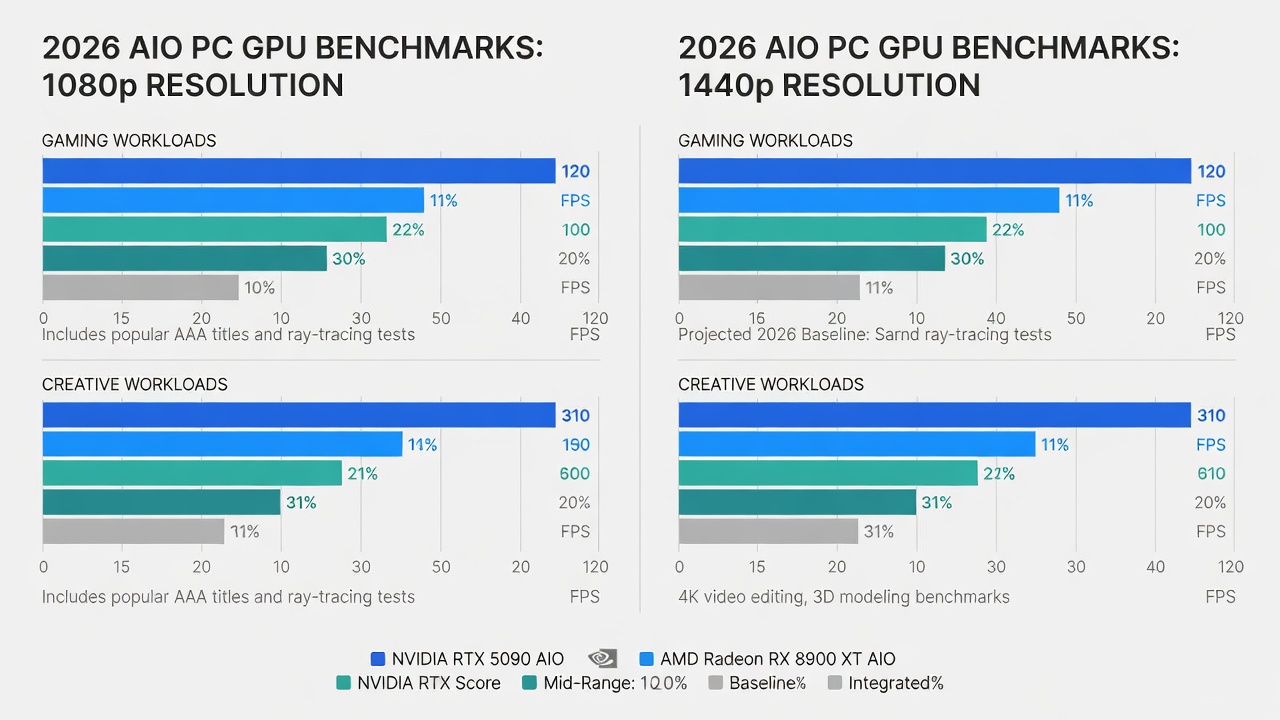
Tests used consistent conditions across models, including 1080p and 1440p resolutions with identical software environments. Synthetic benchmarks like 3DMark and real-world games such as Cyberpunk 2077 and productivity suites like Adobe Premiere Pro provided data points. Each system ran under controlled room temperatures to simulate typical home or office use, ensuring results reflect sustained performance rather than peak bursts.
Top Models and Their GPU Benchmarks
Leading 2026 AIOs feature a mix of configurations that cater to varying needs. High-end units deliver frame rates suitable for competitive gaming at 1080p, while mid-range options excel in creative software at 1440p with balanced efficiency. For instance, models equipped with recent NVIDIA architectures show marked improvements in ray tracing capabilities compared to previous years, allowing more realistic visuals in supported titles without sacrificing overall system responsiveness.
Integrated solutions shine in efficiency tests, maintaining stable performance during extended sessions with lower energy consumption. Discrete GPUs, meanwhile, demonstrate clear advantages in multi-threaded creative applications where parallel processing accelerates exports and renders.
Thermal Design Impacts on Performance
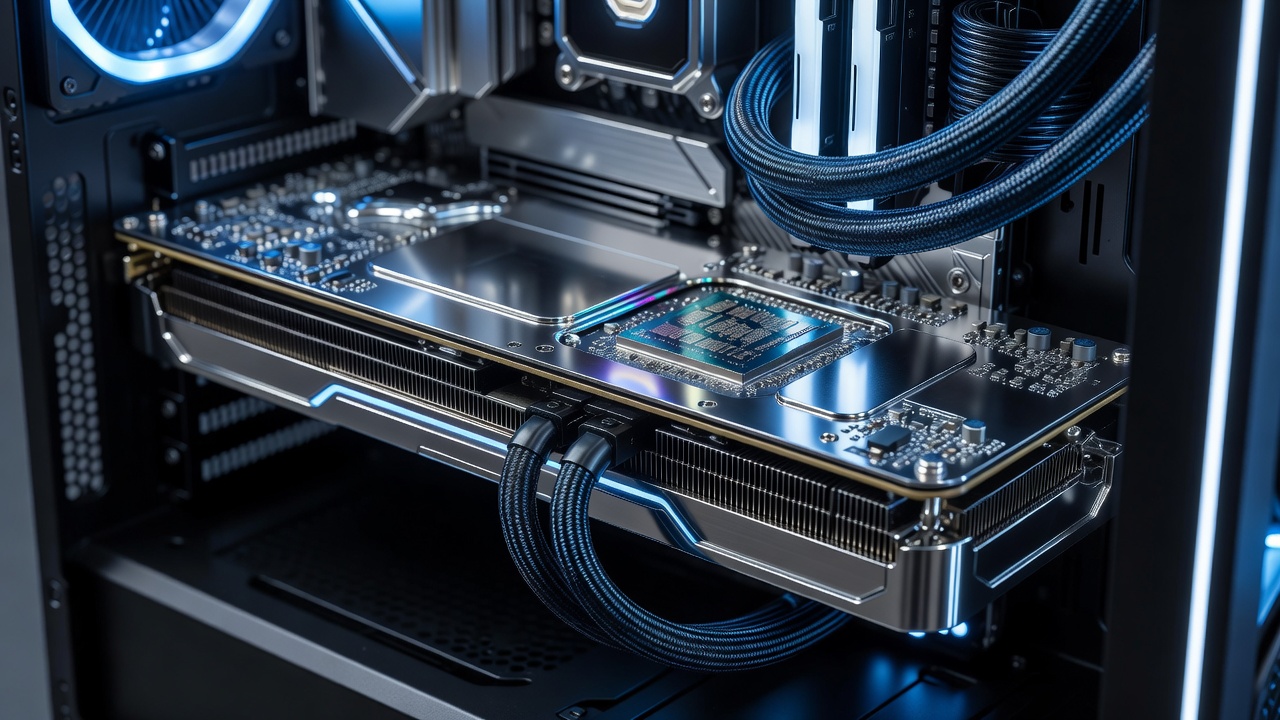
Effective cooling is critical in compact AIO designs because heat buildup can lead to throttling during prolonged workloads. Advanced vapor chamber solutions and improved airflow maintain higher sustained clock speeds during extended sessions, reducing throttling compared to earlier generations. Users should consider models with enhanced fan arrays or liquid cooling elements if they plan intensive gaming marathons or video encoding projects that push the hardware continuously.
In practice, better thermal management translates to quieter operation under load and longer component lifespan. Poorly designed systems may require manual fan curve adjustments through BIOS or software utilities to optimize the balance between noise levels and performance.
Upgradability Options Explored
While many AIOs limit user upgrades due to soldered components, select models offer accessible panels for RAM and storage expansion. GPU upgrades remain rare but are available in a few modular designs from premium brands. When evaluating options, check whether the chassis allows easy access to internal bays without voiding warranties. This flexibility proves valuable for extending the usable life of your system as software demands increase over time.
Display Quality and GPU Synergy
High-refresh-rate panels paired with capable GPUs enhance visual output dramatically. Color accuracy and brightness levels directly affect how GPU-rendered content appears in both gaming and professional editing environments. A 144Hz display combined with a mid-range discrete GPU can deliver buttery-smooth motion in fast-paced games, while accurate color profiles benefit designers working with photo or video projects.
Calibration tools built into modern operating systems further refine the experience, ensuring the GPU output matches the panel's capabilities without additional hardware.
Real-World Productivity Tests
- Video rendering times across multiple models showed noticeable differences based on GPU architecture and VRAM capacity
- Multitasking performance with dozens of browser tabs plus creative apps remained stable on systems with at least 16GB of unified memory
- Gaming frame rates at varied settings highlighted the importance of driver optimization for specific titles
- Export speeds in Adobe applications benefited from hardware acceleration features present in newer integrated and discrete solutions alike
Budget-Tier Buying Recommendations
Entry-level picks suit basic productivity with capable integrated graphics that handle everyday tasks efficiently. Mid-tier options balance discrete GPU power for light gaming and content creation, offering a sweet spot for most users who want versatility without excessive cost. Premium configurations target enthusiasts needing top-tier performance for demanding workloads such as 4K video editing or AAA gaming at higher resolutions.
When selecting a configuration, prioritize systems with future-ready ports like USB4 and ample storage bays to accommodate growing media libraries. Consider your room layout and desk space, as larger screens on premium AIOs require stable surfaces.
Comparison of Value and Efficiency
Evaluating price-to-performance ratios alongside power consumption helps determine long-term value. Efficiency metrics favor models that deliver strong results without excessive energy draw, which is especially relevant for users concerned about electricity costs or environmental impact. Systems with adaptive power modes automatically scale GPU performance based on the active application, preserving battery life on portable variants or reducing heat in desktop setups.
Mistakes to Avoid When Purchasing
Common pitfalls include overlooking display refresh rates that fail to match GPU output capabilities or ignoring warranty terms that restrict internal modifications. Always verify compatibility with your preferred software suite before finalizing a purchase, and read recent user reports on thermal performance under real conditions rather than relying solely on marketing claims.
Future-Proofing Tips for 2026 Hardware
Selecting models with upgrade paths for storage and memory extends usability well beyond initial setup. Regular driver updates from GPU manufacturers ensure ongoing compatibility with new games and applications. Planning ahead for emerging standards like improved AI acceleration features can also keep your AIO relevant for several years.
Conclusion
2026 AIO PCs represent a compelling choice for users seeking powerful yet compact systems. By focusing on GPU benchmarks and practical factors like thermals and displays, buyers can select models aligned with their needs for gaming or creative work while enjoying the convenience of an all-in-one form factor.
FAQ
How do AIO GPUs compare to traditional desktops?
AIO systems typically use lower-power GPUs due to space and cooling limits, but 2026 models close the gap significantly for most users. For more details on hardware capabilities, visit NVIDIA.
Is future-proofing possible with 2026 AIO hardware?
Selecting models with upgrade paths for storage and memory extends usability. Integrated solutions from Intel provide solid foundations for years ahead, while AMD offers competitive alternatives in both integrated and discrete segments.
What resolution works best for AIO gaming?
1080p remains optimal for consistent performance, while 1440p suits creative tasks with higher visual fidelity. Users should match resolution choices to their GPU's strengths for the best experience.
No comments yet. Be the first!